4PSXXIVXIWXW
%% %P]WQEMRXIRERGIQERYEP
4ETIV[MRHMRKE\MW
1. Click the “MST” button
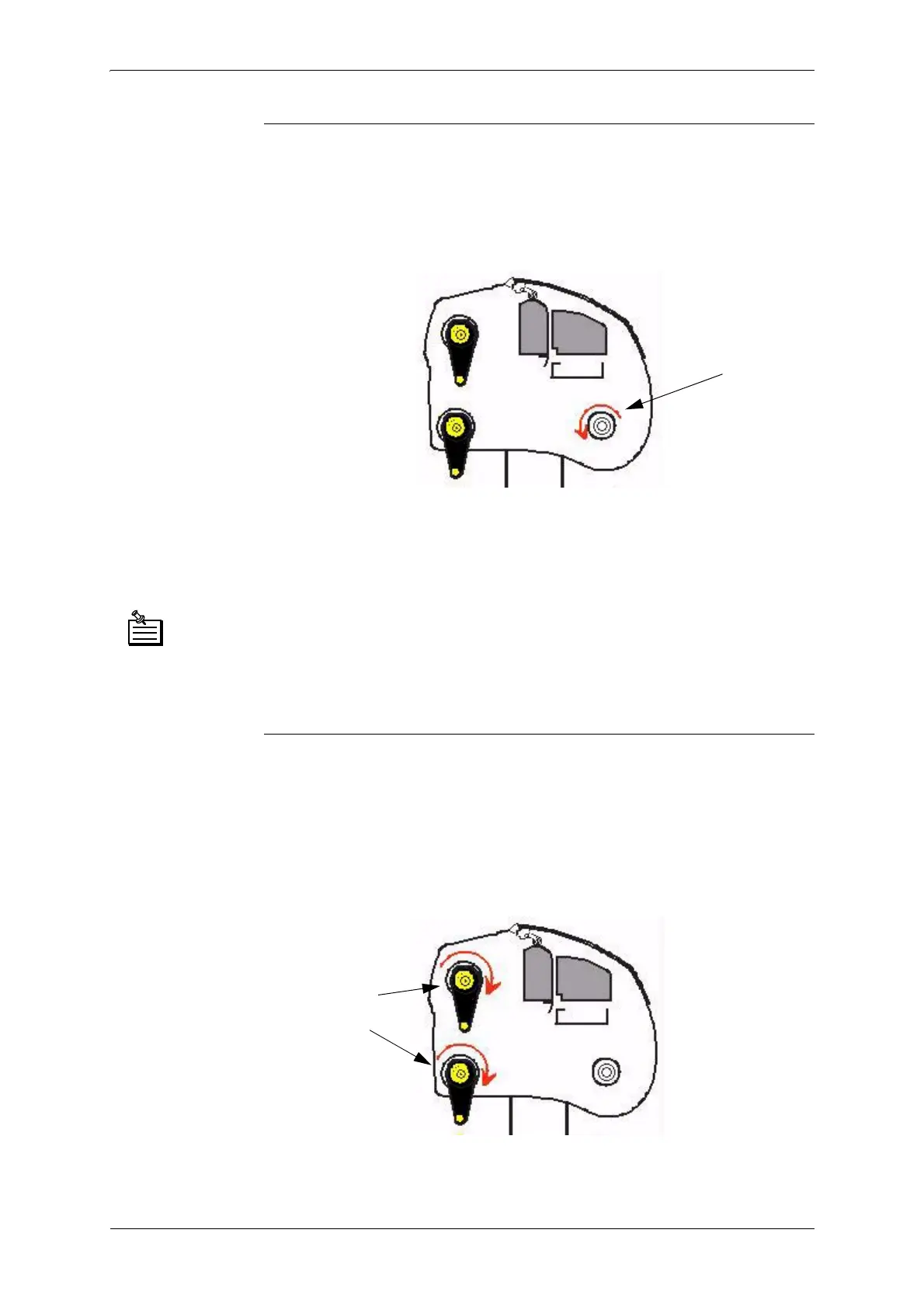
2. To validate this command, click the “Apply” button. The paper reception
bar must turn as seen in the image below:
3. Paper encoder: turn by hand. The value shown in the control window
should increase when the encoder rotates in the direction of the paper
feed. Rotation in the opposite direction of the paper feed should make the
value in the control window decrease.
'LVM3%XWWRQLIWKLVEXWWRQOLJKWVXSGLVMXQFWLRQH[LVWVLQWKH3PRWRU
FRPPDQG&OLFNWKH067EXWWRQWRUHDUPWKHEUHDNHU
&OLFNWKH067EXWWRQDJDLQWRUHVWDUWWKHWHVW
5HVHWWLQJWKHHQFRGHUGLVSOD\ZLQGRZFOLFNWKHEXWWRQ
4ETIVYR[MRHMRKE\IW
1. Select the motor to test by clicking on the corresponding radio button.
2. Click the “MST” button
3. To validate this command, click the “Apply” button. The bar selected
must turn as seen in the image below:
*IIHFEVQYWXXYVRMR
XLMWHMVIGXMSR
8LIWIPIGXIHFEV
QYWXXYVRMRXLMW
HMVIGXMSR



 To Next Page