Doc No. FM0817 issue 1 Page 13
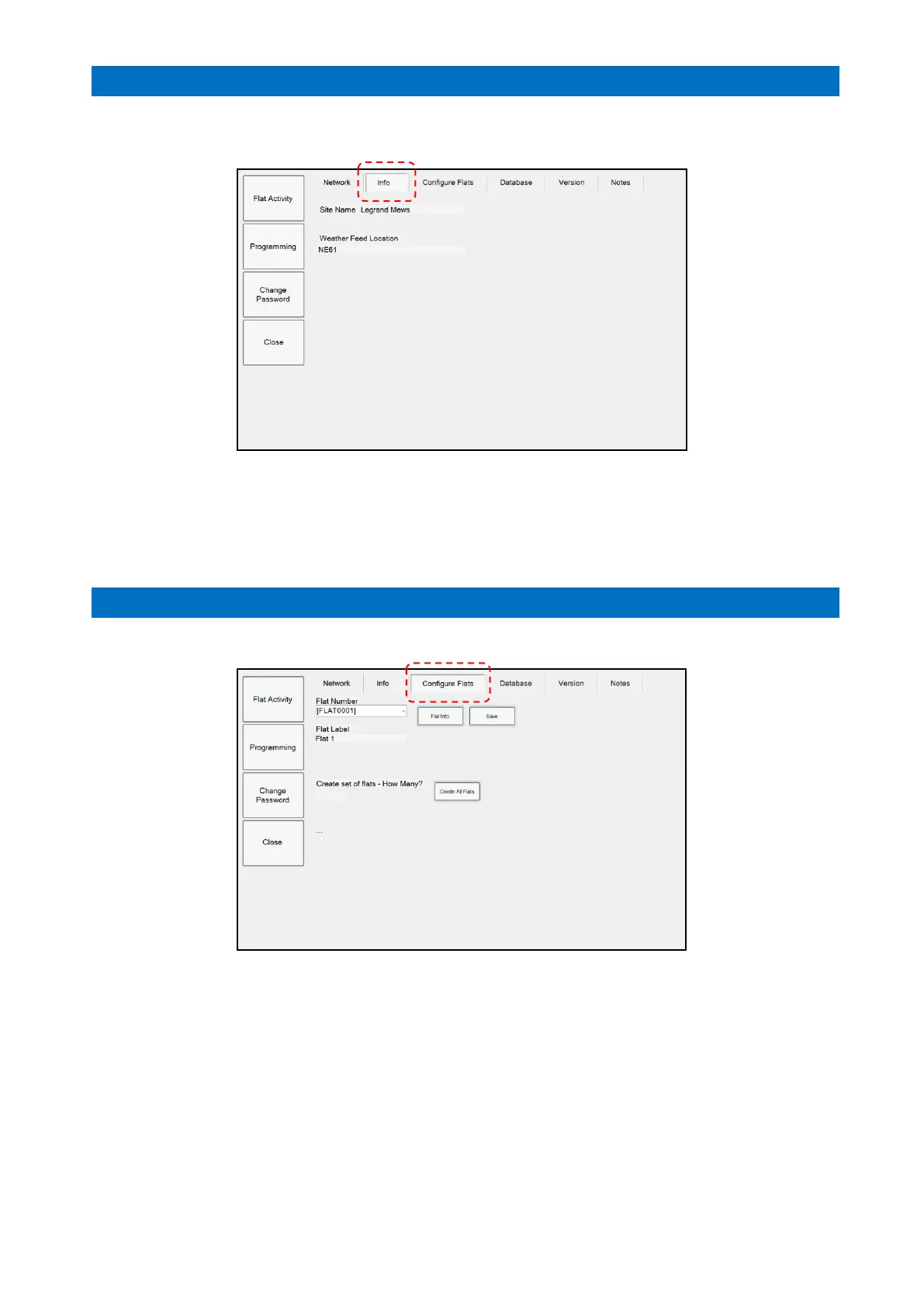
The Info tab is used to setup the information relevant to the optional Notice Board.
This is an Engineer function only.
Enter the Site Name as you want it to be displayed on the Notice Board.
Enter the local Post Code in the Weather Feed Location if you want the weather forecast
on the Notice Board.
Note: internet access required for the weather option.
Press Close when done.
13. CONFIGURE FLATS SETUP
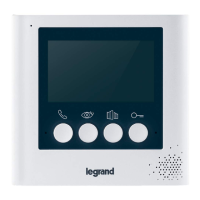
The Configure Flats tab is used to edit the flat number labels displayed on the Flat Status page;
Select the Flat Number to be edited from the drop down list
Press the Flat Info button to refresh the Flat Label box with the current text
Touch the Flat Label text box and the keyboard will appear on-screen
Edit the flat label as required and press the Save button.
Press Close when done.



 To Next Page