EasyManua.ls Logo

LEGRAND Tynetec Advent XT2 - CHANGE PASSWORD (CONTINUED); Password Management Roles; Performing a Password Change; Password Access Capabilities

LEGRAND Tynetec Advent XT2
34 pages
Print Icon
To Next Page IconTo Next Page
To Previous Page IconTo Previous Page
Loading...
Doc No. FM0817 issue 1 Page 33
25. CHANGE PASSWORD - CONTINUED
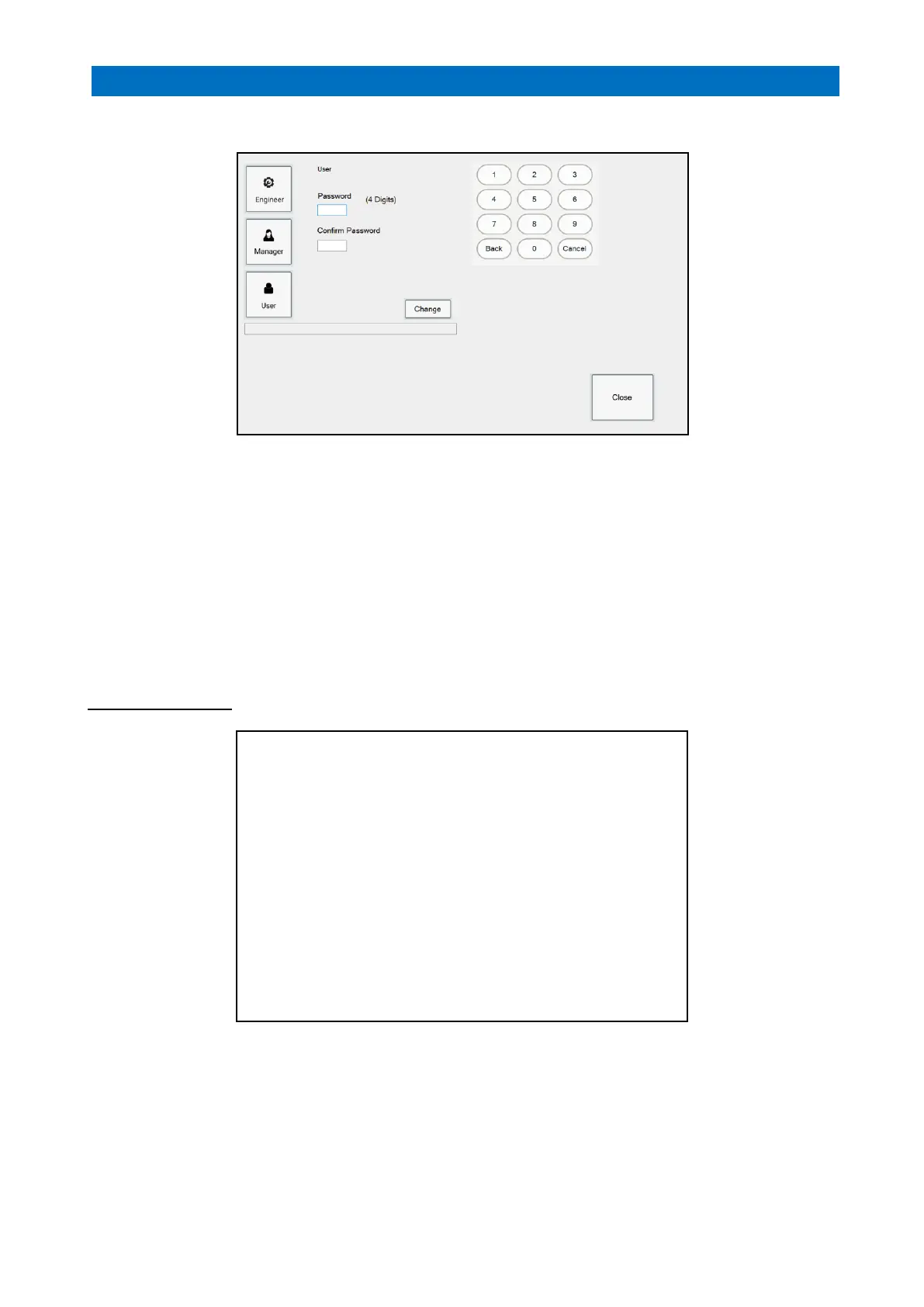
Press the Change Password button;
If you Logon as an Engineer you can change all 3 passwords; Engineer, Manager and User.
If you logon as a Manager you can only change 2 passwords; Manager and User.
If you Logon as a User you cannot change any passwords.
Engineer access to all user features and system setup
Manager access to all user features
User change system operating mode only
Press the Engineer, Manager or User button for the password you want to change.
Use the on-screen keypad to enter a new 4-digit password in the Password box below.
Enter the same new 4-digit password in the Confirm Password box
Press the Change button to save the new password.
Press Close when done.
Password Access Table

Options
User
Manager
Engineer
Home > Alarm Status
Home > Event Log
Home > Flat Status
Home > Notice Board
Home > Change Operating Mode
Home > Settings > Network
Home > Settings > Info
Home > Settings > Configure Flats
Home > Settings > Database
Home > Settings > Version
Home > Settings > Notes
Home > Settings > Flat Activity
Home > Settings > Programming
Home > Settings > Change Password
Home > Settings > Simulate

Other manuals for LEGRAND Tynetec Advent XT2

Related product manuals