Leica ComGate10, Operation
27
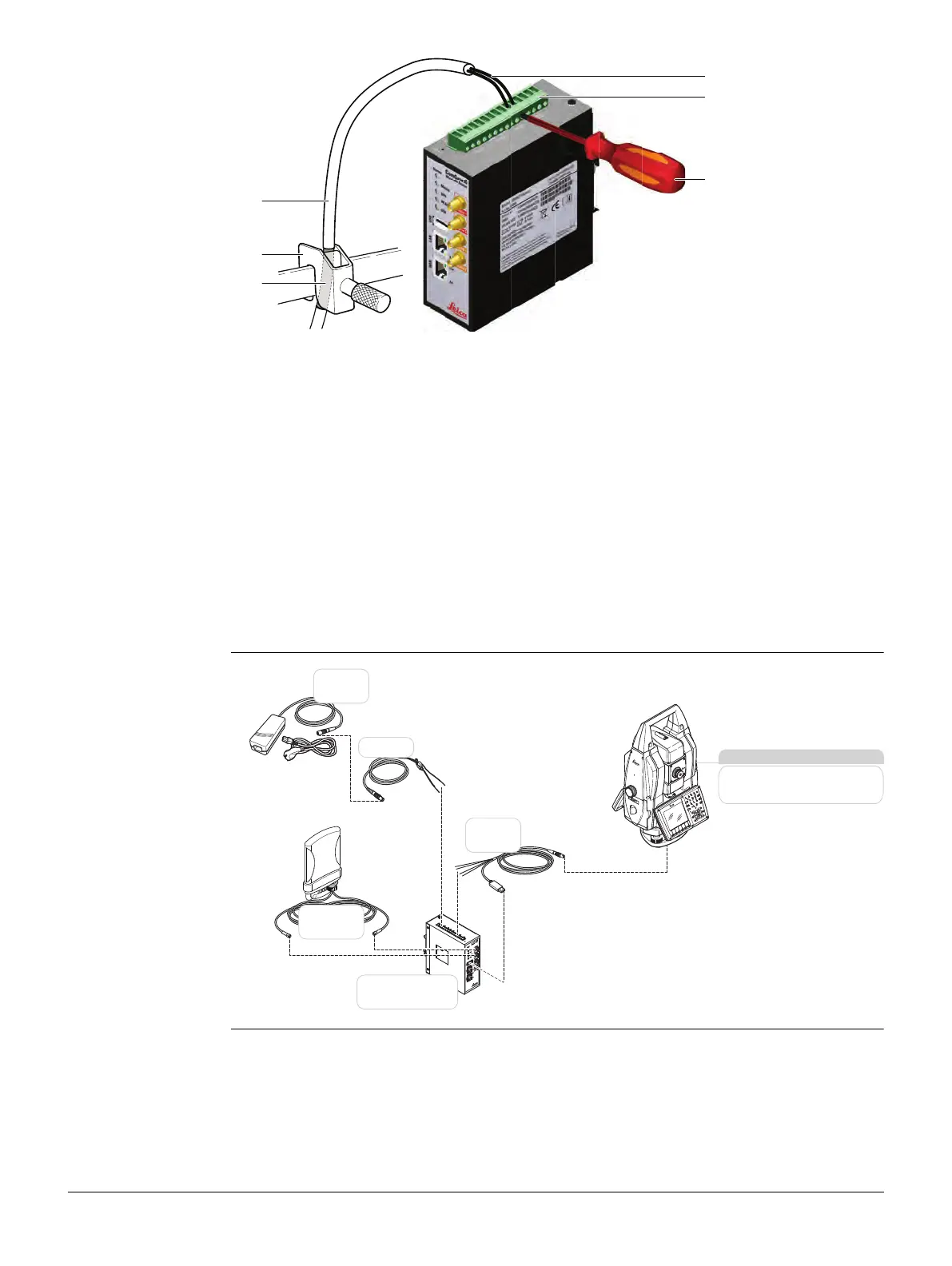
Sensor connection
through terminal
block
Refer to section "5.3 Cables to Connect Leica Sensors and External Devices to the
ComGate10" for detailed information about how to connect each sensor cable with
the terminal block (terminal block clamp assignment).
Use only an isolated screwdriver size 0 to connect the sensor cables to the terminal
block.
Ensure the shields of all outgoing sensor cables, inclusive GNSS antenna and
Ethernet cables, are also grounded.
Setup with
MS60/TS60
MS50/TM50/TS50
(USB connection)
a) Sensor cable
b) Connection clamp
c) Shield area of the cable touching the earthed connection clamp
d) Bared range of the sensor cable
e) Terminal block
f) Isolated screwdriver
014121_002
a
b
c
d
e
f
14122_002
TS60/MS60
TM50/TS50/MS50
Geodetic Sensor
GEV271
808 333
GEV270
807 696
722 411
COMGT10LWEU
853 396
CT-AT467
853 397



 To Next Page