39
Leica IP C
Instrument Setup 4
Note
When filling the magazines ensure no gaps are present between the cassettes.
• If taped cassettes are used, make sure the newly inserted stack aligns perfectly with the previously
loaded cassettes (→ "Fig. 30").
Note
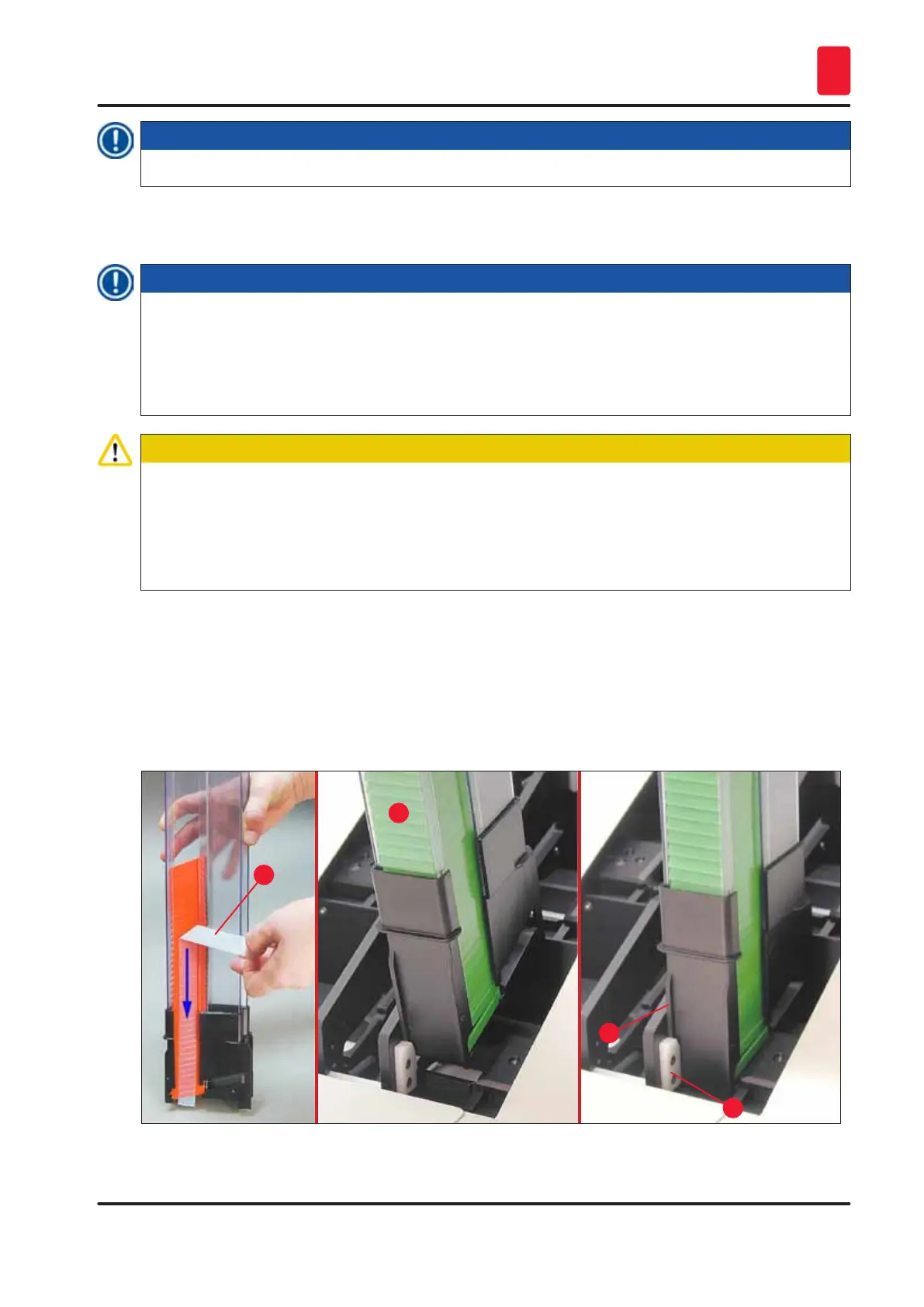
IMPORTANT! Always pull off the adhesive strip (→ "Fig. 31-1") from top to bottom, so that no gaps
can arise between the cassettes.
Depending on the type of cassettes, each magazine holds up to 80 cassettes. If cassette sizes other
than those specified in the table on (→ p. 37 – Filling and inserting the magazines) are to be used,
use trial and error to find out which insert is required in the magazine.
Caution
Important!
Only the cassette sizes listed in the table on (→ p. 37 – Filling and inserting the magazines) have
been tested with the Leica IP C.
Leica does not guarantee that cassette types other than those tested can be processed in the
instrument.
1. Insert a filled magazine (→ "Fig. 31-2") into the printer as shown and insert it into the holder at
the slot.
2. Tilt the magazine backwards as far as it will go, then firmly push the magazine downwards.
Guide rail (→ "Fig. 31-3") must lock into holder (→ "Fig. 31-4").
3. Keep following this procedure until the printer is completely filled with magazines; observe the
correct sequence while doing so.
1
2
3
4
Fig. 31



 To Next Page