70
Version 2.0, Revision I
Cleaning and Maintenance
6
Note
The cleaning process with solvent takes approx. 3.5 minutes.
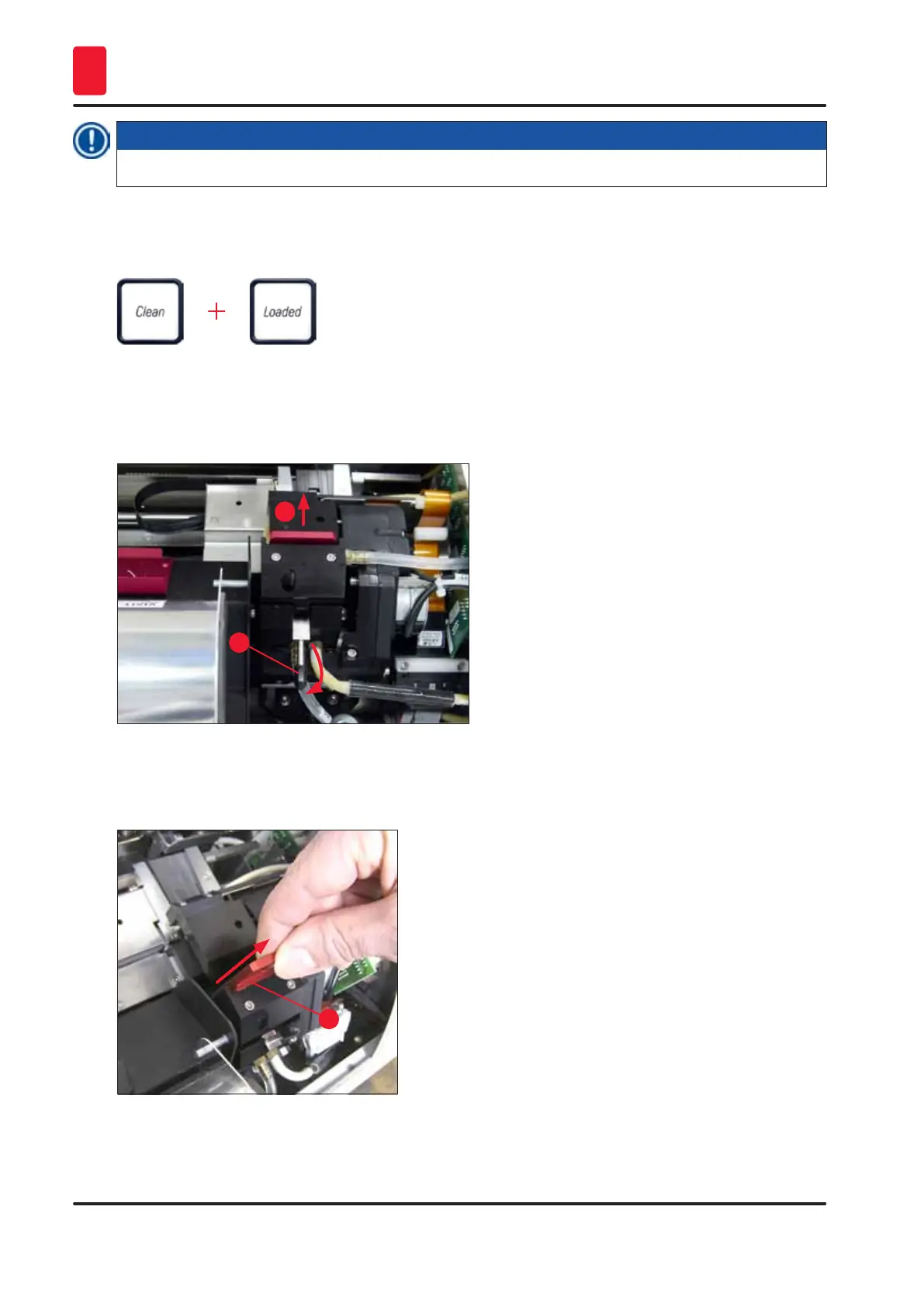
11. Open the hood of the printer (→ "Fig. 34-1"), then press the CLEAN and LOADED buttons at the
same time.
12. Pressing those buttons moves the print head (→ "Fig. 59-1") up and away from the replacement
plate.
13. Push the lever (→ "Fig. 59-2") up to allow removal of the replacement plate.
Fig. 59
1
2
14. Remove the red replacement plate (→ "Fig. 60-1").
15. Clean it using alcohol (95 %-100 %).
1
Fig. 60



 To Next Page