28
Instruction manual V3.2 – 02/2002
7. Setting up the instrument
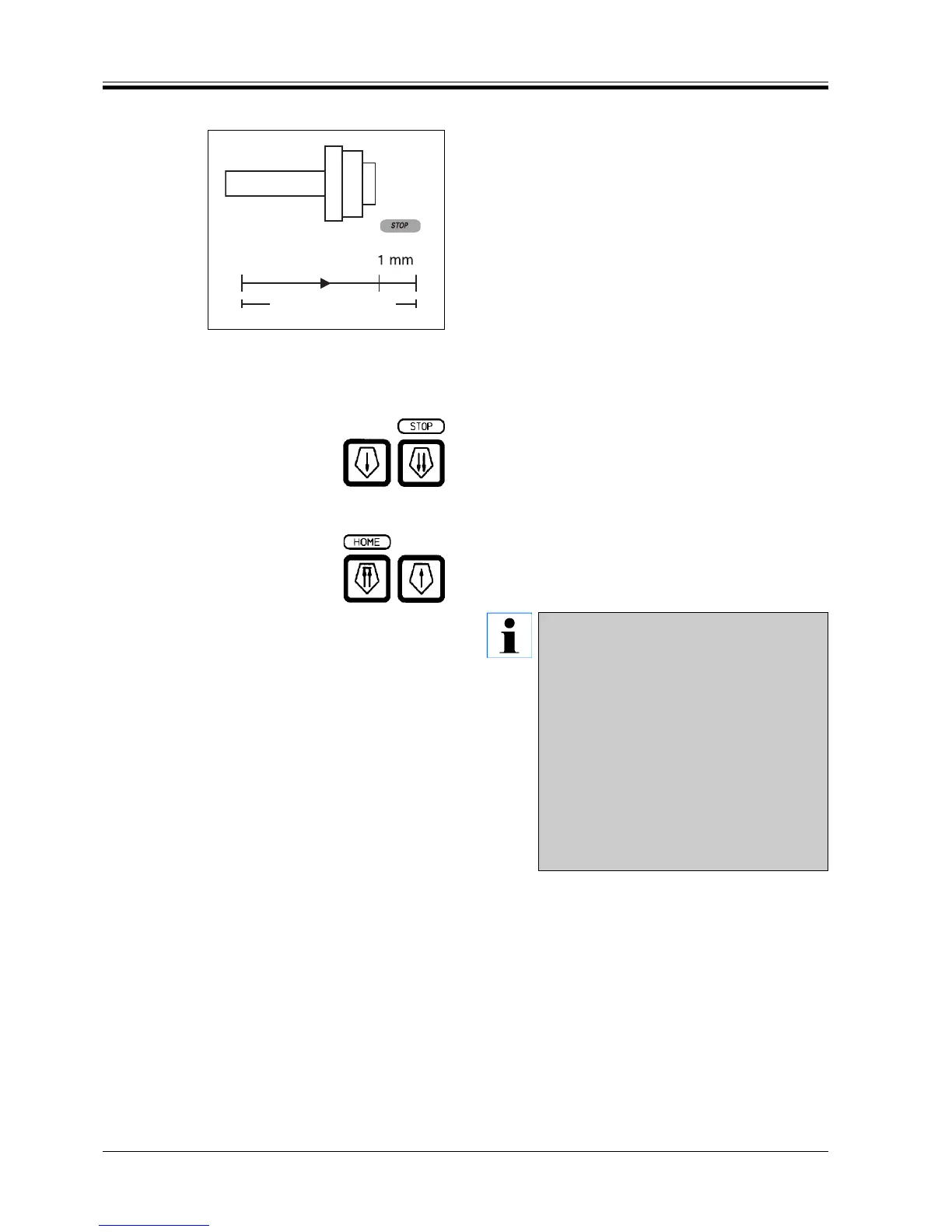
Remaining horizontal feed indication
A visual and audible remaining horizontal feed indica-
tion feature adverts the user during trimming and sec-
tioning that a horizontal feed range of about 1 mm re-
mains before the front limit stop will be reached.
STOP (yellow) will be illuminated when reaching the
remaining horizontal feed. In addition, at the same time
a beep is emitted, which lasts about 2 seconds.
At that point, there is a remaining distance of 1 mm to
the front limit stop. Within this remaining feed, a speci-
men advance via the coarse feed buttons cannot be
activated any longer.
• You can continue to section.
STOP (yellow) is illuminated.
When the front limit is reached the specimen will not
advance any further, i.e. sectioning automatically stops.
• To continue sectioning, move the specimen back
to the rear limit stop (HOME) using the appropriate
coarse feed button.
If the instrument is switched on with the
specimen being located at a position within
the remaining feed range, after visualizing the
software version, an additional beep will
sound.
To start working, the specimen has to be
moved backwards by a certain distance by
means of the coarse feed buttons.
Within the remaining horizontal feed range,
the TRIM-STEP function is inoperational. To
move the specimen backwards via the coarse
feed buttons, if necessary, press TRIM to
switch from TRIM/µm to the sectioning mode
SECT/µm.
Fig. 28
Total horizontal feed
Remaining feed


 To Next Page