82TPS1200+
Operation
3.7 Accessing Survey Application Program
Access Select Main Menu: Survey.
OR
Press PROG. Highlight Survey. CONT (F1).
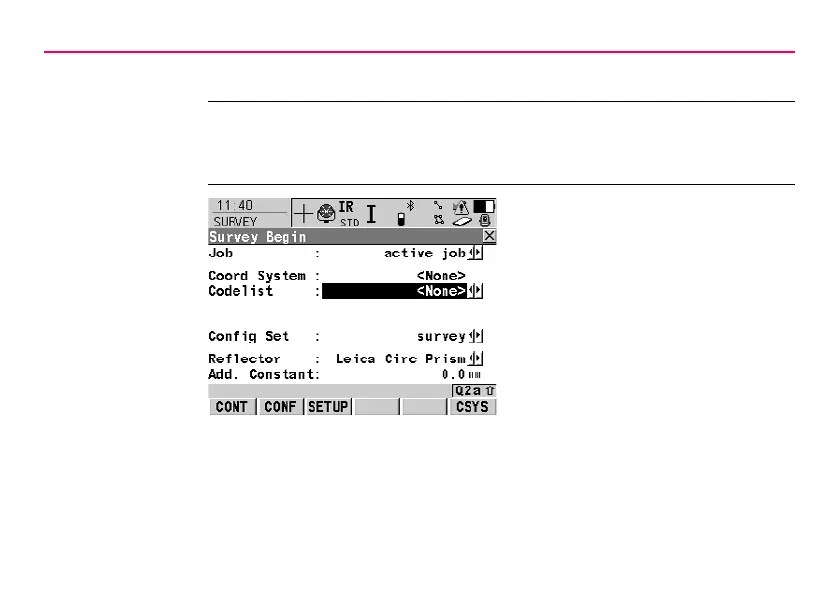
SURVEY
Survey Begin
CONT (F1)
To accept changes and access the
subsequent screen. The chosen
settings become active.
CONF (F2)
To access SURVEY Configuration.
SETUP (F3)
Opens SETUP Station Setup to set
station and orientation.



 To Next Page