Operation TPS1200+ 75
3.5.2 Instrument Battery
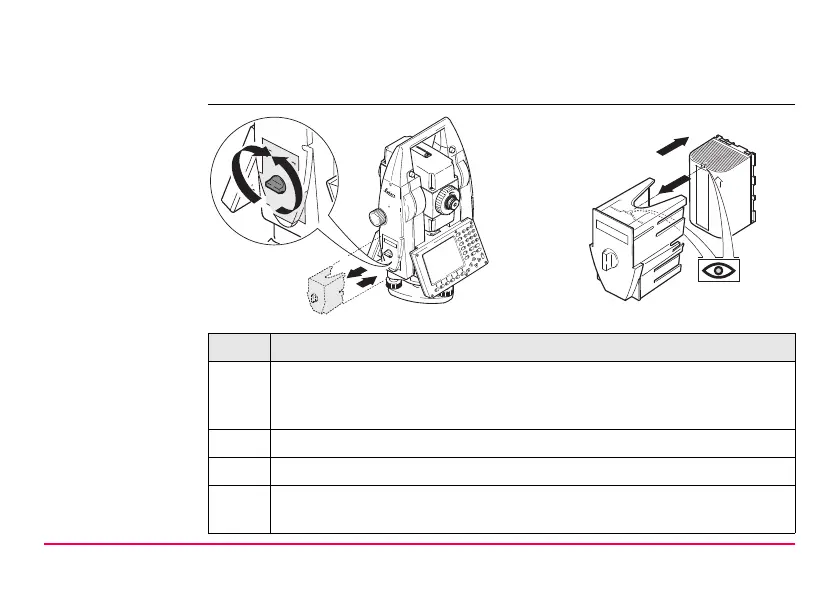
Change battery
step-by-step
Step Description
1. Face the instrument so that the vertical drive screw is on the left. The
battery compartment is now on the left side of the instrument. Turn the
knob to the vertical position, opening the lid of the battery compartment.
2. Pull out the battery housing.
3. Pull the battery from the battery housing.
4. A pictogram of the battery is displayed inside the battery housing. This is
a visual aid to assist in placing the battery correctly.
TPS12_011
2
6
1
7
3
5
4



 To Next Page