Leitz Icon Printer User Guide Getting Started
13
Loading Labels
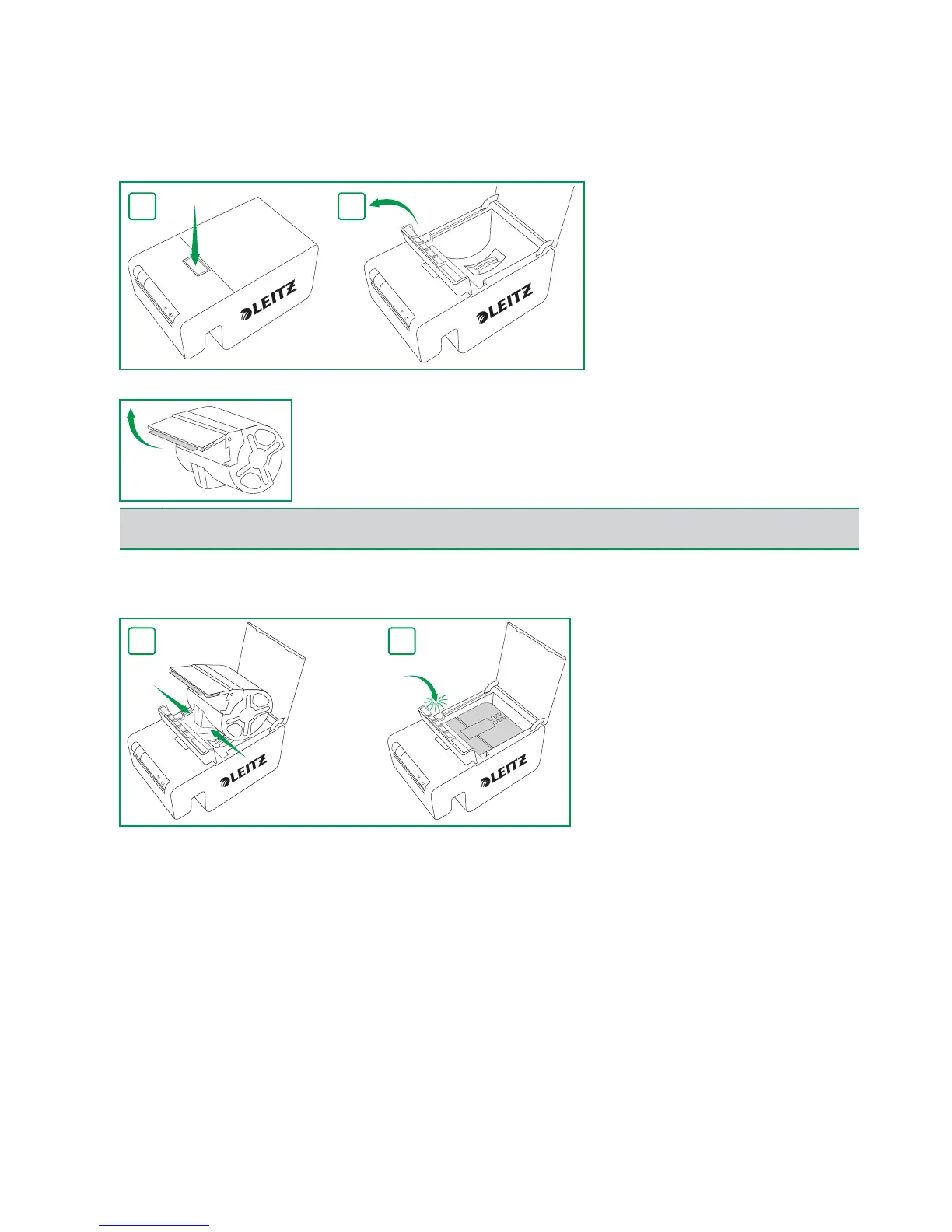
1.Push the button on the top of the printer to open the cartridge door.
2.Lift the label guide latch as shown.
3.Pull open the folding label guide on the label cartridge.
4.Place the cartridge into the printer as shown.
Make sure the cartridge is centered and seated securely in the printer.
5.Lower the label guide latch.
6.Close the cartridge door.
The printer automatically feeds the labels to the starting position.
NOTE
Avoid handling the cartridge identification chip as this may damage the chip. If the chip becomes damaged, the label
cartridge may not work properly.


 To Next Page