Leitz Icon Printer User Guide Getting Started
14
Unloading Labels
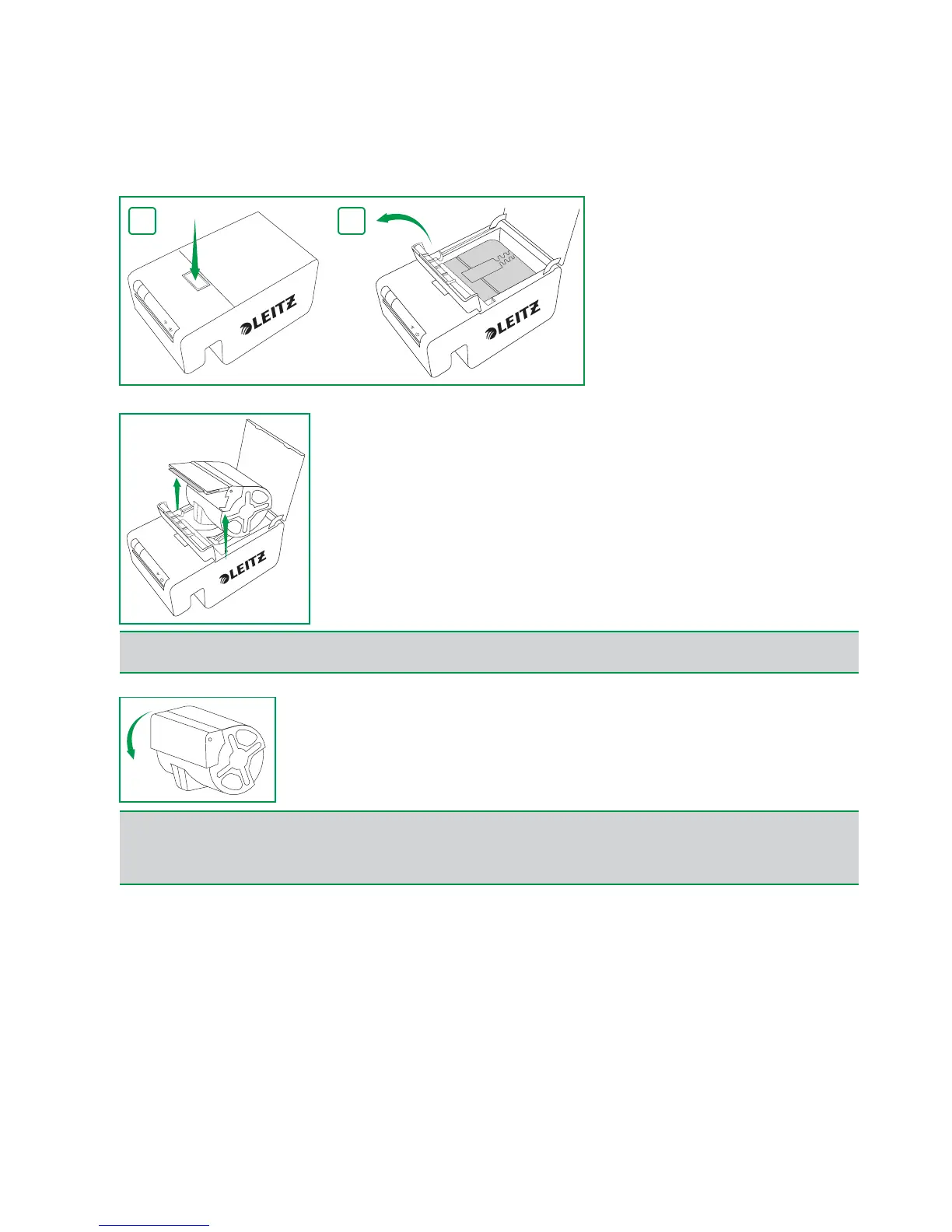
1.With the printer powered on, push the button on the top of the printer to open the cartridge door.
The labels are retracted into the cartridge.
2.Lift the label guide latch as shown.
3.Carefully lift the cartridge from the label compartment.
4.Close the folding label guide on the label cartridge.
NOTE
Avoid handling the cartridge identification chip as this may damage the chip. If the chip becomes damaged, the label
cartridge may not work properly.
NOTE
Do not push labels back into the label cartridge. Doing so can damage the labels, and render the labels unusable or cause
the labels to jam inside the printer. If any labels are protruding from the label exit slot, use a pair of scissors to cut off the
excess. If this is a recurring problem, it could be an indication that you should use the cleaning card to clean the paper
path.


 To Next Page