Leitz Icon Printer User Guide Getting Started
8
Installing the Software
1.Download the latest version of the Leitz Icon Software from the Leitz website.
2.Double-click to start the installer.
3.Follow the on-screen instructions to install the software.
Installing the Leitz Icon App
1.Open a web browser on your iOS or Android device.
2.In the address bar, type www.leitz.com/icon/support to visit the Leitz website.
3.Click the link to download the app from the App Store or from Google Play™.
The Apple App Store or Google Play automatically launches and displays the installation screen for the Leitz Icon app.
4.Click Install.
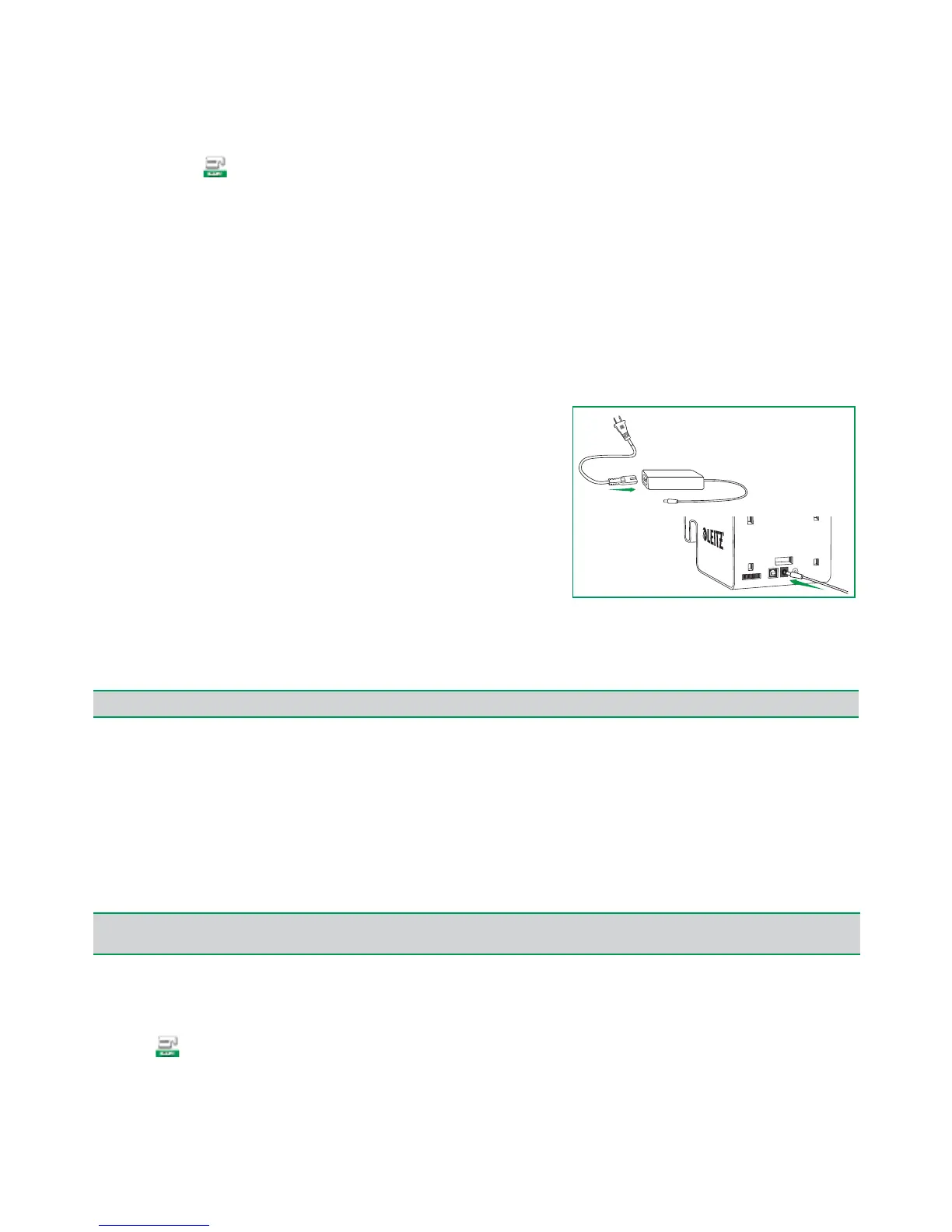
Connecting the Power
The printer is powered using the included AC power adapter and
power cord.
1.Plug the power cord into the power adapter.
2.Plug the power adapter into the power connector on the back of
the printer.
3.Plug the power cord into an available power outlet.
An optional, external, rechargeable battery is available for using the
printer as a portable device. Refer to Using the Battery on page 19 for
information on using the optional battery.
Connecting the Printer to Your Computer (Windows)
After downloading and installing the software, connect the power to the printer (see Connecting the Power).
You can use the Add Printer Wizard to connect your Leitz Icon printer to your computer. Several options are available for
connecting the Leitz Icon printer to your computer.
• Connect the printer using USB
• Connect the printer using your wireless network
• Connect the printer using access point (Soft AP) mode
Starting the Add Printer Wizard
After downloading and installing the software, you are prompted to restart your computer. Once your computer restarts,
the Add Printer Wizard starts automatically.
If you already have a Leitz Icon printer connected to your computer and want to change the connection method or add
another Leitz Icon printer, you can start the Add Printer Wizard from within Leitz Icon Software.
To start the Add Printer Wizard from Leitz Icon Software
1.Click to start Leitz Icon Software.
2.On the Help menu, click Add printer.
NOTE
Software installation must be complete before connecting the printer to your computer.
NOTE
If the Add Printer Wizard does not start automatically, you can access the wizard by starting Leitz Icon Software and clicking Add
Network Printer in the dialog box that appears.


 To Next Page