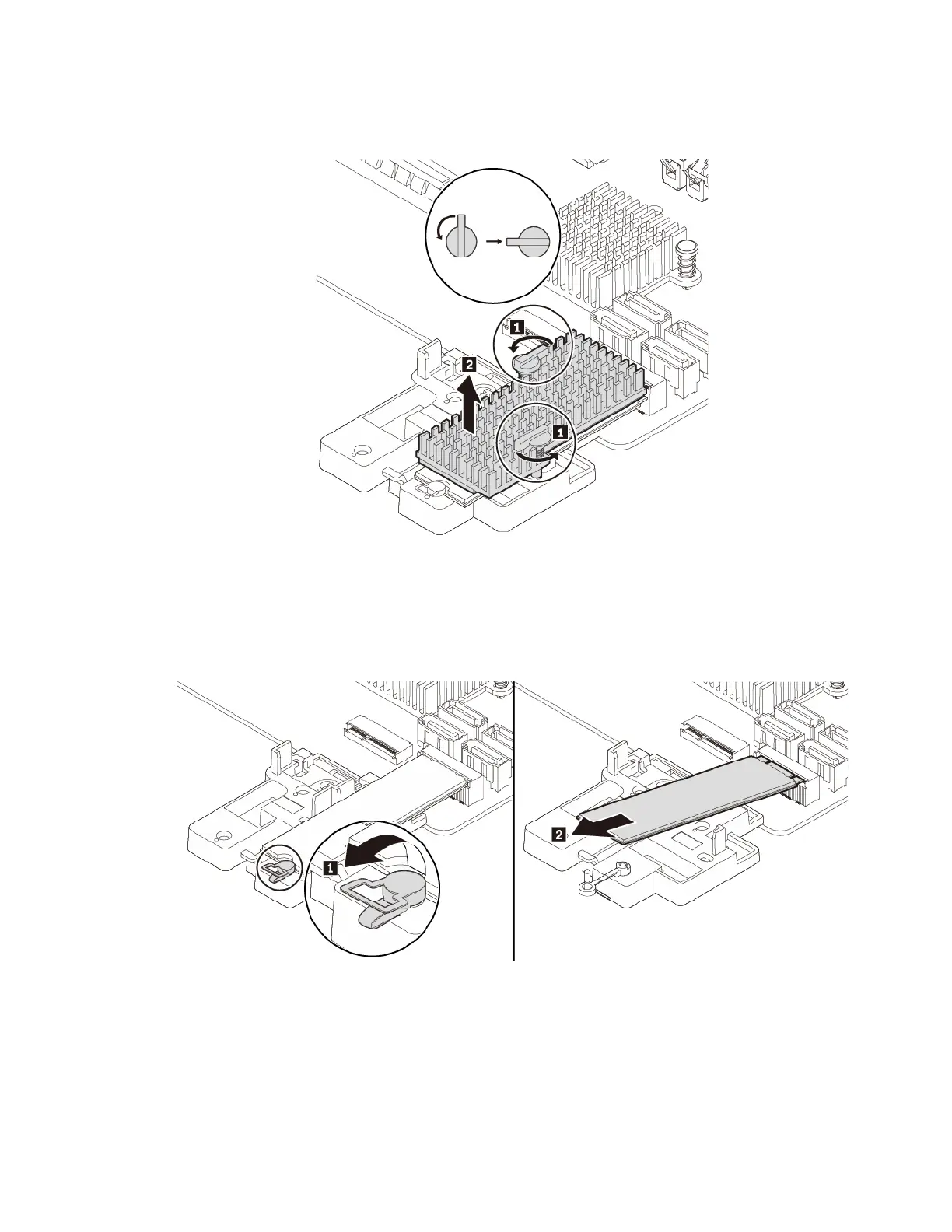
a. Turn the two mounting studs 90-degree counterclockwise to release the heat sink. Then, lift the heat
sink off the plastic holder.
Figure 17. Removing the heat sink from the plastic holder
b. Pull the handle of the retaining latch outward to the open position. The M.2 solid-state drive is
released from the secured position and pivots upward. Remove the M.2 solid-state drive out of the
slot.
Figure 18. Opening the retaining latch and removing the M.2 solid-state drive
5. To install a new M.2 solid-state drive, do the following:
Chapter 7. Hardware removal and installation 59




![Preview: Lenovo F0B2 [C20-30]](https://data.easymanua.ls/products/594284/200x200/lenovo-f0b2-c20-30.webp)


 To Next Page