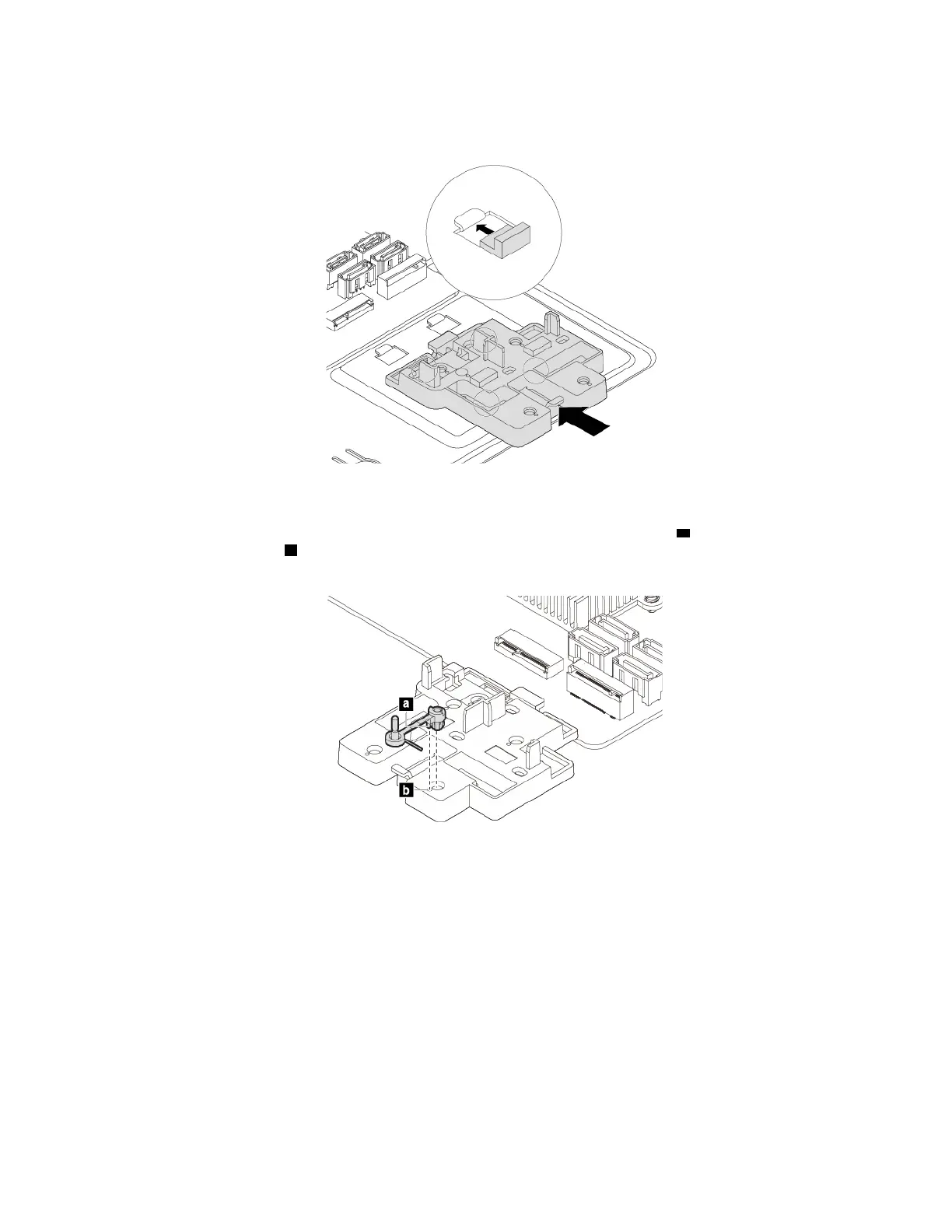
a. If necessary, align the four tabs on the rear of the plastic holder with the corresponding holes in the
chassis. Then slide the plastic holder toward the system board until it snaps into position.
Figure 19. Installing the plastic holder
b. Locate the hole in the plastic holder to install the retaining latch. Align the pin a with the
corresponding hole
b in the plastic holder. Then press the retaining latch downward into the hole
until it snaps into position.
Figure 20. Installing the retaining latch
60 P330 User Guide




![Preview: Lenovo F0B2 [C20-30]](https://data.easymanua.ls/products/594284/200x200/lenovo-f0b2-c20-30.webp)


 To Next Page