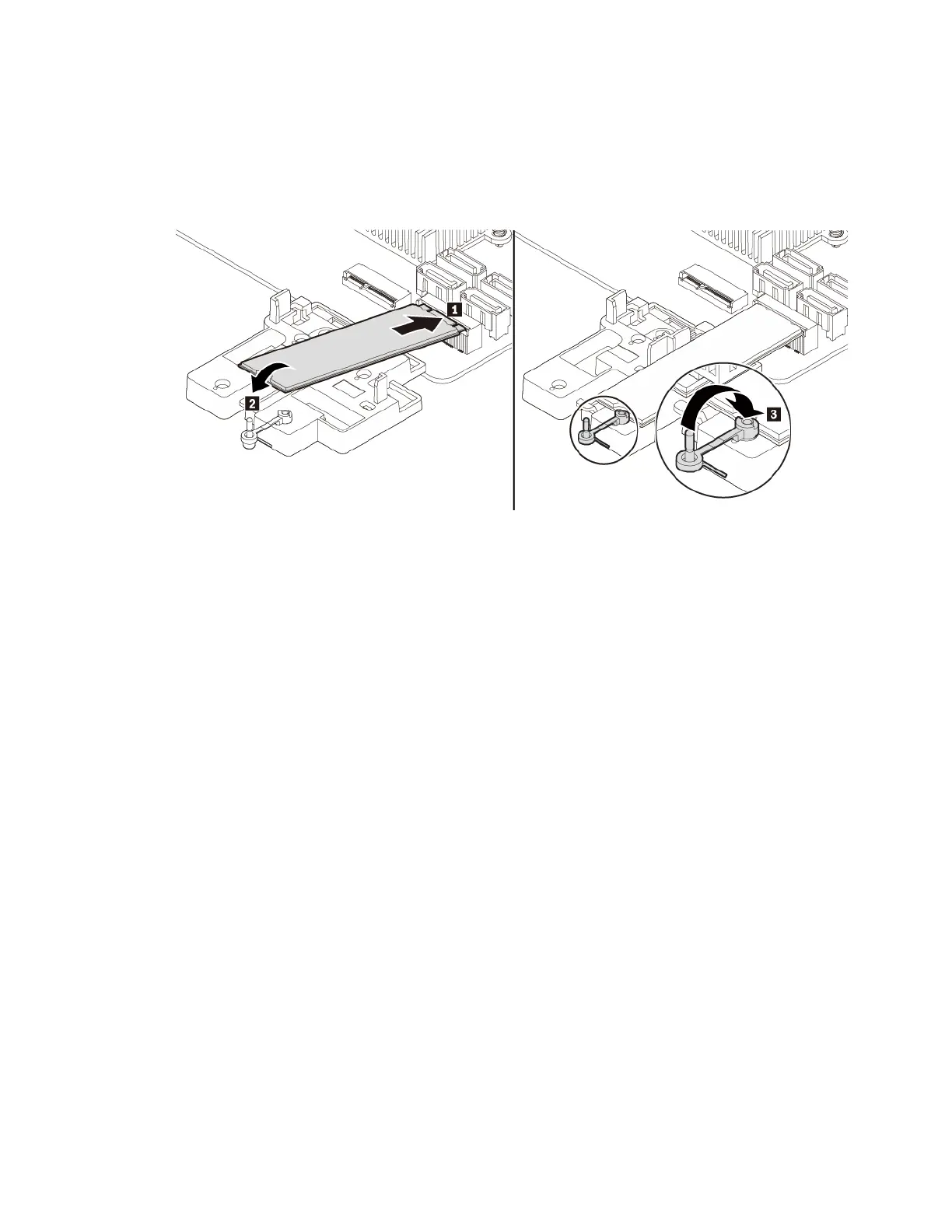
c. Hold the new M.2 solid-state drive by its edges and ensure that the circuit board side is facing
upward. Align the contact edge of the new drive with the key in the corresponding slot. Then carefully
insert the new drive into the slot at an angle of about 20 degrees and pivot the new drive downward.
Insert the plug of the retaining latch into the hole to secure the new drive.
Note: Do not touch the circuit board or the contact edge of the M.2 solid-state drive.
Figure 21. Installing the M.2 solid-state drive
Chapter 7. Hardware removal and installation 61




![Preview: Lenovo F0B2 [C20-30]](https://data.easymanua.ls/products/594284/200x200/lenovo-f0b2-c20-30.webp)


 To Next Page