EasyManua.ls Logo

Lenovo Neptune DWC RM100 - User Manual

Lenovo Neptune DWC RM100
51 pages
Print Icon
To Next Page IconTo Next Page
Loading...
Lenovo Neptune DWC RM100
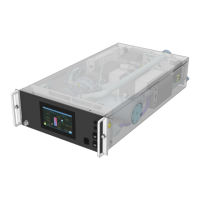
in-rack Coolant Distribution Unit
(CDU)
OPERATION & MAINTENANCE GUIDE

Table of Contents

Questions and Answers

  • G
    Gabriela VincentSep 12, 2025
    How to resolve T5 Primary Temperature Sensor Fault on Lenovo Server?
    • R
      ramirezjosephSep 12, 2025
      A T5 Primary Temperature Sensor Fault on your Lenovo Server means the reading from the Primary return temperature sensor T5 is outside the normal range of 5 to 74°C (41 to 165°F) or disconnected. Check sensor connections to the control board, check in-line connections, replace sensor.
  • S
    sandra05Aug 25, 2025
    What to do if Lenovo Neptune DWC RM100 shows a leak fault or water make-up empty?
    • R
      Rebecca BradleyAug 25, 2025
      If your Lenovo Server indicates a leak fault or the water make-up is empty, it could be because the fill pump has been running for more than 1 minute while the level sensor is activated, but the minimum system pressure level hasn't been reached. Check that the make-up water container is full, the tubes are free of air locks, the container is properly connected, and the fill pump is operational. Also, inspect the system for leaks.
  • E
    Eric McdowellAug 25, 2025
    Why does my Lenovo Neptune DWC RM100 shut down due to a leak or insufficient water?
    • J
      John RobertsAug 26, 2025
      A leak shutdown or insufficient water issue in your Lenovo Server can occur if the level sensor is not activated, the fill pressure hasn't been achieved, and the fill pump has been running for more than 1 minute. Verify that the water make-up container is correctly connected (or the filling wand is fully immersed, if used). Check the system for leaks. Ensure there is no trapped air in the fill pump hoses and the system is fully vented. Confirm that the auto air vents are open.
  • M
    Michelle EricksonSep 23, 2025
    What to do if Lenovo Neptune DWC RM100 Server shows Secondary Temp T2c Diff Fault?
    • T
      tnelsonSep 23, 2025
      Secondary Temp T2c Diff Fault on your Lenovo Server means the difference between Secondary temp. sensor T2c is more than default 1°C (2°F) adrift from T2a & T2b. Check T2c sensors against the temperature sensor resistance chart in Section 2.7 and replace if faulty.
  • P
    Paula RoachSep 12, 2025
    Why am I getting a T3 Room Temperature Sensor Fault on my Lenovo Neptune DWC RM100 Server?
    • M
      Mr. Thomas Valdez MDSep 12, 2025
      A T3 Room Temperature Sensor Fault on your Lenovo Server indicates that the reading from the Room temperature sensor T3 is outside the normal range of 5 to 74°C (41 to 165°F) or disconnected. Check sensor connections to the control board, check in-line connections, replace sensor.
  • M
    Mr. Marcus Schwartz MDSep 17, 2025
    How to resolve PS2 Secondary Pressure Sensor Fault on Lenovo Neptune DWC RM100?
    • K
      Kristen MezaSep 17, 2025
      A PS2 Secondary Pressure Sensor Fault on your Lenovo Server indicates that the reading from the Secondary filter outlet pressure sensor PS2 is outside the normal range of -1 to 8 bar (- 15 to 116 PSI). Check sensor connections to the control board, check in-line connections, replace sensor.
  • M
    Mary MilesSep 5, 2025
    What to do if Lenovo Neptune DWC RM100 Server detects water (internal leak)?
    • A
      awestSep 5, 2025
      If your Lenovo Server detects water, indicating an internal leak, it means the leak tape in the unit drip tray has detected a substantial water leak. Identify and repair the leak.
  • A
    Angela SolisSep 6, 2025
    How to troubleshoot Pump 1 Communications Fault on Lenovo Neptune DWC RM100?
    • L
      Lauren ThompsonSep 6, 2025
      A Pump 1 Communications Fault on your Lenovo Server indicates that the controller is unable to communicate with the Pump 1 speed controller. Check all cables & connections. Replace pump.
  • L
    Lori GriffinSep 18, 2025
    What causes PS3 Secondary Pressure Sensor Fault in Lenovo Neptune DWC RM100 Server?
    • B
      bonniewilsonSep 18, 2025
      A PS3 Secondary Pressure Sensor Fault on your Lenovo Server means that the reading from the Secondary supply pressure sensor PS3 is outside the normal range of -1 to 8 bar (-15 to 116 PSI). Check sensor connections to the control board, check in-line connections, replace sensor.
  • E
    eric18Aug 30, 2025
    How to resolve secondary over pressure alarm on Lenovo Neptune DWC RM100?
    • C
      Crystal RaymondAug 30, 2025
      A secondary over pressure alarm on your Lenovo Server indicates that the pressure at PS3 has increased above the set value of 6Bar (87PSI). The most likely cause will be excessive heat build-up in the system, or a breach between the Primary and Secondary circuits within the plate heat exchanger. Check for High Temp alarms, relieve pressure at the drain point. Remove heat exchanger and replace.

Summary

General Statement

Product Standards and Approvals

Conformance to Low Voltage, EMC, and Pressure Equipment directives.

ROHS 2 Compliance

Certification of compliance with EU RoHS Directives for product materials.

ISO 9001 Certification

Company registration as an ISO 9001:2015 certified entity for Quality Management.

Safety Information

Safety Notices and Instructions

Warnings, cautions, and guidelines for safe operation, handling, and maintenance.

Electrical and Disposal Safety

Precautions for high-voltage connections, replacement parts, and responsible waste management.

Product Description

General Overview and Function

Basic characteristics and operational purpose of the RM100 Coolant Distribution Unit (CDU).

Component Identification

Identification of key components through front and rear views of the unit.

Operation

Controller and User Interface

Overview of the controller, its interface, and navigation through various screens.

System Configuration and Setup

Accessing and modifying unit parameters via Setup and Configuration menus.

Service, Diagnostics, and Calibration

Advanced operations including service, diagnostics, and calibration procedures.

Operation Modes and Control Loops

Automatic operation, circuit control, temperature control loop tuning, and sensor data.

Alarm Management and Troubleshooting

Viewing active alarms, understanding alarm codes, and troubleshooting steps.

Maintenance

General Maintenance and Fluid Specifications

Routine cleaning, leak checks, and fluid requirements for primary/secondary circuits.

Planned Maintenance Tasks

Scheduled maintenance activities, required tools, and checks.

Secondary Filter Service

Procedure for removing, cleaning, and reinstalling the secondary filter unit.

Spare Parts Identification

Catalog of available spare parts with part numbers and descriptions for ordering.

Additional Information

Wiring Diagrams

Electrical schematics detailing CDU connections, components, and power distribution.

Pipe Schematic Diagram

Diagram illustrating the fluid circuit layout and flow paths of the RM100 CDU.

Warranty and Contact Information

Details on product warranty, after-sales service, and manufacturer contact information.

Disposal Information

Unit Decommissioning and Disposal

Guidelines for responsible decommissioning and disposal of the unit according to regulations.

Lenovo Neptune DWC RM100 Specifications

General IconGeneral
Product NameLenovo Neptune DWC RM100
CategoryServer
CoolingDirect Water Cooling
Server TypeRack
Cooling TechnologyDirect Water Cooling
Processor SupportIntel Xeon Scalable Processors
Power SupplyRedundant Power Supplies
Form Factor1U Rack

Related product manuals