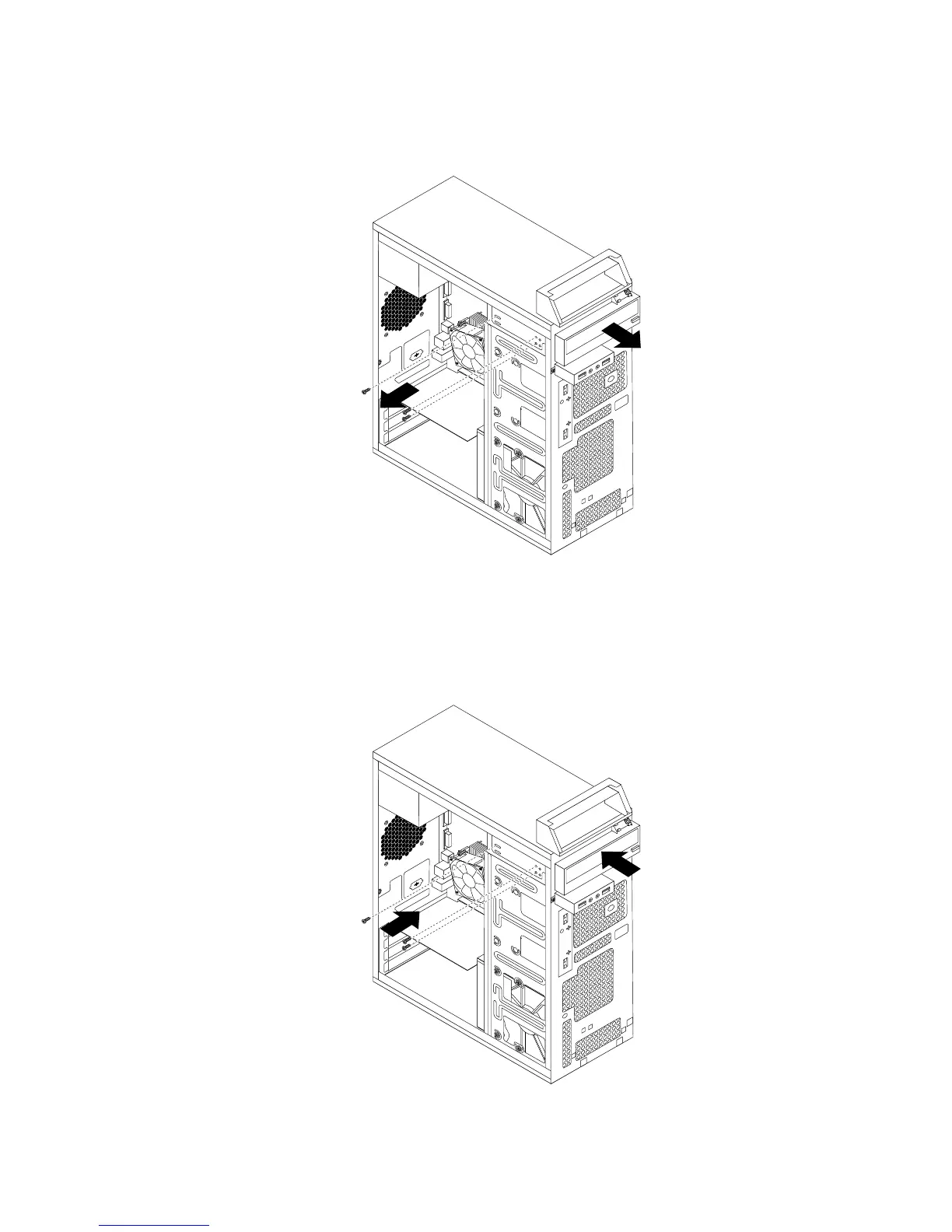
4.Removethethreescrewsthatsecuretheopticaldrive.Then,slidetheopticaldriveoutofthefront
ofthecomputer.
Figure28.Removingtheopticaldrive
5.Slidethenewopticaldriveintothedrivebayfromthefrontandalignthescrewholesinthenewoptical
drivewiththecorrespondingholesinthedrivebay.Then,installthethreescrewstosecurethenew
opticaldriveinplace.
Figure29.Installingtheopticaldrive
Chapter9.ReplacingFRUs(machinetypes:10ASand10AU)97








 To Next Page