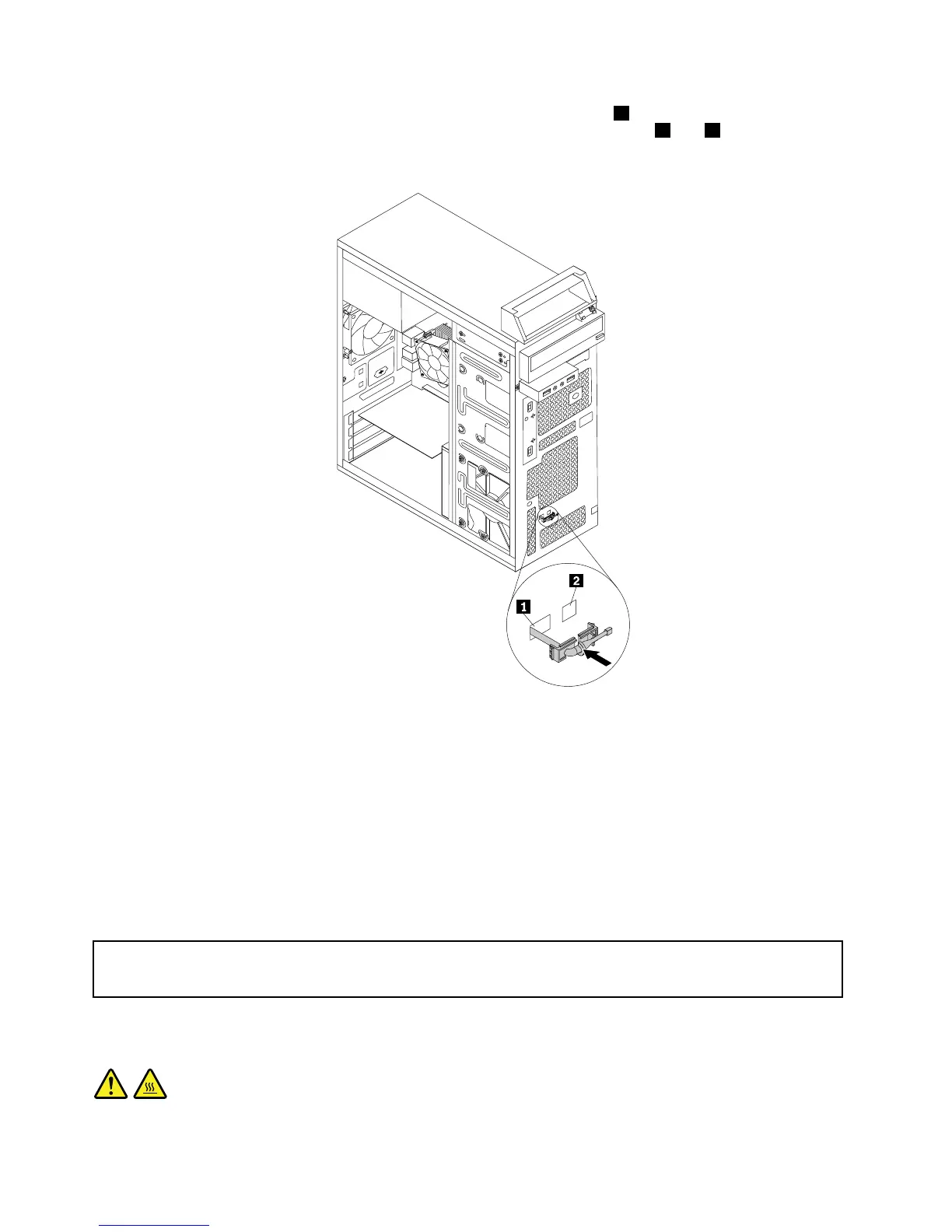
8.Inserttheconnectorandcableofthenewthermalsensorintothehole1inthechassis.Thenalignthe
twotabsontheplasticholderholdingthethermalsensorwiththetwoholes1and2inthechassis,
andpushtheplasticholderuntilitsnapsintoposition.
Figure38.Installingthenewthermalsensor
9.Reconnectthethermalsensorcabletothesystemboard.See“Locatingpartsonthesystemboard”
onpage72.
10.Reinstallthefrontbezel.See“Removingandreinstallingthefrontbezel”onpage83.
Whattodonext:
•Toworkwithanotherpieceofhardware,gototheappropriatesection.
•Tocompletetheinstallationorreplacement,goto“Completingthepartsreplacement”onpage122.
Replacingthemicroprocessor
Attention:
Donotopenyourcomputerorattemptanyrepairbeforereadingandunderstanding“Importantsafetyinformation”
onpage1.
Thissectionprovidesinstructionsonhowtoreplacethemicroprocessor.
CAUTION:
106ThinkCentreE73HardwareMaintenanceManual













 To Next Page