Locatinginternaldrives
Internaldrivesaredevicesthatyourcomputerusestoreadandstoredata.Youcanadddrivestoyour
computertoincreasestoragecapacityandenableyourcomputertoreadothertypesofmedia.Internal
drivesareinstalledinbays.Inthismanual,thebaysarereferredtoasbay1,bay2,andsoon.
Wheninstallingorreplacinganinternaldrive,itisimportanttonotethetypeandsizeofthedrivethatyou
caninstallorreplaceineachbayandcorrectlyconnectthecablestothedriveinstalled.Refertothe
appropriatesectionin“Installingorreplacinghardware”onpage81forinstructionsonhowtoinstallor
replaceinternaldrivesforyourcomputer.
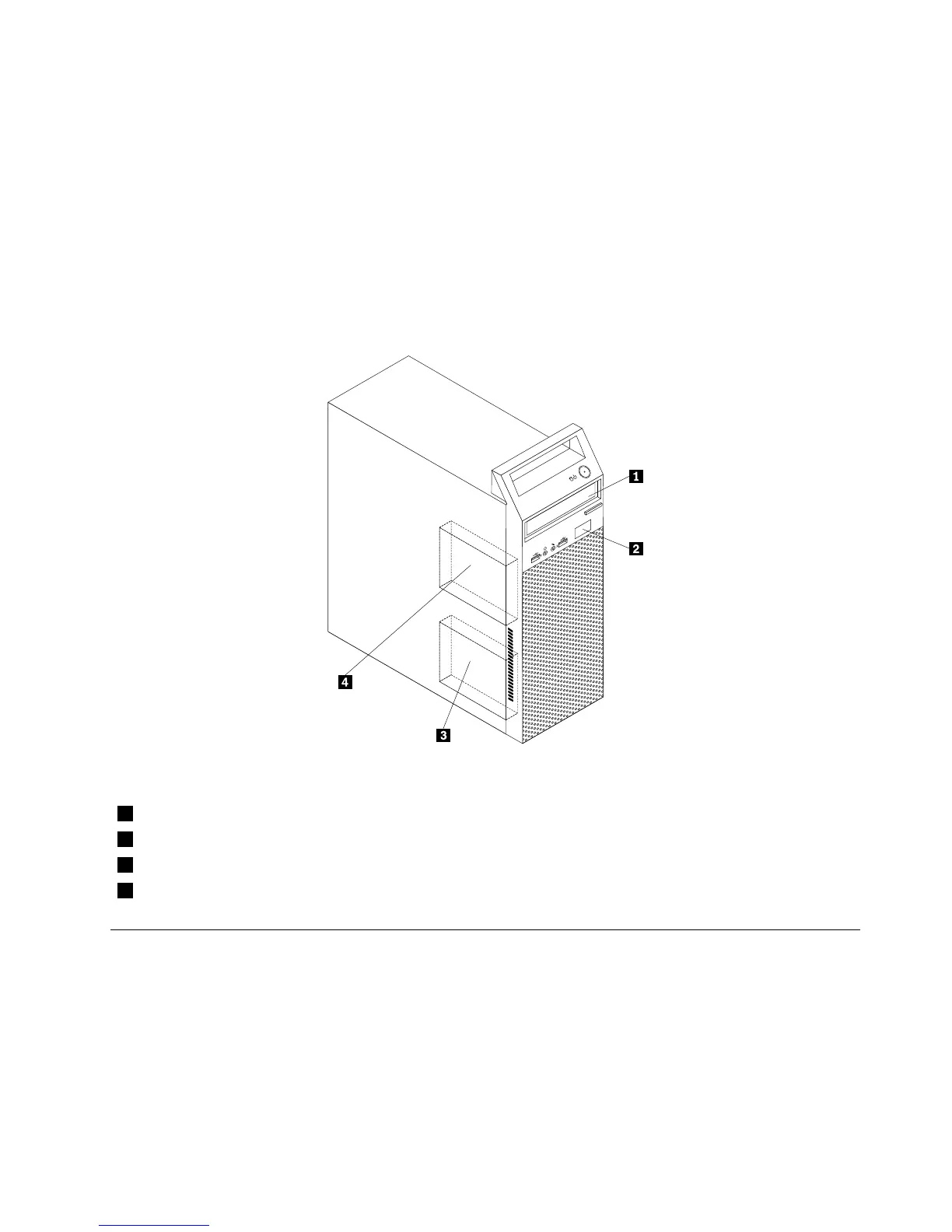
Figure5“Drivebaylocations”onpage73
showsthelocationsofthedrivebays.
Figure5.Drivebaylocations
1Bay1-Opticaldrivebay(withanopticaldriveinstalledonsomemodels)
2Bay2-Slimcardreaderdrivebay
3Bay3-Primaryharddiskdrivebay(witha3.5-inchSATAharddiskdriveinstalled)
4Bay4-Secondaryharddiskdrivebay
Formachinetypes:10AU,10AW,10BF,and10BG
Thissectionprovidesinformationtohelpyoulocateyourcomputerconnectors,components,partson
thesystemboard,andinternaldrives.
Note:Thecomponentsinyourcomputermightlookslightlydifferentfromtheillustrations.
Chapter8.Locations73













 To Next Page