Replacingthesolid-statedrive
Attention:
Donotopenyourcomputerorattemptanyrepairbeforereadingandunderstanding“Importantsafetyinformation”
onpage1
.
Thissectionprovidesinstructionsonhowtoreplacethesolid-statedrive.
Thesolid-statedriveisonlyavailableinsomemodels.Itmightbeinstalledintheharddiskdrivebayor
onthebottomoftheopticaldrivebay.
•Toreplacethesolid-statedriveintheharddiskdrivebay,see“Replacingthesolid-statedriveinthehard
diskdrivebay”onpage143
.
•Toreplacethesolid-statedriveonthebottomoftheopticaldrivebay,see“Replacingthesolid-statedrive
onthebottomoftheopticaldrivebay”onpage144.
Replacingthesolid-statedriveintheharddiskdrivebay
Toreplacethestorageconverterwiththesolid-statedriveinstalledinit,youmightfollowthestepsof
replacingtheharddiskdrive.See“Replacingtheharddiskdrive”onpage134.
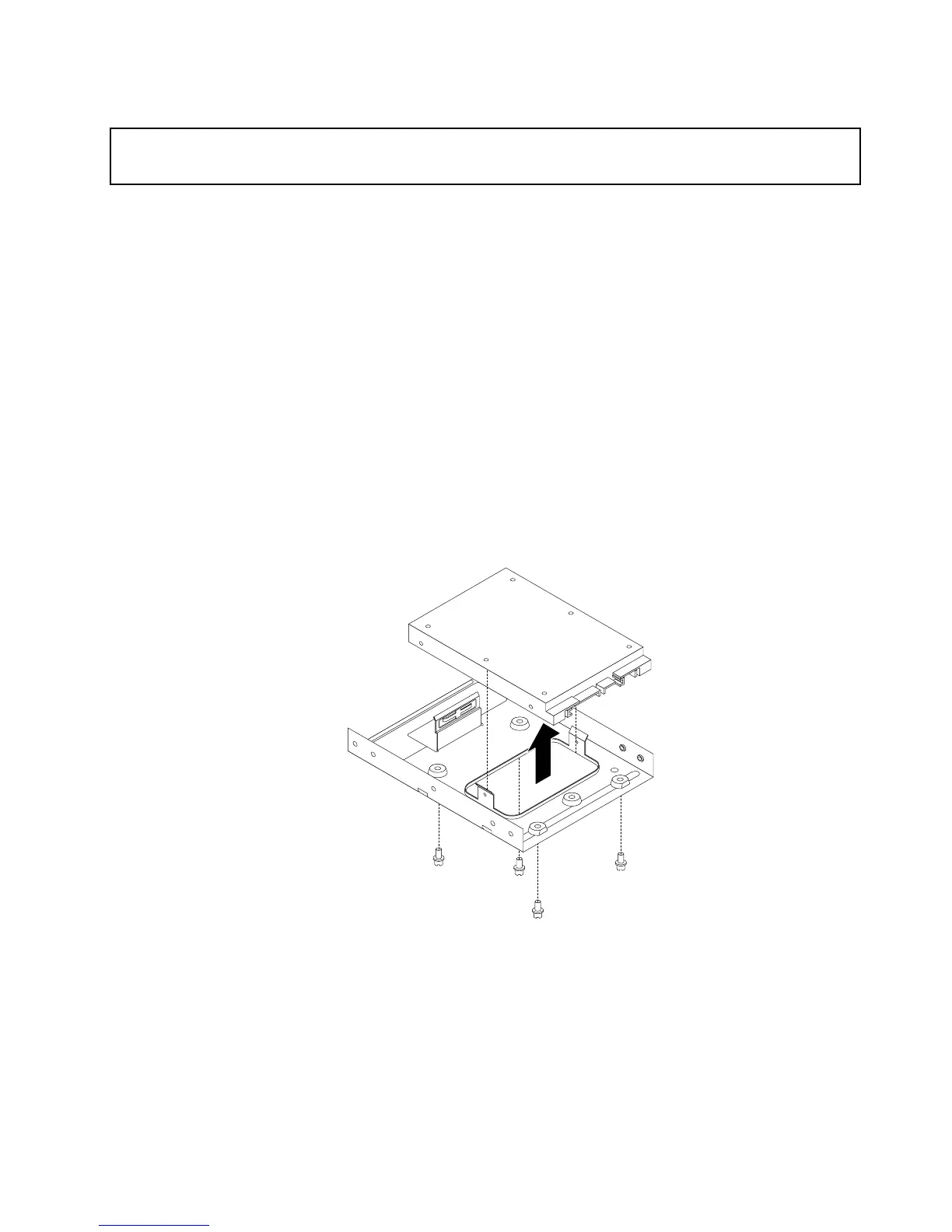
Toreplacethesolid-statedriveinthestorageconverter,dothefollowing:
1.Removethefourscrewsthatsecurethesolid-statedrivetothestorageconverter.Then,removethe
drivefromtheconverterasshown.
Figure85.Removingthesolid-statedrivefromthestorageconverter
2.Takethenewsolid-statedriveoutofthestatic-protectivepackage.
Chapter10.ReplacingFRUs(machinetypes:10AU,10AW,10BF,and10BG)143













 To Next Page