1.Turnoffthecomputeranddisconnectallpowercordsfromelectricaloutlets.
2.Removethecomputercover.See“Removingthecomputercover”onpage82.
3.Dependingonyourcomputermodel,youmightneedtoremovethePCIExpressx16graphicscardfor
easieraccesstothebattery.See“InstallingorreplacingaPCIExpresscard”onpage85
.
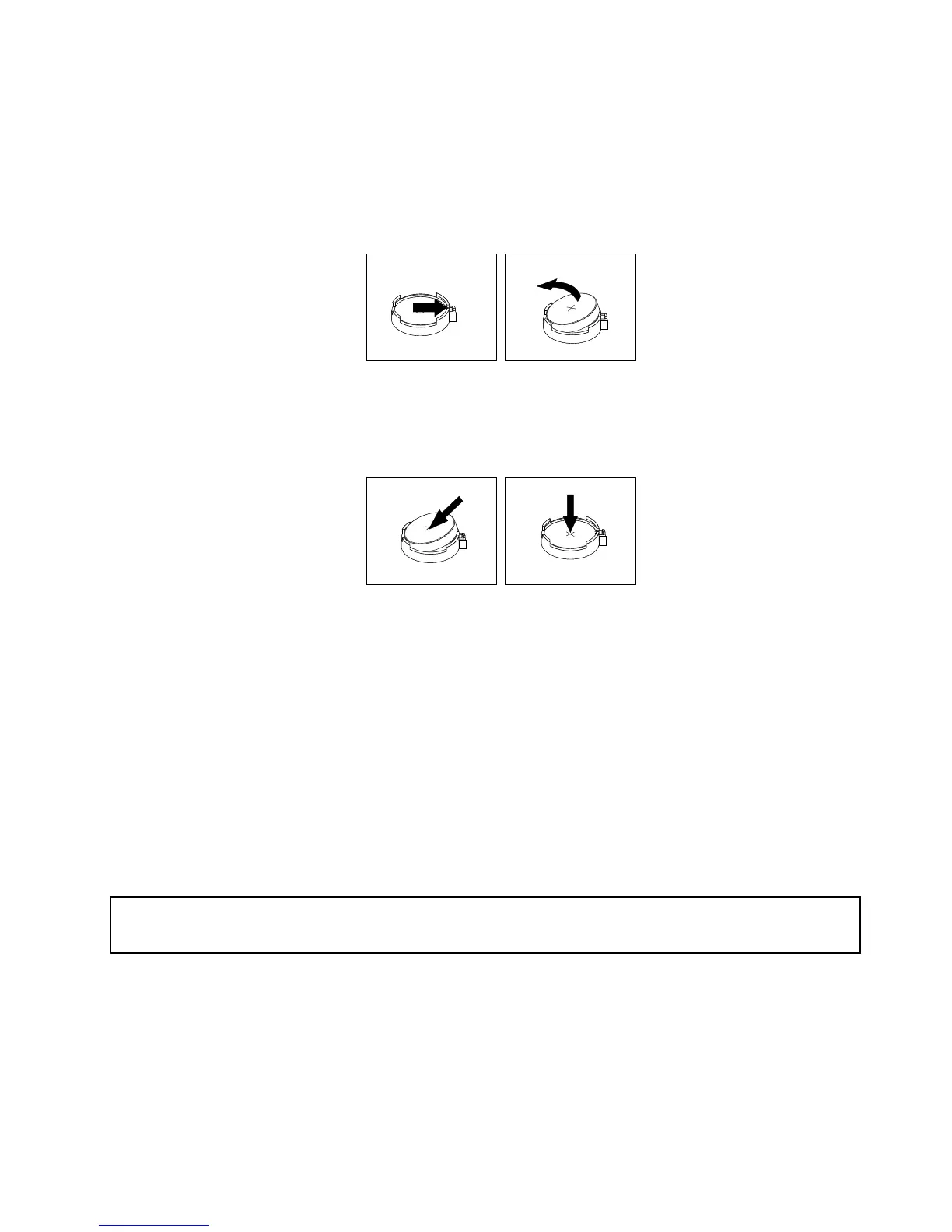
4.Removetheoldbattery.
Figure22.Removingtheoldbattery
5.Installanewbattery.
Figure23.Installinganewbattery
6.ReinstallthePCIExpressx16graphicscardifyouhadremovedit.See“InstallingorreplacingaPCI
Expresscard”onpage85.
7.Reinstallthecomputercoverandconnectthecables.See“Completingthepartsreplacement”on
page122.
Note:Whenthecomputeristurnedonforthersttimeafterreplacingthebattery,anerrormessage
mightbedisplayed.Thisisnormalafterreplacingthebattery.
8.Turnonthecomputerandallattacheddevices.
9.UsetheSetupUtilityprogramtosetthedate,time,andanypasswords.SeeChapter6“UsingtheSetup
Utilityprogram”onpage55
.
Replacingtheprimaryharddiskdrive
Attention:
Donotopenyourcomputerorattemptanyrepairbeforereadingandunderstanding“Importantsafetyinformation”
onpage1.
Thissectionprovidesinstructionsonhowtoreplacetheprimaryharddiskdrive.
Toreplacetheprimaryharddiskdrive,dothefollowing:
1.Turnoffthecomputeranddisconnectallpowercordsfromelectricaloutlets.
2.Removethecomputercover.See“Removingthecomputercover”onpage82.
3.Locatetheprimaryharddiskdrive.See“Locatinginternaldrives”onpage73.
Chapter9.ReplacingFRUs(machinetypes:10ASand10AU)93













 To Next Page