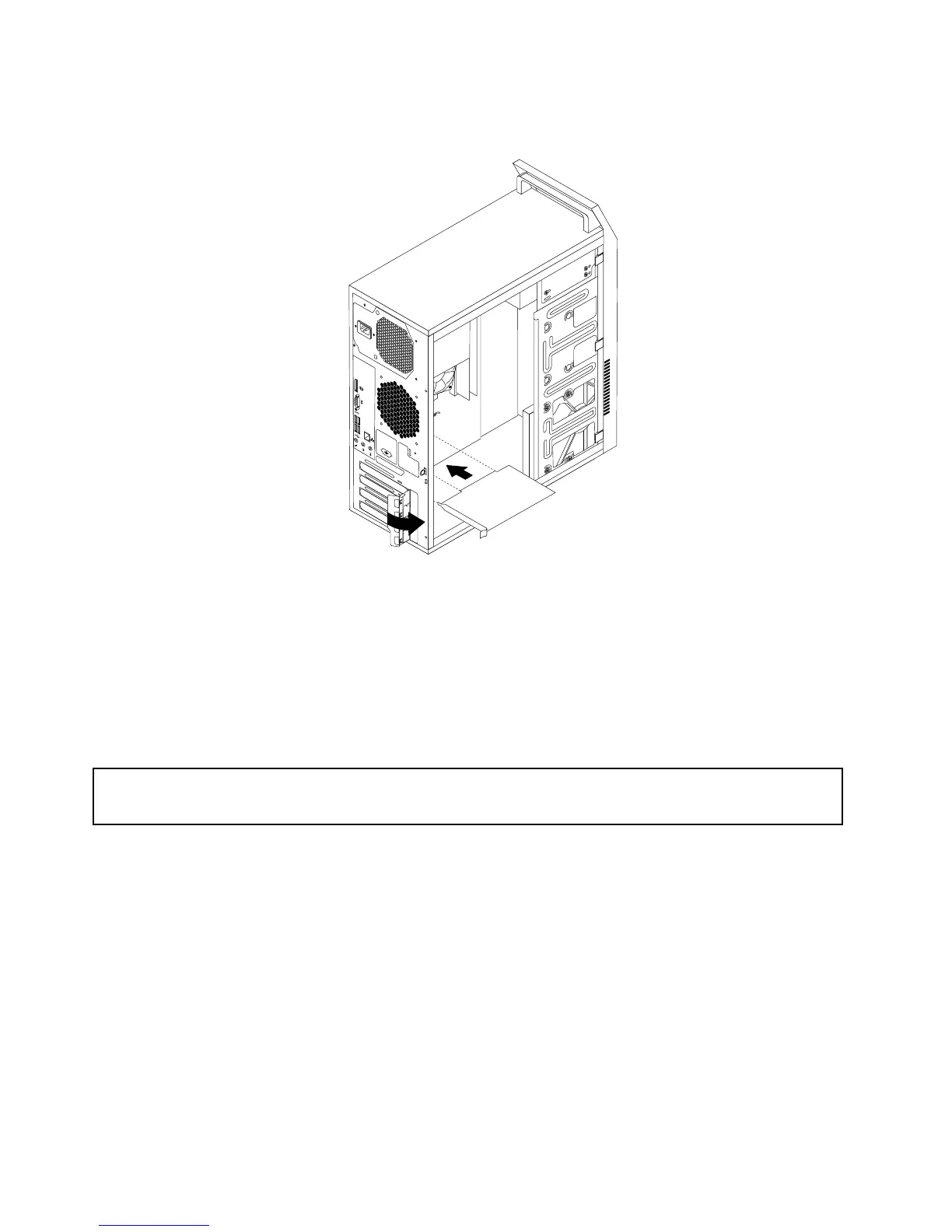
Figure16.InstallingaPCIExpresscard
8.ReinstallthescrewtosecurethePCIExpresscardlatchinplace.
Whattodonext:
•Toworkwithanotherpieceofhardware,gototheappropriatesection.
•Tocompletetheinstallationorreplacement,goto“Completingthepartsreplacement”onpage122
.
Installingorreplacingamemorymodule
Attention:
Donotopenyourcomputerorattemptanyrepairbeforereadingandunderstanding“Importantsafetyinformation”
onpage1.
Thissectionprovidesinstructionsonhowtoinstallorreplaceamemorymodule.
Yourcomputerhastwoslotsforinstallingorreplacingdoubledatarate3unbuffereddualinlinememory
modules(DDR3UDIMMs)thatprovideuptoamaximumof8GBsystemmemory.Wheninstallingor
replacingamemorymodule,use1GB,2GB,or4GBDDR3UDIMMsinanycombinationuptoamaximum
of8GB.
Toinstallorreplaceamemorymodule,dothefollowing:
1.Turnoffthecomputeranddisconnectallpowercordsfromelectricaloutlets.
2.Removethecomputercover.See“Removingthecomputercover”onpage82.
3.Laythecomputeronitssideforeasieraccesstothesystemboard.
4.Locatethememoryslots.See“Locatingpartsonthesystemboard”onpage72.
88ThinkCentreE73HardwareMaintenanceManual













 To Next Page