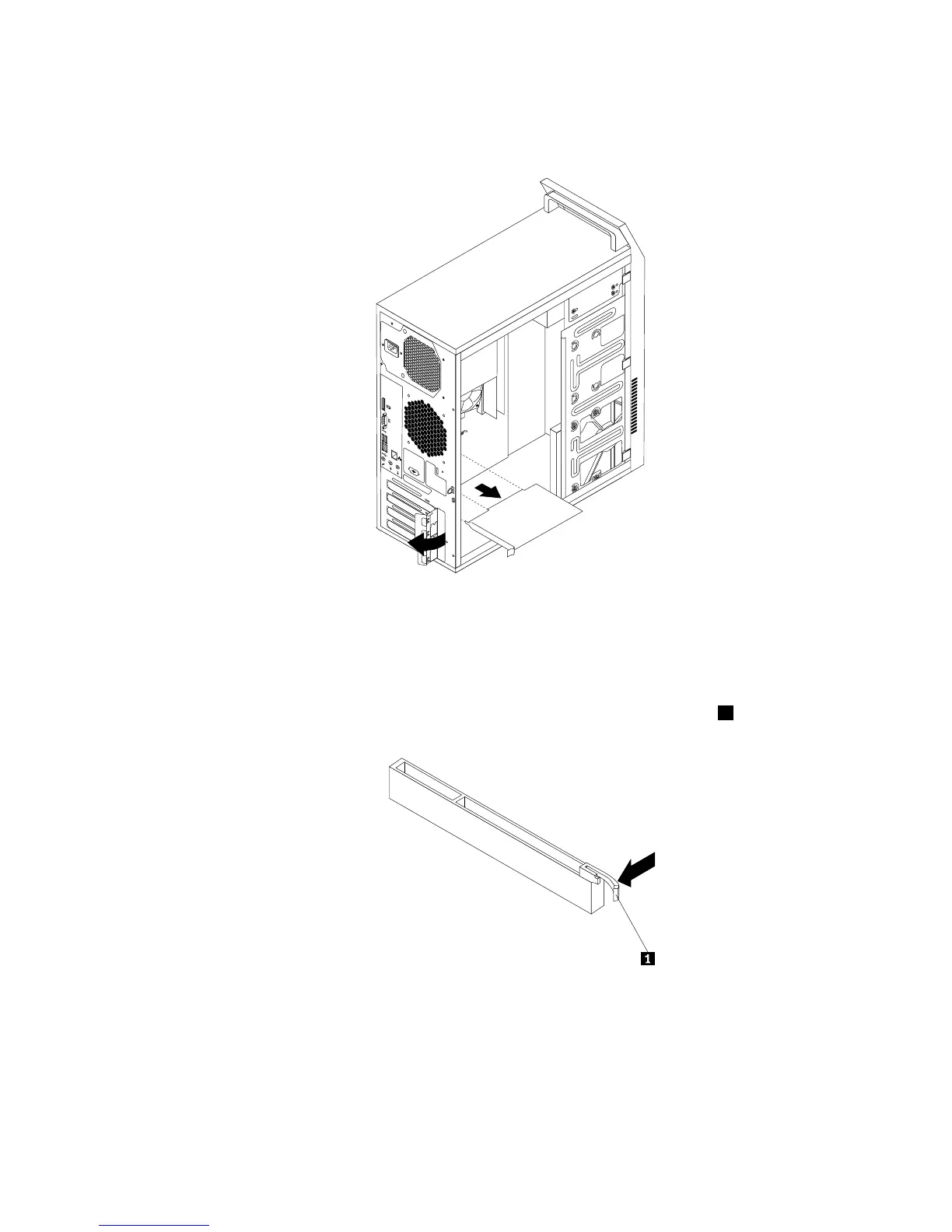
Figure15.RemovingaPCIExpresscard
Notes:
a.Thecardtstightlyintothecardslot.Ifnecessary,alternatemovingeachsideofthecardasmall
amountuntilitisremovedfromthecardslot.
b.Ifthecardisheldinplacebyaretaininglatch,pressthecardretaininglatch1asshownto
disengagethelatch.Graspthecardandgentlypullitoutoftheslot.
5.RemovethenewPCIExpresscardfromitsstatic-protectivepackage.
6.InstallthenewPCIExpresscardintotheappropriateslotonthesystemboard.See“Locatingpartson
thesystemboard”onpage72.
Note:IfyouareinstallingaPCIExpressx16graphicscard,ensurethatthememoryslotretainingclips
areclosedbeforeyouinstallthegraphicscard.
Chapter9.ReplacingFRUs(machinetypes:10ASand10AU)87













 To Next Page