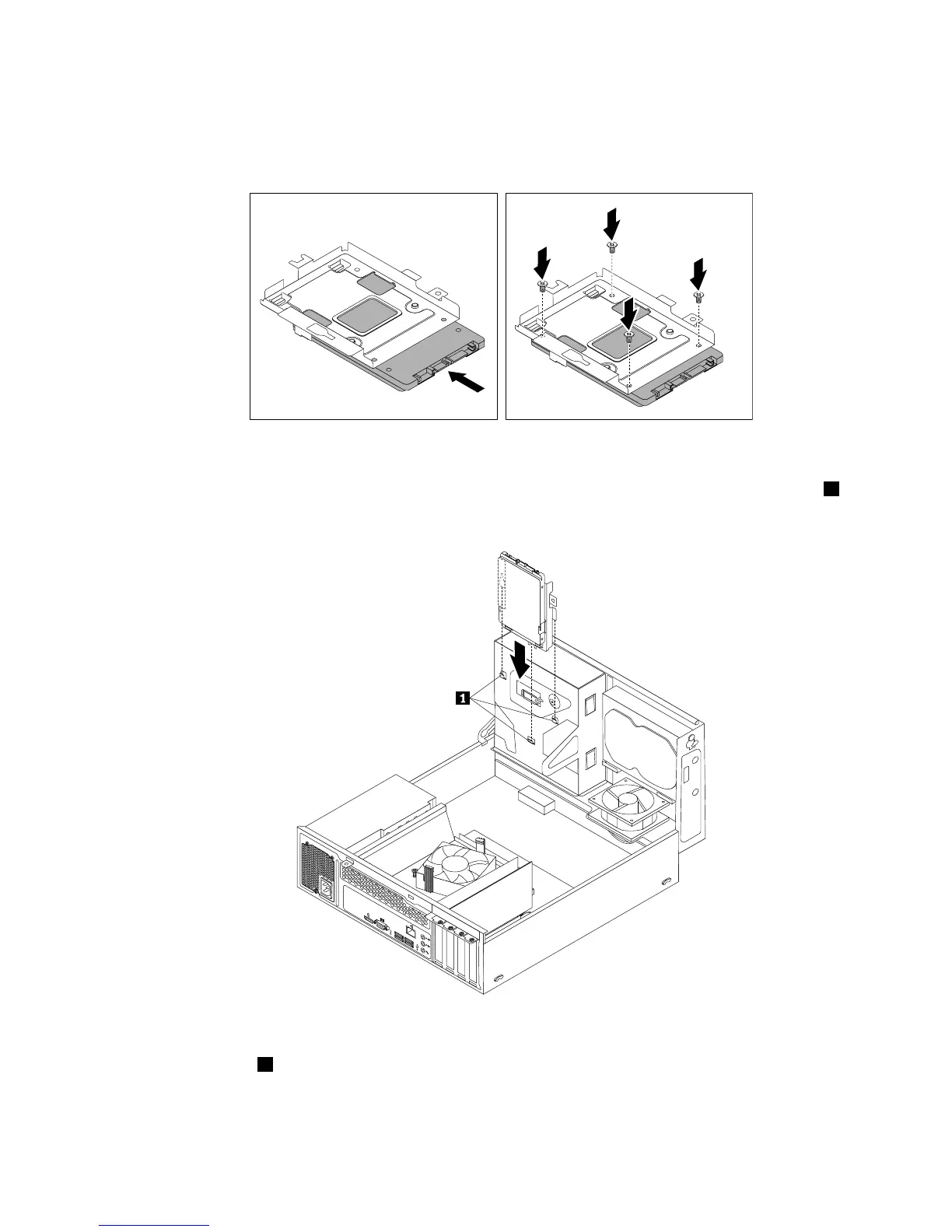
9.Slidethenewsolid-statedriveintothesolid-statedrivebracketasshownuntilthefourholesinthe
drivearealignedwiththecorrespondingholesinthebracket.Then,installthefourscrewstosecurethe
newsolid-statedrivetothebracket.
Figure34.Installingthesolid-statedriveintothebracket
10.Carefullyslidethesolid-statedrivebracketdownwarduntilitissecuredbythethreeretainingclips1on
thebottomoftheopticaldrivebay.
Figure35.Installingthesolid-statedrivebracket
11.Installthescrew1tosecurethebracketonthebottomoftheopticaldrivebay.
Chapter5.Installingorreplacinghardware55













 To Next Page