Whattodonext:
•Toworkwithanotherpieceofhardware,gototheappropriatesection.
•Tocompletetheinstallationorreplacement,goto“Completingthepartsreplacement”onpage78.
Installingorreplacingamemorymodule
Attention:
Donotopenyourcomputerorattemptanyrepairbeforereadingandunderstandingthe“Importantsafetyinformation”
onpagev.
Thissectionprovidesinstructionsonhowtoinstallorreplaceamemorymodule.
YourcomputerhastwoslotsforinstallingorreplacingDDR3UDIMMsthatprovideuptoamaximumof
8GBsystemmemory.Wheninstallingorreplacingamemorymodule,use1GB,2GB,or4GBDDR3
UDIMMsinanycombinationuptoamaximumof8GB.
Toinstallorreplaceamemorymodule,dothefollowing:
1.Turnoffthecomputeranddisconnectallpowercordsfromelectricaloutlets.
2.Removethecomputercover.See“Removingthecomputercover”onpage38.
3.Removethefrontbezel.See“Removingandreinstallingthefrontbezel”onpage38.
4.Pivotthedrivebayassemblyupwardtogainaccesstothememoryslots.See“Accessingthesystem
boardcomponentsanddrives”onpage40.
5.Removetheheatsinkfanduct.See“Replacingtheheatsinkandfanassembly”onpage60.
6.Locatethememoryslots.See“Locatingpartsonthesystemboard”onpage13.
7.Removeanypartsthatmightpreventyouraccesstothememoryslots.Dependingonyourcomputer
model,youmightneedtoremovethePCIExpressx16graphicscardforeasieraccesstothememory
slots.See“InstallingorreplacingaPCIExpresscard”onpage41
.
8.Dependingonwhetheryouareinstallingorreplacingamemorymodule,dooneofthefollowing:
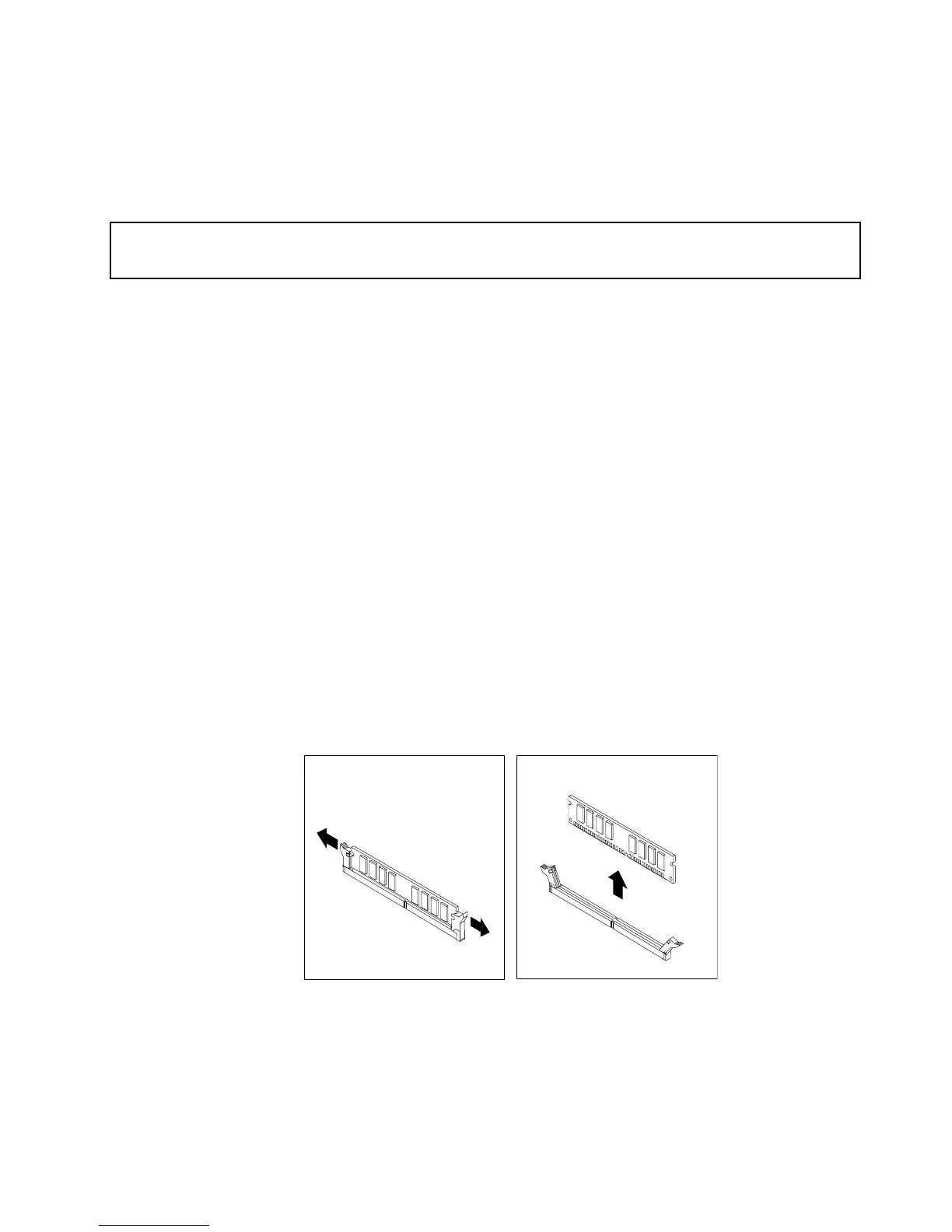
•Ifyouarereplacinganoldmemorymodule,opentheretainingclipsandgentlypullthememory
moduleoutofthememoryslot.
Figure15.Removingamemorymodule
Chapter5.Installingorreplacinghardware43













 To Next Page