Whattodonext:
•Toworkwithanotherpieceofhardware,gototheappropriatesection.
•Tocompletethereplacement,goto“Completingthepartsreplacement”onpage78.
Replacingthesystemfanassembly
Attention:
Donotopenyourcomputerorattemptanyrepairbeforereadingandunderstandingthe“Importantsafetyinformation”
onpagev.
Thissectionprovidesinstructionsonhowtoreplacethesystemfanassembly.
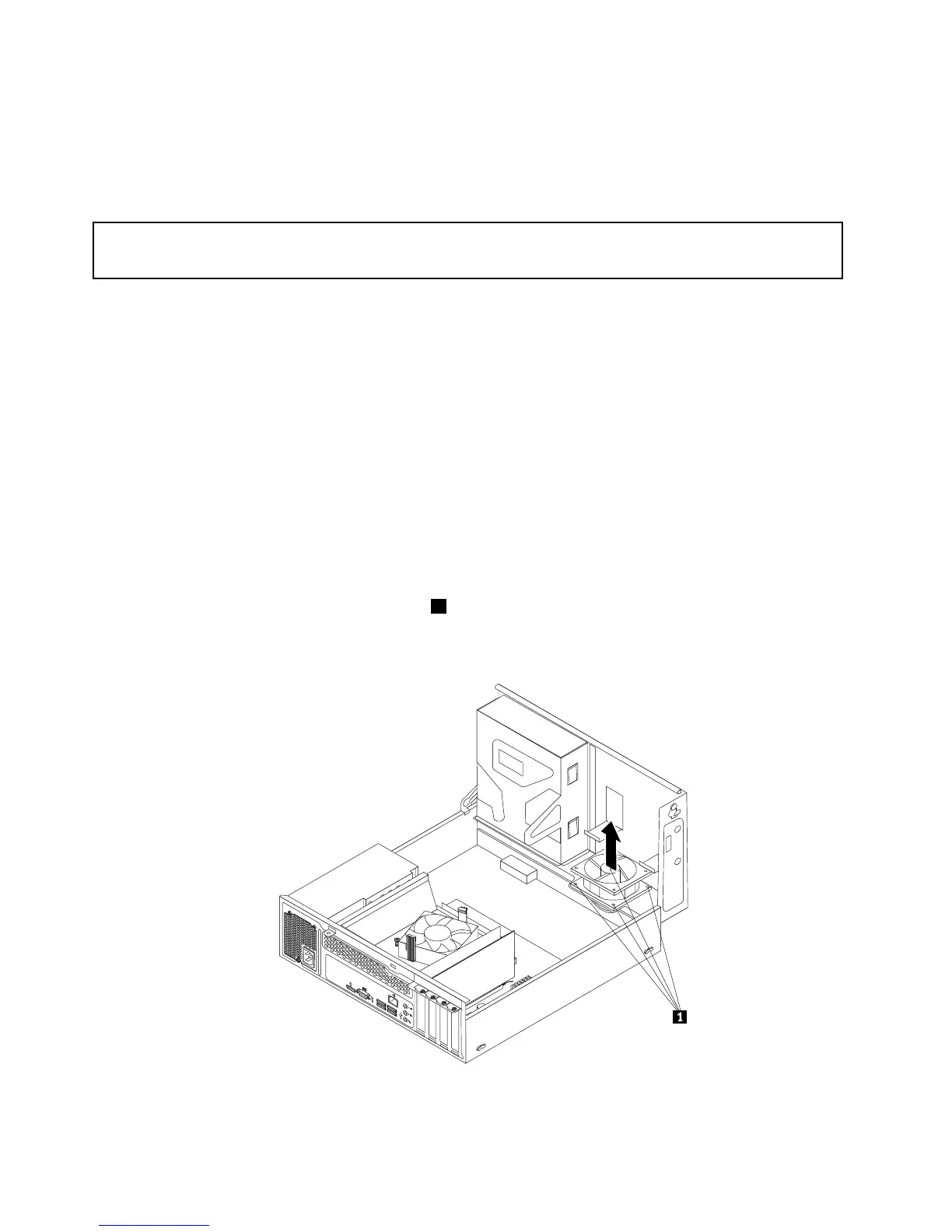
Toreplacethesystemfanassembly,dothefollowing:
1.Turnoffthecomputeranddisconnectallpowercordsfromelectricaloutlets.
2.Removethecomputercover.See“Removingthecomputercover”onpage38.
3.Removethefrontbezel.See“Removingandreinstallingthefrontbezel”onpage38.
4.Pivotthedrivebayassemblyupwardtogainaccesstothesystemfanassembly.See“Accessingthe
systemboardcomponentsanddrives”onpage40.
5.Removetheharddiskdriveforeasieraccesstothesystemfanassembly.See“Replacingthehard
diskdrive”onpage46.
6.Removetheheatsinkfanduct.See“Replacingtheheatsinkandfanassembly”onpage60.
7.Notethecableroutinganddisconnectthesystemfanassemblycablefromthepowerfanconnectoron
thesystemboard.See“Locatingpartsonthesystemboard”onpage13.
8.Thesystemfanassemblyisattachedtothechassisbyfourrubbermounts.Removethesystemfan
assemblybycuttingthefourrubbermounts1andliftingthesystemfanassemblyoutofthechassis.
Note:Thenewsystemfanassemblywillhavefournewrubbermountsattached.













 To Next Page