2.Connectthecomputertoacpowertochargethebattery.IfthebatterystatusiconintheWindows
notificationareaindicatesthatthebatteryisnotcharging,removethebatteryandletitreturntoroom
temperature.
3.Reinstallthebattery.Ifthebatteryisstillnotcharging,replacethebatterypack.
4.Checkthebatterystatusiconagain.Ifthesameerrorstillexists,replacethesystemboard.
Checkingthecoin-cellbattery
Tocheckthecoin-cellbattery,dothefollowing:
1.Disconnectthebatteryconnector.See“Disconnectthebattery”onpage60.
2.Removethecoin-cellbattery.See“1060Coin-cellbattery”onpage64.
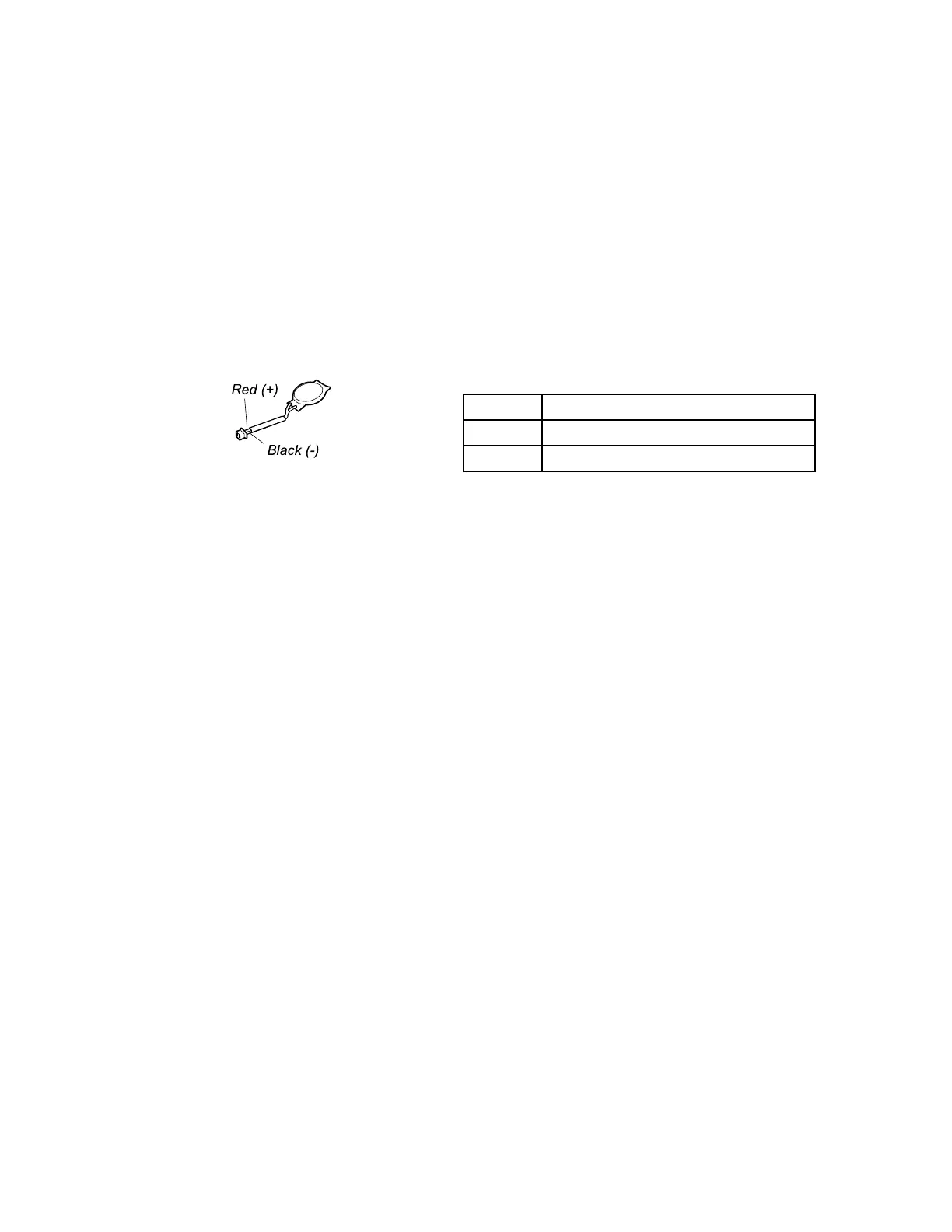
3.Measurethevoltageofthecoin-cellbattery.Seethefollowingillustration.
Wire
Voltage(Vdc)
Red+2.5to+3.2
Black
Ground
•Ifthevoltageiscorrect,replacethesystemboard.
•Ifthevoltageisnotcorrect,replacethecoin-cellbattery.
•Ifthecoin-cellbatterydischargesquicklyafterreplacement,replacethesystemboard.
28ThinkPadE460andE465HardwareMaintenanceManual












 To Next Page