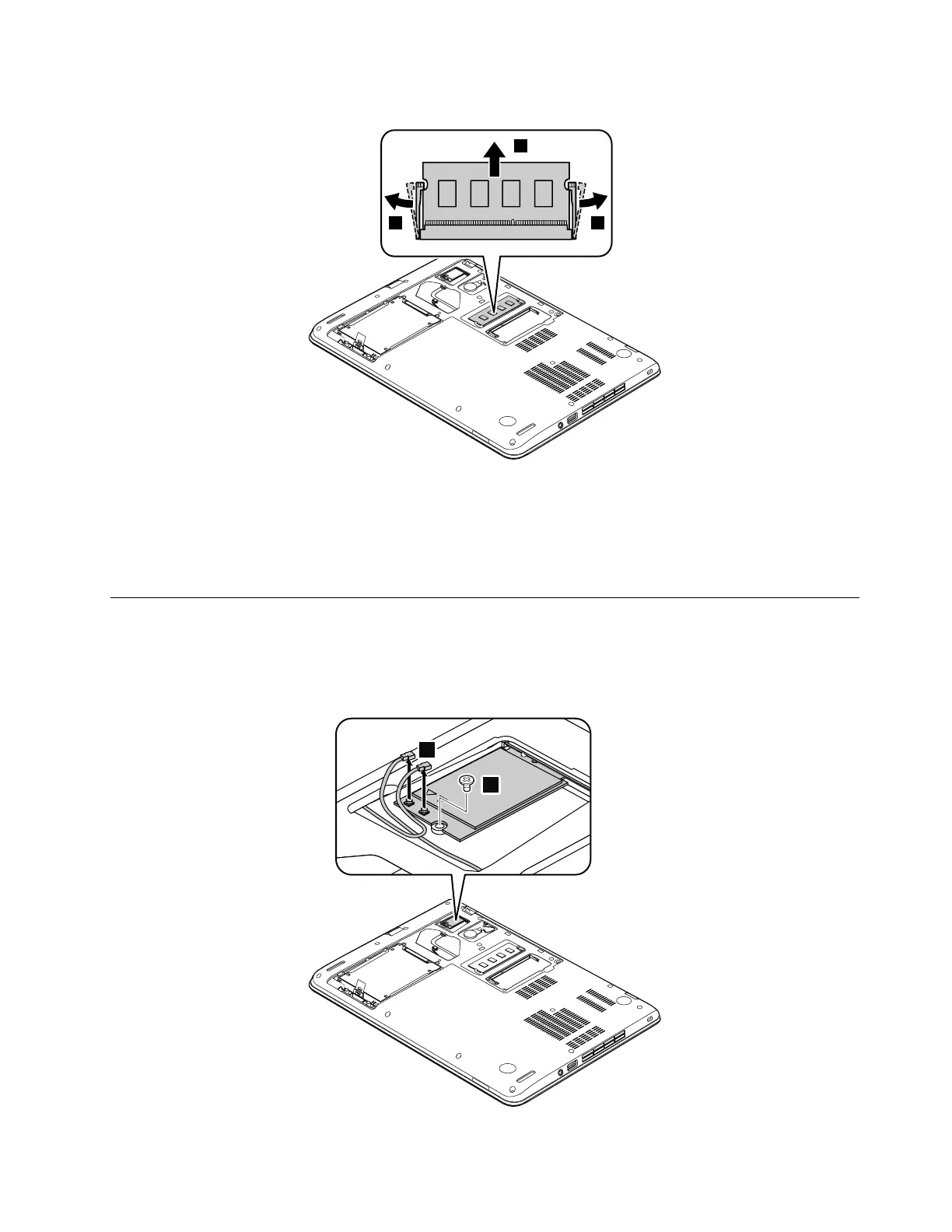
Removalstepsofthememorymodule
Wheninstalling:
Insertthenotchedendofthememorymoduleintothememoryslot.Pressthememorymoduleinfirmly,
andpivotitdownwarduntilitsnapsintoplace.Ensurethatthememorymoduleisfirmlyinstalledinthe
slotanddoesnotmoveeasily.
1050WirelessLANcard
Foraccess,removethisFRU:
•“1020DIMMdoor”onpage61
RemovalstepsofthewirelessLANcard
Chapter9.RemovingorreplacingaFRU63












 To Next Page