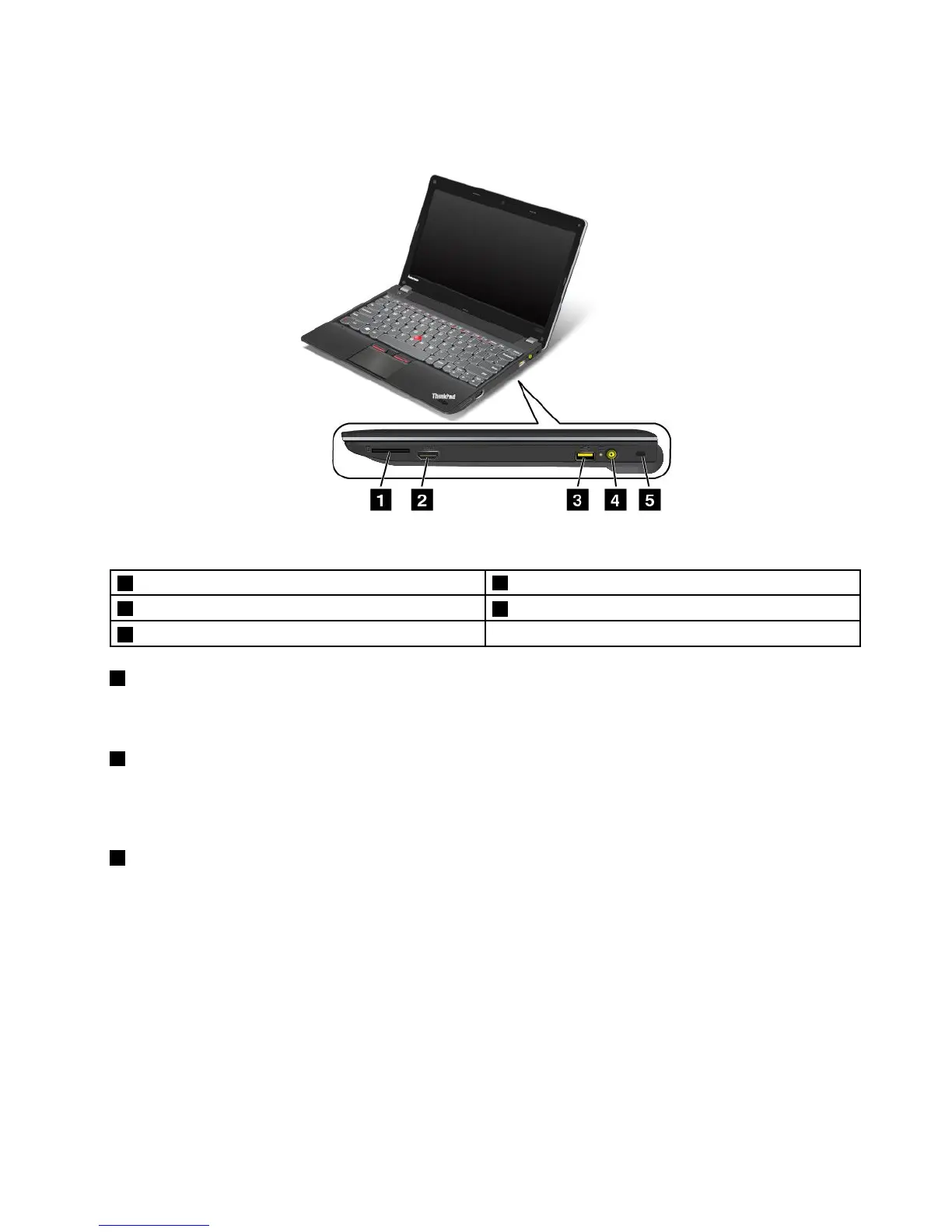
Right-sideview
Figure2.Right-sideview
1 Mediacardreaderslot
4 acpowerconnector
2 HDMIconnector
5 Security-lockslot
3 AlwaysOnUSBconnector
1 Mediacardreaderslot
Dependingonthemodel,yourcomputermighthaveamediacardreaderslot.Formoreinformationabout
thesupportedcards,see“Usingaashmediacard”onpage36.
2 HDMIconnector
Yourcomputersupportsthehigh-denitionmultimediainterface(HDMI)connector,adigitalaudioandvideo
interfacethatcanconnectacompatibledigitalaudiodeviceorvideomonitor,suchasanhigh-denition
television(HDTV).
3 AlwaysOnUSBconnector
Bydefault,theAlwaysOnUSBconnectorenablesyoutochargesomemobiledigitaldevicesand
smartphoneswhenyourcomputerisinthefollowingsituations:
•Whenyourcomputerisonorinsleepmode.
•Whenyourcomputerisinhibernationmodeoristurnedoff,butconnectedtoa
power.
Ifyouwanttochargethesedeviceswhenyourcomputerisinhibernationmodeoristurnedoff,andthe
computerisnotconnectedtoacpower,dothefollowing:
•ForWindows7:StartthePowerManagerprogramandclicktheGlobalPowerSettingstab.Then
selecttheEnableUSBchargefromthecomputerbatteryevenwhenthecomputerisoffcheck
box,andclickOKorApply.
Chapter1.Productoverview3
c










 To Next Page