ToremovethewirelessLANcard1forrepairorreplacement,see“ReplacingaPCIExpressMiniCardfor
wirelessLANconnection”onpage64.
Note:UseonlyLenovo-authorizedwirelesscommunicationcardforthecomputer.Ifyouinstallan
unauthorizedwirelesscommunicationcardthatisnotapprovedforuseinyourcomputer,anerrormessage
willbedisplayedandthecomputerwillbeepwhenyouturnonthecomputer.
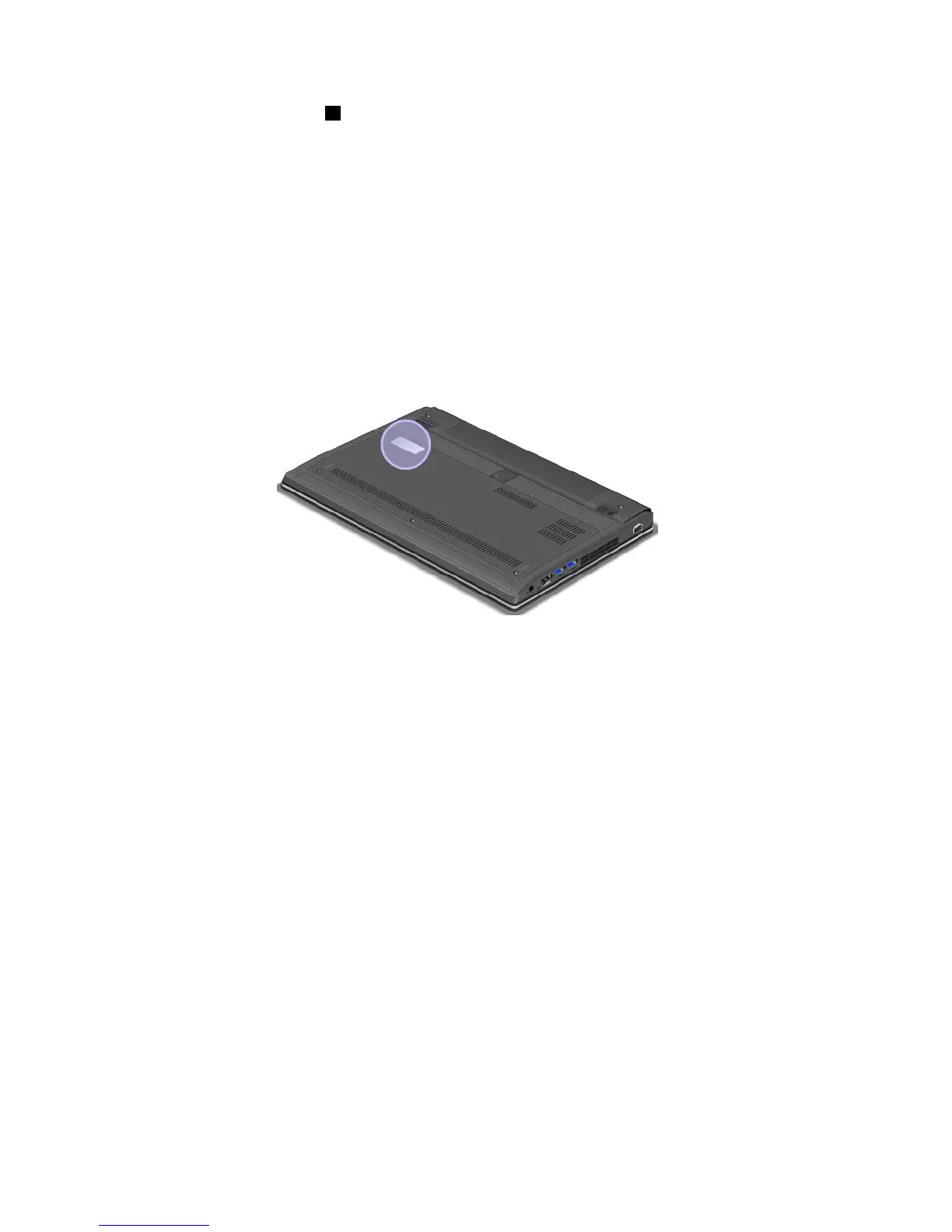
CerticateofAuthenticitylabel
TheCerticateofAuthenticitylabelforthepreinstalledWindows7operatingsystemisattachedonthe
computer.PrintedonthislabelaretheproductIDandtheproductkeyinformationforyourcomputer.
Recordthisinformationandkeepitinasafeplace.Youmightneedthesenumberstostartyourcomputeror
reinstalltheWindows7operatingsystem.
ThefollowinggureshowsthelocationoftheCerticateofAuthenticitylabelofyourcomputer:
Note:TheCerticateofAuthenticitylabelonlyappliestocomputerspreinstalledwiththeWindows7
operatingsystem.
GenuineMicrosoftlabel
TheGenuineMicrosoftlabelisprovidedonmodelsthatarelicensedtouseaWindows8operatingsystem.
TheversionoftheWindows8operatingsystemisprintedonthelabel.Ifyourcomputermodelislicensedto
usetheWindows8Prooperatingsystem,thatlicensealsopermitsyoutousetheWindows7Professional
operatingsysteminplaceoftheWindows8Prooperatingsystemifyouprefer.Lenovocomputersthatare
licensedforusewithaWindows8operatingsystemareshippedwiththeWindows8licensekeydigitally
encodedintothecomputerhardware.Dependingonthecomputermodel,theGenuineMicrosoftlabelcan
beonthecomputercover,underthebattery,oronthepoweradapter.
FormoreinformationabouttheGenuineMicrosoftlabel,goto:
http://www.microsoft.com/en-us/howtotell/Hardware.aspx
10UserGuide










 To Next Page