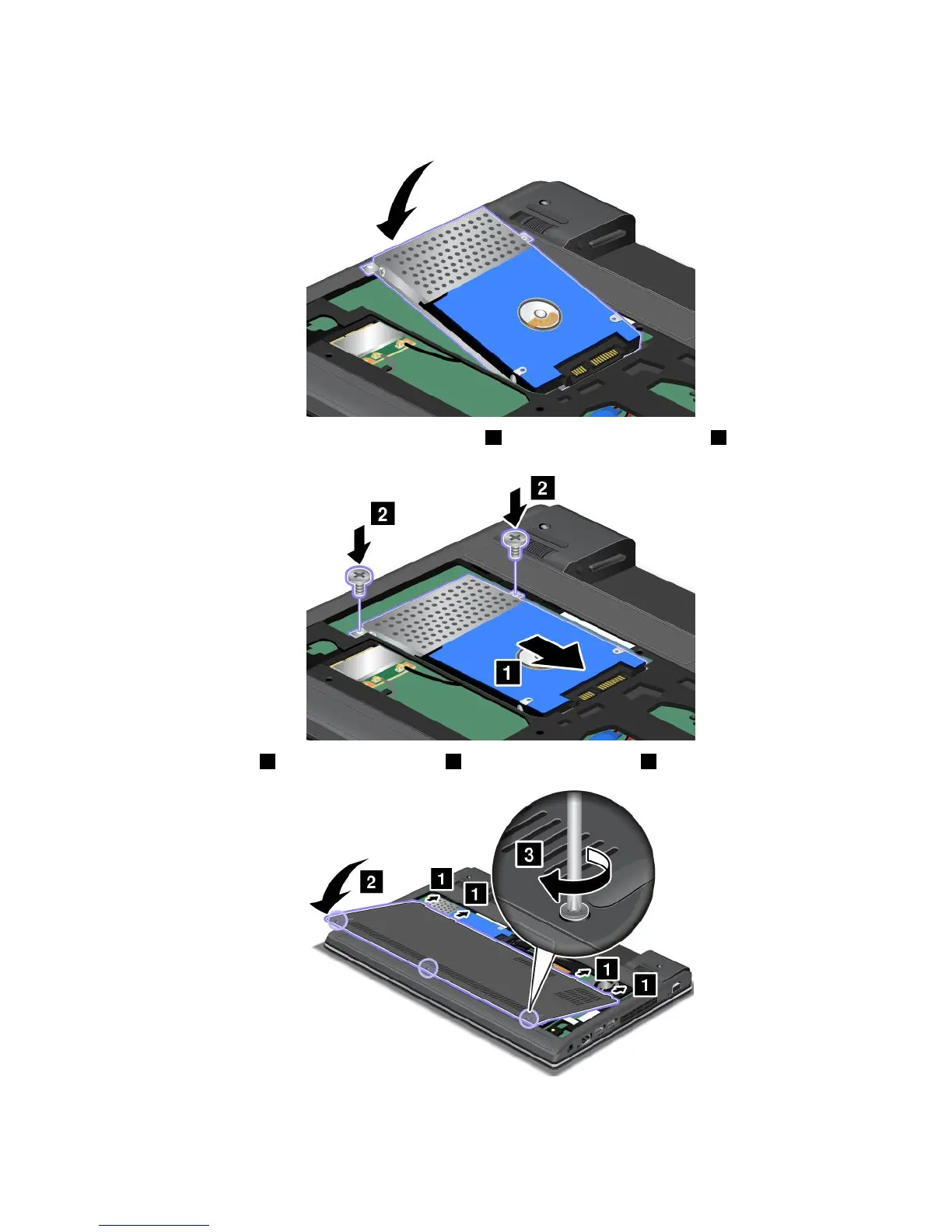
7.Placethenewharddiskdriveintotheharddiskdrivebay.
8.Slidetheharddiskdrivermlyintotheconnector1,andthenreinstallthescrews2.
9.Attachthecover1andpivotitdownwards2.Thentightenthescrews3.
10.Reinstallthebattery.See“Replacingthebattery”onpage59.
11.Turnthecomputeroveragain.Connecttheacpoweradapterandallcables.
Chapter6.Replacingdevices63










 To Next Page