2.Closethecomputerdisplay,andturnthecomputerover.
3.Removethebattery.See“Replacingthebattery”onpage59.
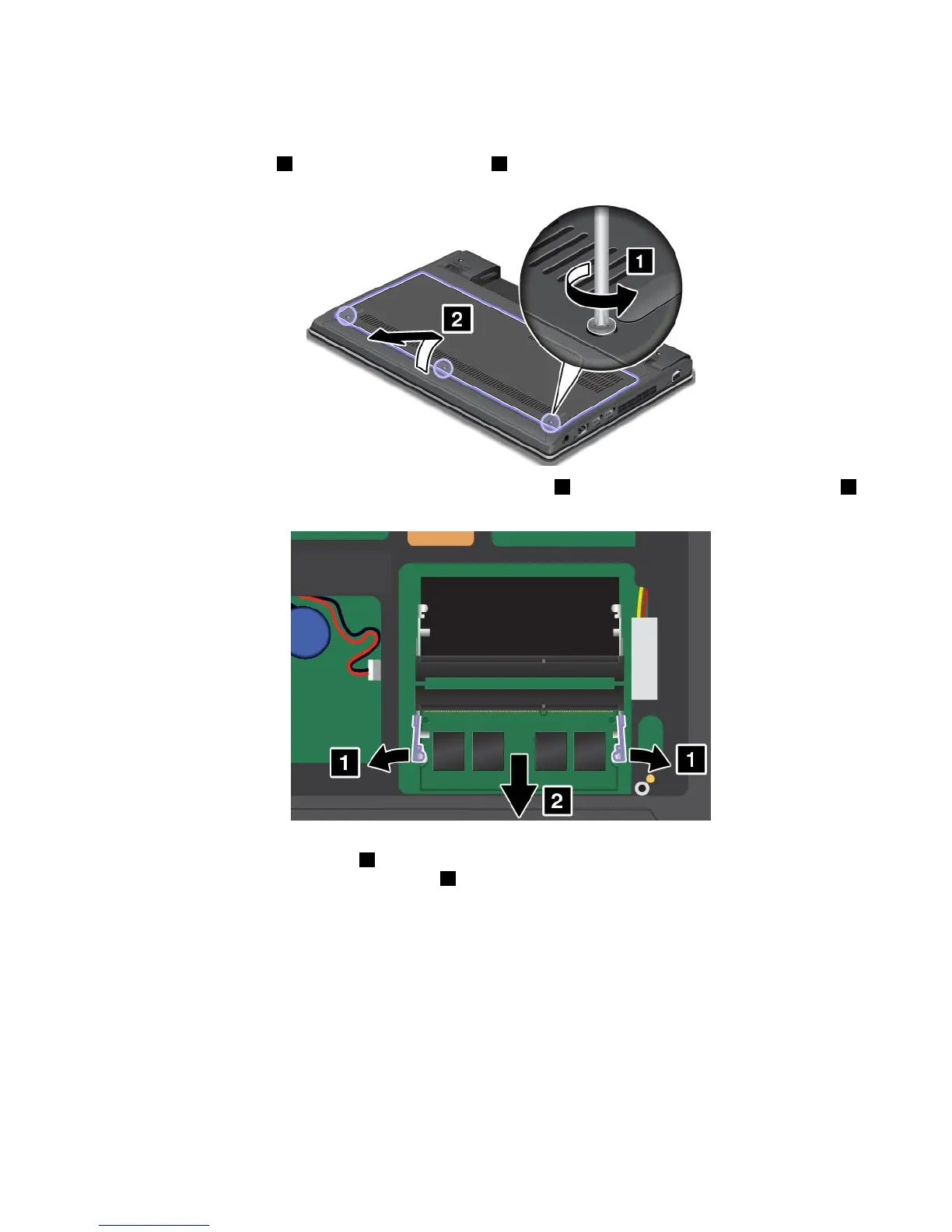
4.Loosenthescrews1,andthenremovethecover2.
5.Openthelatchesonbothsidesoftheslotatthesametime1,andthenremovethememorymodule2.
Savetheremovedmemorymoduleforfutureuse.
6.Placethenotchedendofthenewmemorymoduletowardthecontactedgesideofthememoryslot
andinsertthememorymodule1intotheslotatanangleofabout20degrees.Pivotthememory
moduledownwarduntilitsnapsintoplace2.Ensurethatthememorymoduleisrmlyinstalledin
theslotandcannotbemovedeasily.
Chapter6.Replacingdevices67










 To Next Page