DANGER
Electriccurrentfrompower,telephone,andcommunicationcablesishazardous.Toavoidshock
hazard,disconnectthecablesbeforeopeningthecoverofthisslot.
Removingthekeyboard
Toremovethekeyboard,dothefollowing:
1.Turnoffthecomputer;thendisconnecttheacpoweradapterandallcablesfromthecomputer.
2.Closethecomputerdisplay,andturnthecomputerover.
3.Removethebattery.See“Replacingthebattery”onpage59.
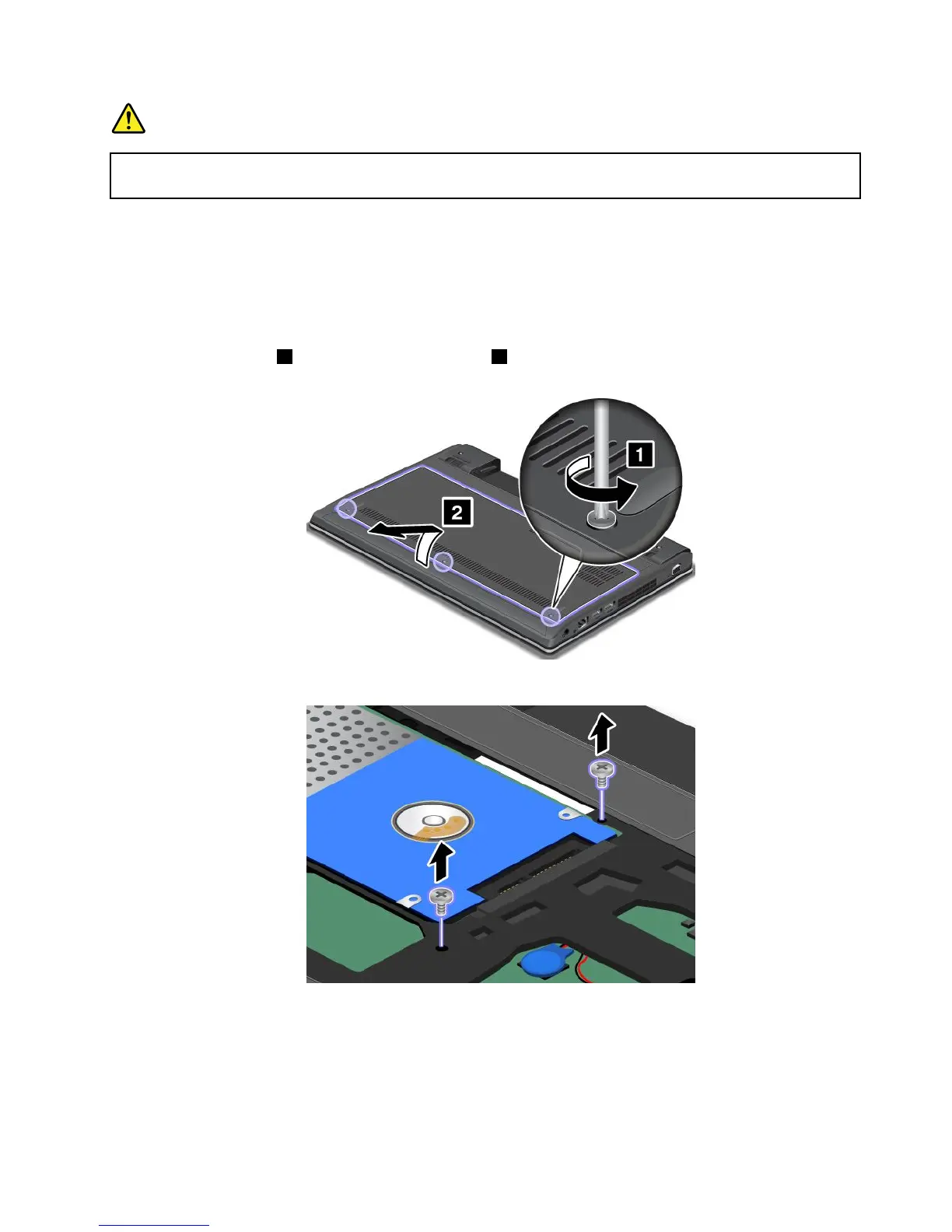
4.Loosenthescrews1,andthenremovethecover2.
5.Removethescrewsthatsecurethekeyboard.
6.Turnthecomputeroverandopenthedisplay.
Chapter6.Replacingdevices69










 To Next Page