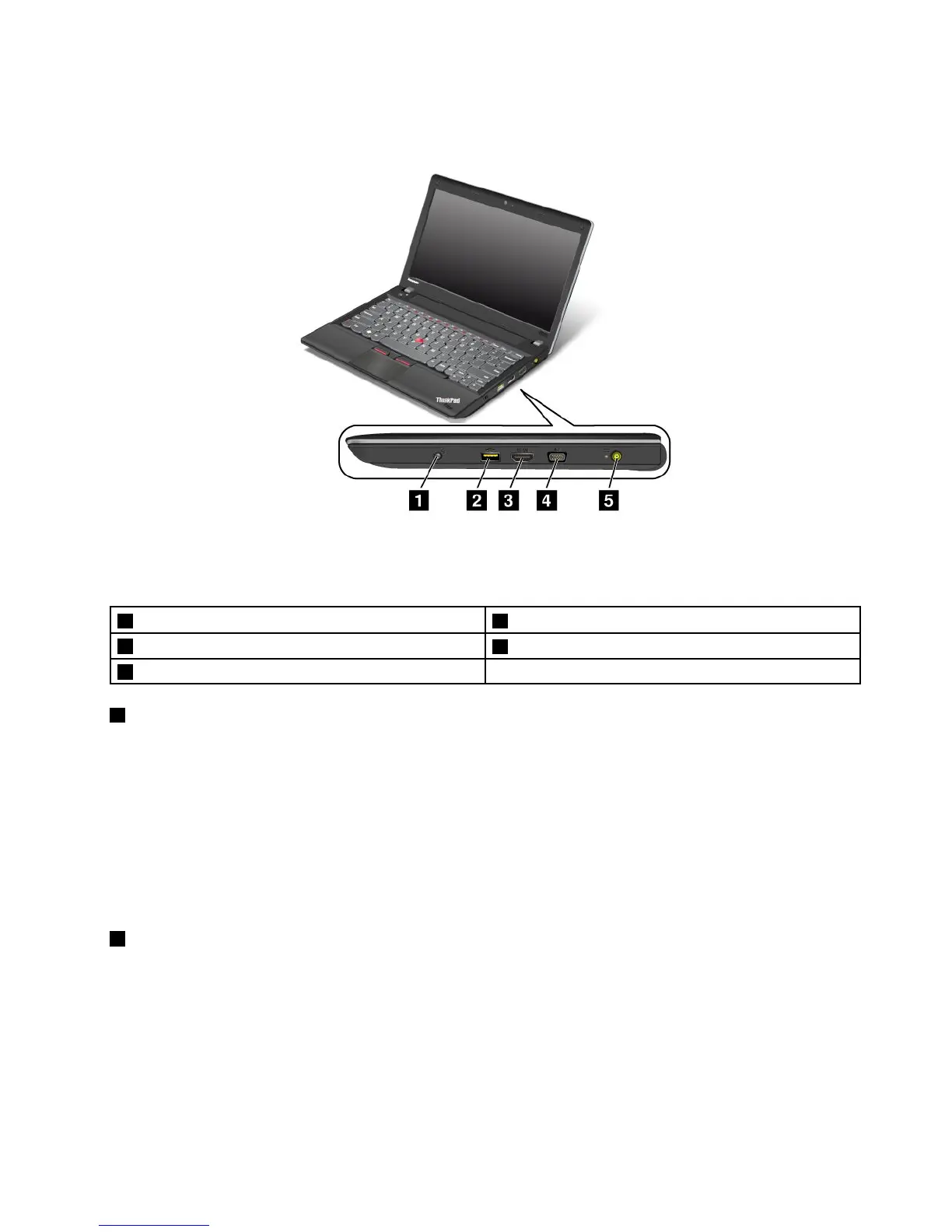
Right-sideview
Figure2.ThinkPadEdgeE330andE335right-sideview
Note:Yourcomputerkeyboardmightlookdifferentfromtheillustrationabove.
1Comboaudiojack2AlwaysOnUSBconnector
3HDMIport
4Videographicsarray(VGA)connector
5Powerjack
1Comboaudiojack
Tolistentothesoundfromyourcomputer,connectaheadphoneoraheadsetthathasa3.5mm4-pole
plugtothecomboaudiojack.
Notes:
•Ifyouareusingaheadsetwithafunctionswitch,forexample,aheadsetforaniPhonemobiledigital
device,donotpressthisswitchwhileusingtheheadset.Ifyoupressit,theheadsetmicrophonewillbe
disabled,andtheintegratedmicrophonesonthecomputerwillbeenabledinstead.
•Thecomboaudiojackdoesnotsupportaconventionalmicrophone.Formoreinformation,see“Using
audiofeatures”onpage35.
2AlwaysOnUSBconnector
Bydefault,theAlwaysOnUSBconnectorenablesyoutochargesomemobiledigitaldevicesand
smartphoneswhenthecomputerispoweredoff,providedthattheacpoweradapterisconnected.
However,withtheacpoweradapterattached,ifyouwanttochargethesedeviceswhenyourcomputerisin
hibernationmodeorpoweredoff,youneedtoconnectthecomputertoanacpowersupplyandenablethe
AlwaysOnUSBsettingsintheThinkPadSetupandPowerManagerprogram.Fordetailsabouthowtoenable
theAlwaysOnUSBconnector,refertothehelpinformationsystemprovidedinthePowerManagerprogram.
Chapter1.Productoverview3










 To Next Page