3Ethernetconnector
ConnectyourcomputertoaLANwiththeEthernetconnector.
DANGER
Toavoidtheriskofelectricalshock,donotconnectthetelephonecabletotheEthernetconnector.
YoucanonlyconnectanEthernetcabletothisconnector.
Twoindicators,tothelowerrightandleftoftheconnector,showthestatusofthenetworkconnection.When
yourcomputerconnectstoaLANandasessionwiththenetworkisavailable,thelowerleftindicatoris
steadygreen.Whiledataisbeingtransmitted,thelowerrightindicatorblinksyellow.
4USB3.0connectors
TheUniversalSerialBus(USB)3.0connectorsareusedforconnectingdevicescompatiblewithaUSB
interface,suchasaUSBprinteroradigitalcamera.
Note:WhenyouattachaUSBcabletotheconnector,makesurethattheUSBmarkisfacingupward.
Otherwisetheconnectormightbedamaged.
5Mediacardreaderslot
Dependingonthemodel,yourcomputermighthaveamediacardreaderslot.Formoreinformationabout
thesupportedcards,see“Usingaashmediacard”onpage37.
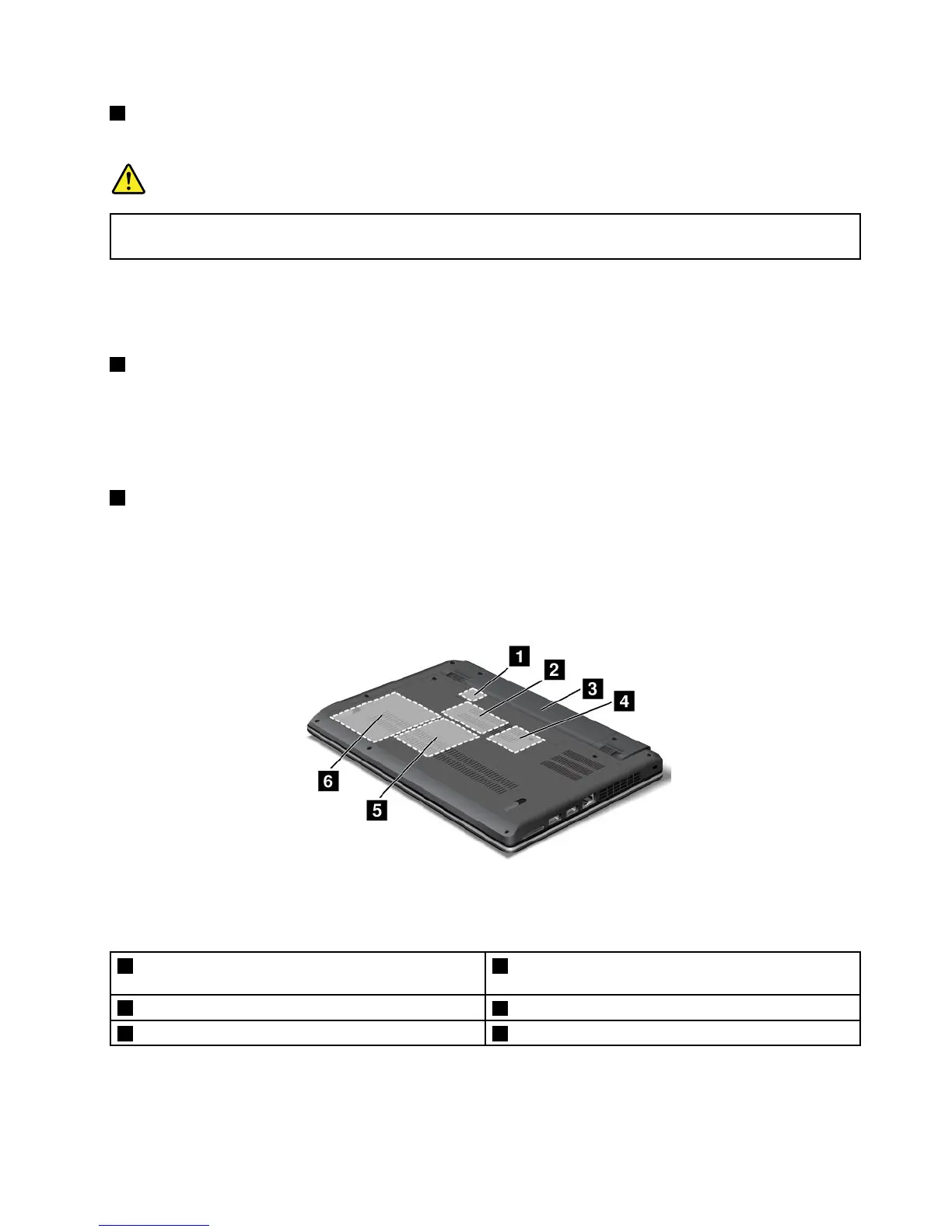
Bottomview
Figure4.ThinkPadEdgeE330andE335bottomview
Note:Yourcomputerbottomviewmightlookslightlydifferentfromtheillustrationabove.
1SIMcardslot2PCIExpressMiniCardslotforwirelessWANcardor
mSATAsolidstatedrive
3Battery
4PCIExpressMiniCardslotforwirelessLANcard
5Memory-upgradeslot6Harddiskdriveorsolidstatedrive
Chapter1.Productoverview5










 To Next Page