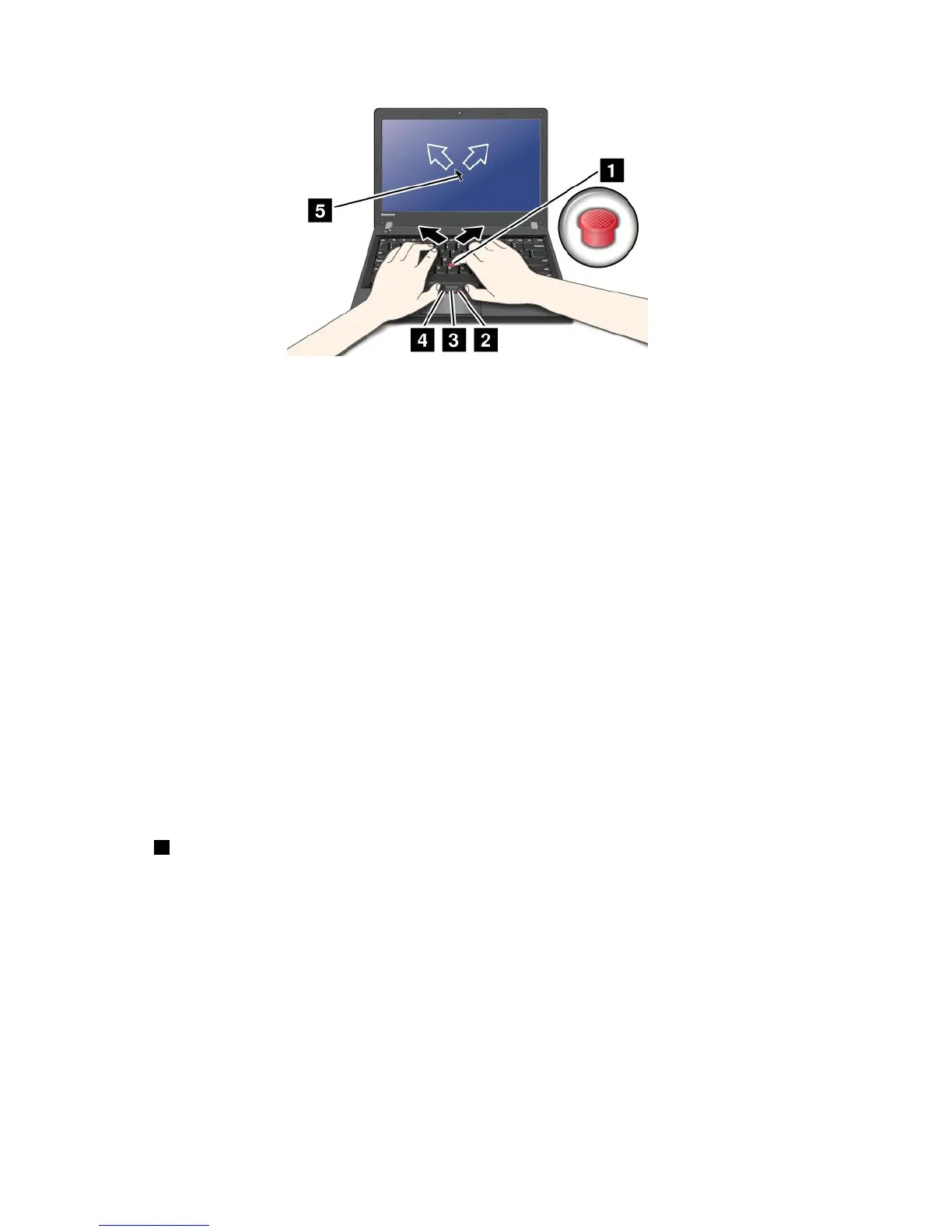
Note:Yourcomputerkeyboardmightlookslightlydifferentfromtheillustrationabove.
IfyouarenotfamiliarwiththeTrackPointpointingdevice,theseinstructionswillhelpyougetstarted:
1.Placeyourhandsinthetypingposition,andpressgentlywithanindexngeroramiddlengeronthe
pointingstickinthedirectioninwhichyouwantthepointertomove.
Tomovethepointer,pressthepointingstickawayfromyoutomoveitup,towardyoutomoveit
down,toonesideortheothertomoveitsideways.
Note:Thepointermightdrift.Thisisnotadefect.StopusingtheTrackPointpointingdeviceforafew
seconds;thepointerwillstopmoving.
2.Toselectanddragasrequiredbyyoursoftware,presstheleftorrightclickbuttonwitheitherthumb
andmovetheTrackPointpointingstick.
CustomizingtheTrackPointpointingdevice
YoucancustomizetheTrackPointpointingdeviceanditsbuttonsasfollows:
•Switchthefunctionsoftheleftandrightbuttons.
•ChangethesensitivityoftheTrackPointpointingdevice.
•EnabletheMagnifyingGlass.
•EnabletheTrackPointscrollingfunction.
•EnabletheTrackPointScrollingTips.
Changingthecap
Thecap1ontheendoftheTrackPointpointingstickisremovable.Youcanreplaceitasshownin
thedrawing.
22UserGuide










 To Next Page