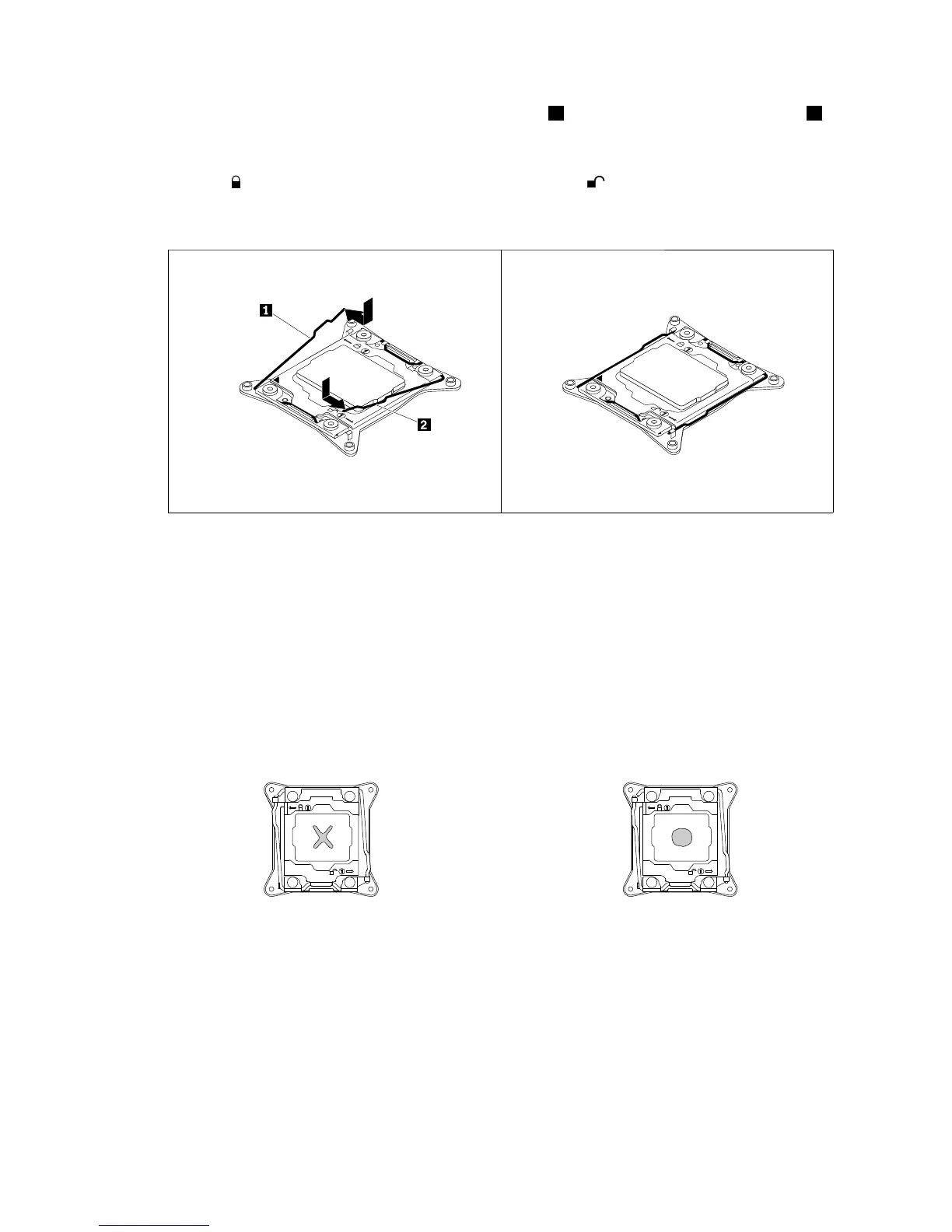
12.Closethemicroprocessorretainer.Closethesmallhandle1first.Then,closethesmallhandle2to
locktheretainerintopositionandsecurethenewmicroprocessorinthesocket.
Note:Therearetwomarksonthemicroprocessorretainer.Ensurethatyouclosethesmallhandle
markedwith
firstandthenclosethesmallhandlemarkedwith.Alwaysfollowthecorrectsequence
whenyouclosethesmallhandles.
Figure90.Securingthemicroprocessorinthesocket
13.Useacleaningpadtowipethethermalgreasefromtheremovedheatsink.Disposeofthecleaning
padafterallofthethermalgreaseisremoved.
14.Useoneofthefollowingmethodstoapplyappropriateamountofthermalgreasetothetopofthenewly
installedmicroprocessorintheshapeofacrossoracircleasshown.Usingtoomuchortooless
thermalgreasecancauseathermalproblemduetoimperfectcontactwiththecomponents.
Notes:
•Donottouchthethermalgrease.
•Keepthethermalgreaseoffthesystemboard.
Figure91.Applyingthethermalgreasetothetopofthemicroprocessor
15.Reinstalltheheatsink.See“Installingorreplacingaheatsink”onpage108.
16.Ifyouareinstructedtoreturntheoldmicroprocessor,followallpackaginginstructionsanduseany
packagingmaterialsthataresuppliedtoyouforshipping.
Whattodonext:
•Toworkwithanotherpieceofhardware,gototheappropriatesection.
Chapter6.Replacinghardware119











 To Next Page