1.Removeallexternalmediafromthedrivesandturnoffallattacheddevicesandtheserver.Then,
disconnectallpowercordsfromelectricaloutletsanddisconnectallcablesthatareconnectedto
theserver.
2.Prepareyourserver.See“Removingorextendingtheserverfromtherackcabinet”onpage61.
3.Removetheservercover.See“Removingtheservercover”onpage61.
4.Removethecoolingshroud.See“Removingandreinstallingthecoolingshroud”onpage64.
5.Locatethememoryslotsonthesystemboardandreadthememorymoduleinstallationrules.See
“Memorymoduleinstallationrules”onpage66
.
6.Removeanypartsordisconnectanycablesthatmightpreventyouraccesstothememoryslots.
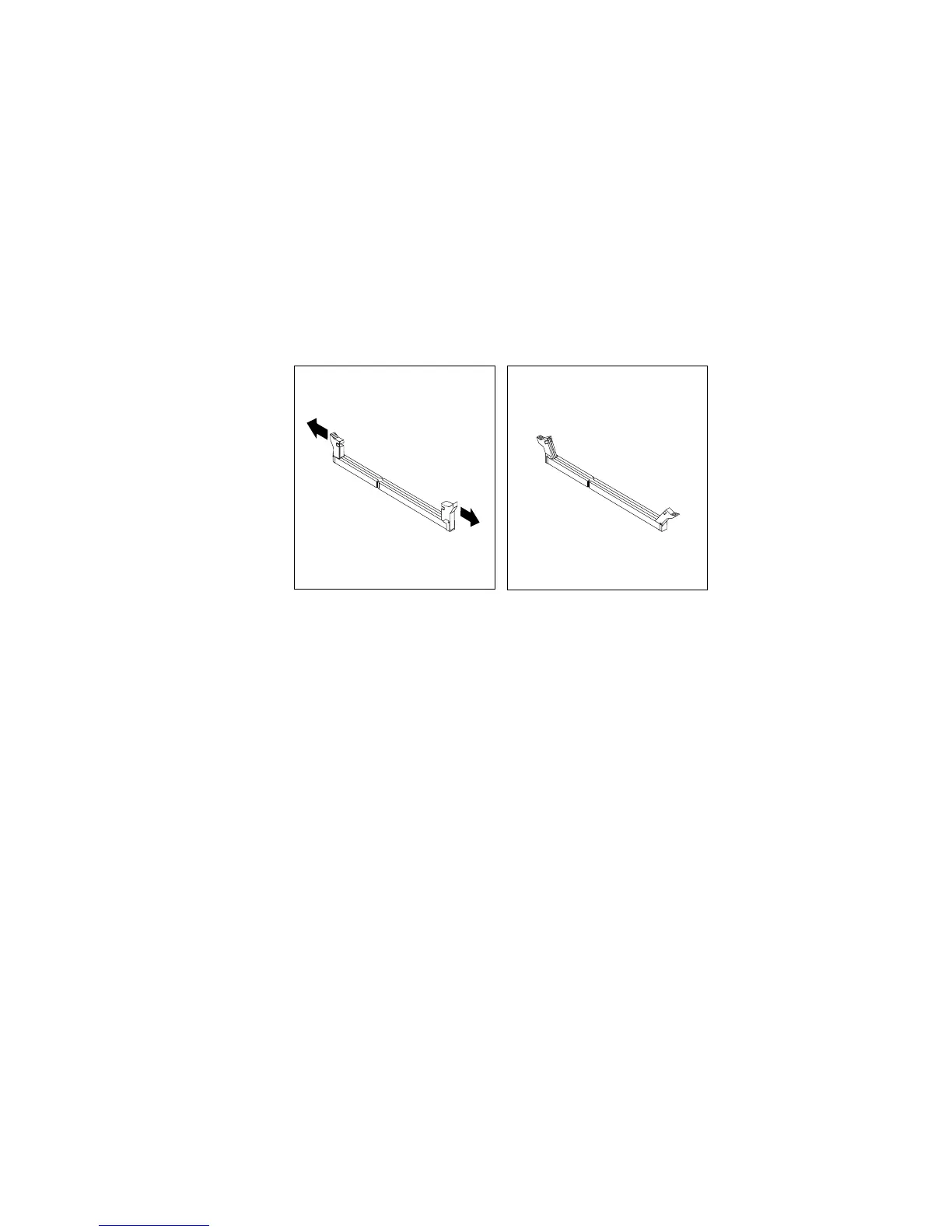
7.Opentheretainingclipsoftheappropriatememoryslot.
Figure37.Openingtheretainingclipsofthememoryslots
8.Touchthestatic-protectivepackagethatcontainsthenewmemorymoduletoanyunpaintedsurfaceon
theoutsideoftheserver.Then,takethenewmemorymoduleoutofthepackage.
Note:Carefullyhandlethememorymodulebyitsedges.
Chapter6.Replacinghardware69











 To Next Page