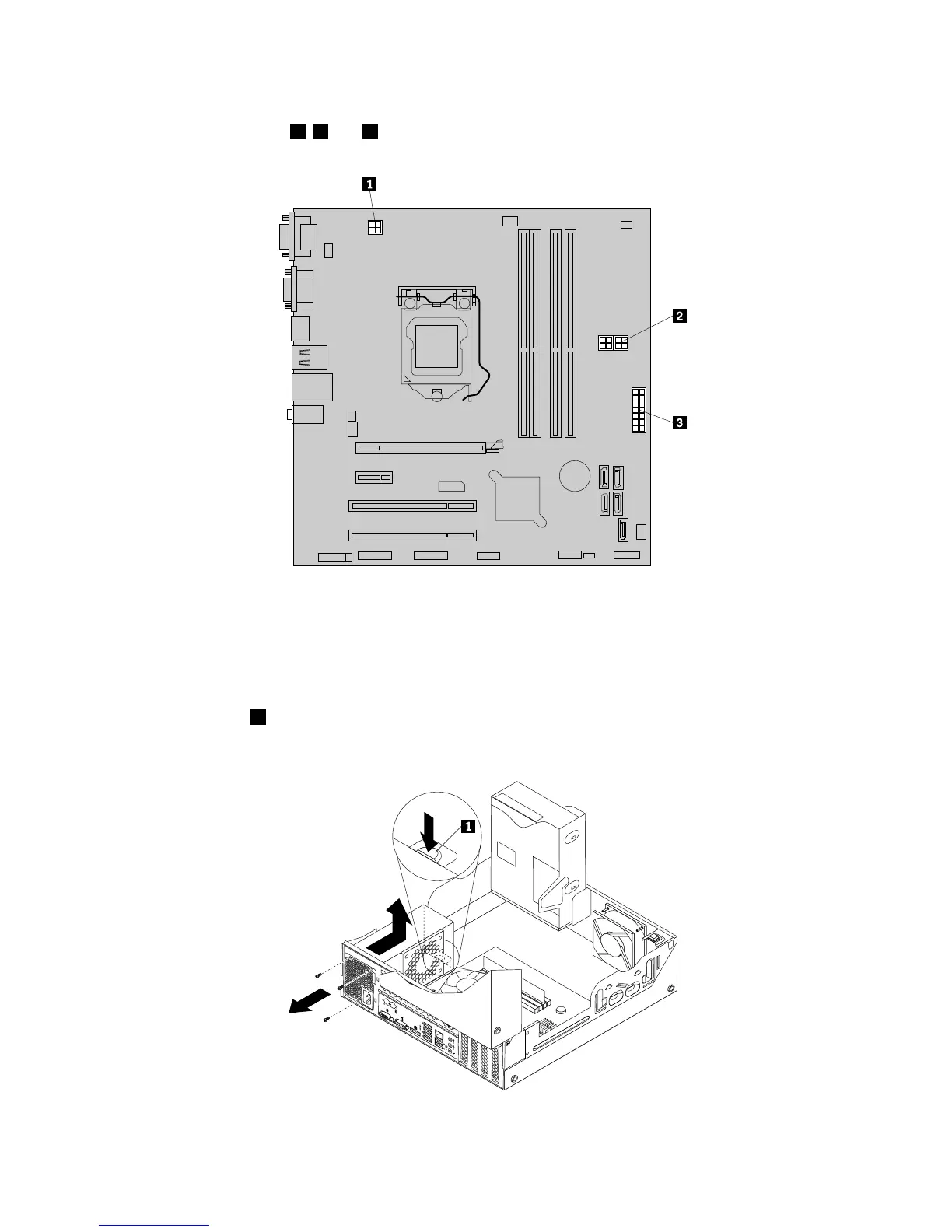
6.Pivottheopticaldriveupwardanddisconnectthepowersupplyassemblycablesfromalldrivesand
frompowerconnectors1,2and3onthesystemboard.
Figure38.Powerconnectorsonthesystemboard
Note:Youmightalsoneedtoreleasethepowersupplyassemblycablesfromsomecableclipsorties
thatsecurethecablestothechassis.Ensurethatyounotethecableroutingbeforedisconnecting
thecables.
7.Attherearofthecomputer,removethethreescrewsthatsecurethepowersupplyassembly.Pressthe
powersupplyclip
1downwardtoreleasethepowersupplyassemblyandthenslidethepowersupply
assemblytothefrontofthecomputer.Liftthepowersupplyassemblyoutofthecomputer.
Figure39.Removingthepowersupplyassembly
58ThinkStationUserGuide












 To Next Page