DeviceNet
14 Appendix
14-3
L BA2175 EN 2.0
Integration into “RSNetWorx”
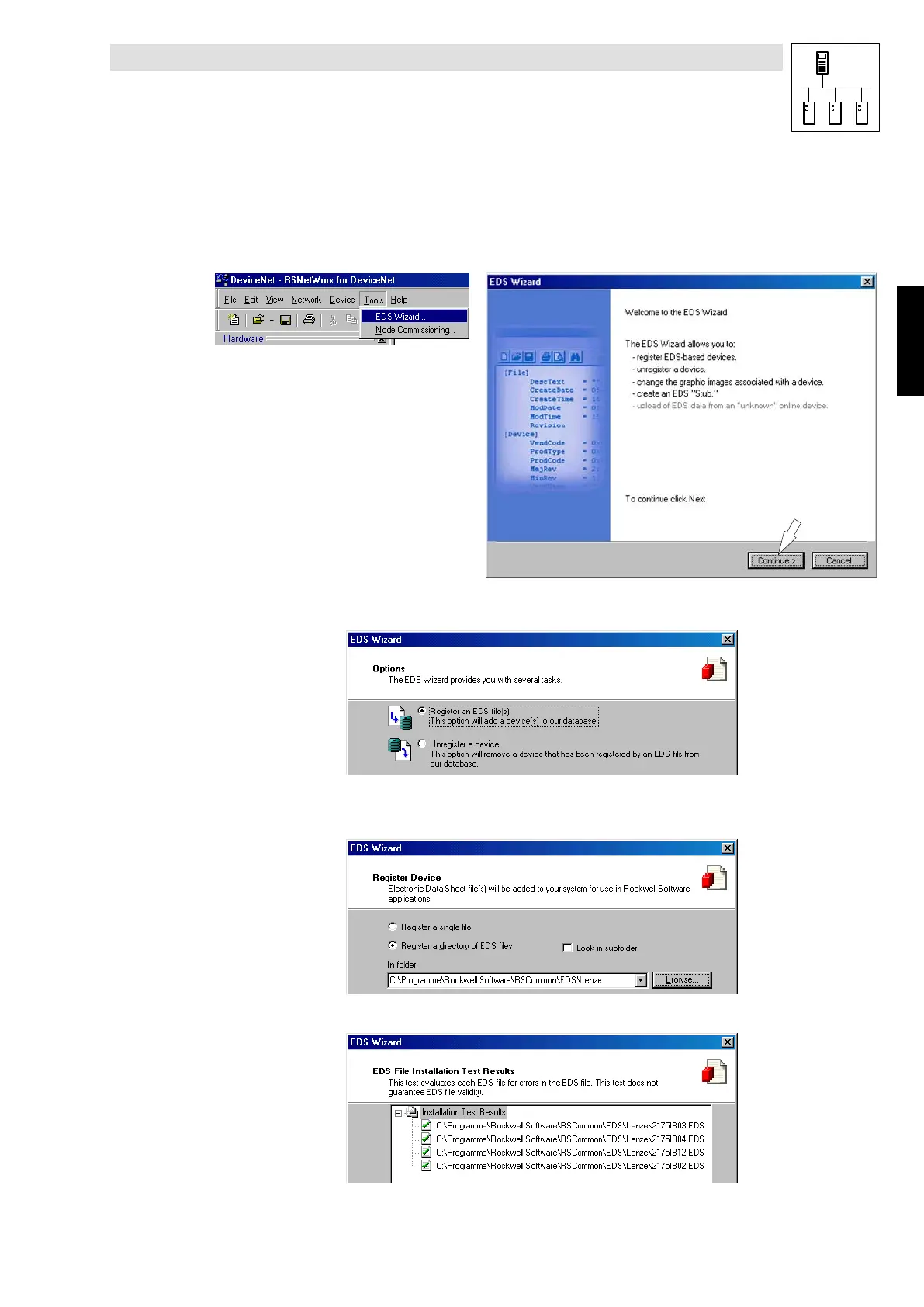
EDS files must be integrated using the installation program “RSNetWorx” :
1. Start “RSNetWorx”
2. Start EDS wizard under ToolsWEDS wizard
2175DeN051/052
3. Select Register an EDS file
2175DeN053
4. Select Register a directory of EDS files
A group of LENZE-EDS files and their path ( Browse ) must be registered.
2175DeN054
5. Wizard finds the LENZE-EDS files (”2175IBxx.EDS”) and indicates the test result.
2175DeN055
Phone: 800.894.0412 - Fax: 888.723.4773 - Web: www.actechdrives.com - Email: info@actechdrives.com


 To Next Page