DeviceNet
14 Appendix
14-8
L
BA2175 EN 2.0
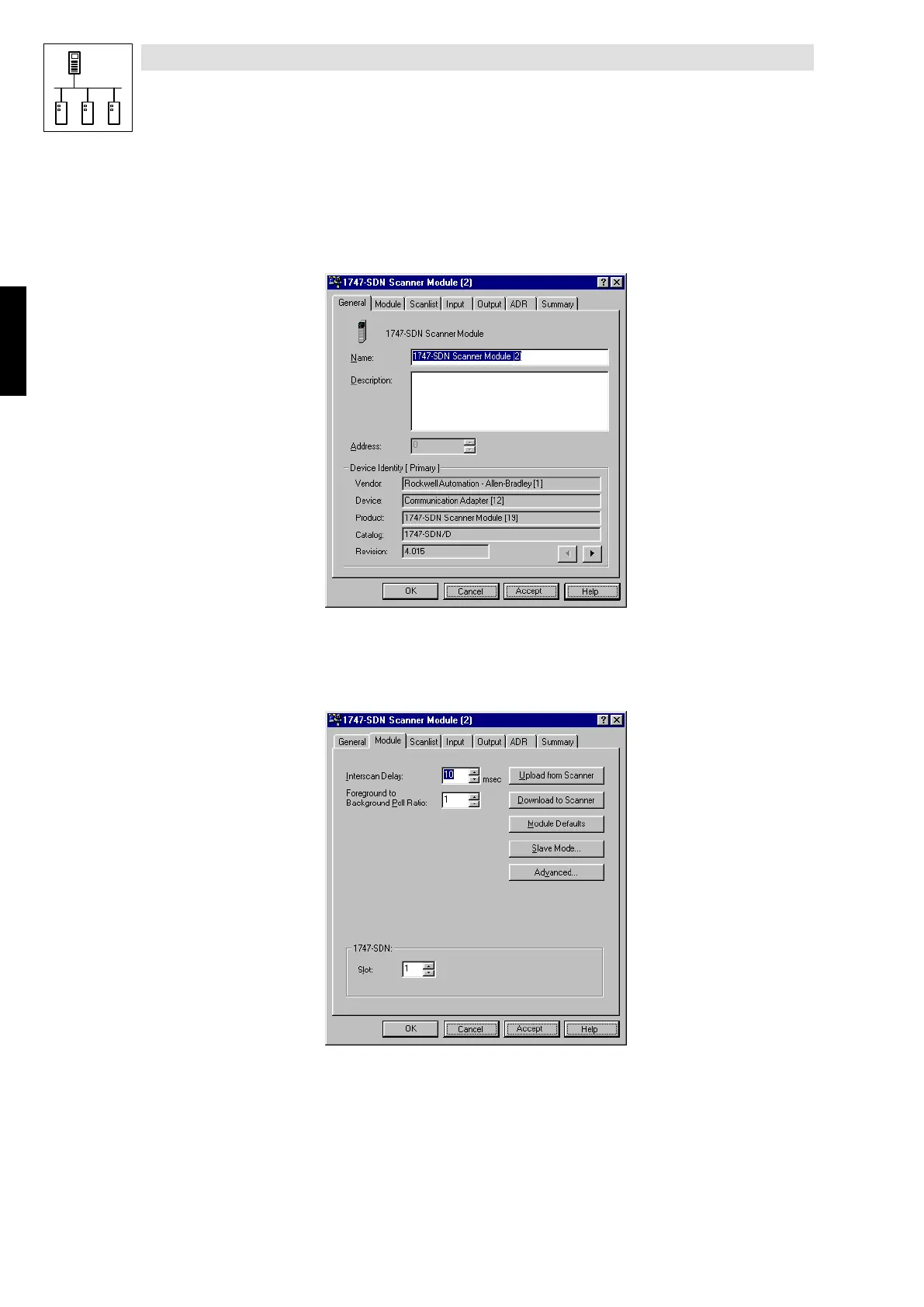
Processing assignment (scanner properties)
Set the I/O address assignment between CPU and DeviceNet devices under Properties of the
DeviceNet scanner using “RSNetWorx”.
1. General scanner data are indicated when the scanner symbol is double clicked.
2175DeN069
2. Select the register card Module
You will be asked whether you want to upload/download the components connected to the
DeviceNet before the modules can be displayed. The window Module shows the scanner
configuration.
2175DeN071
Phone: 800.894.0412 - Fax: 888.723.4773 - Web: www.actechdrives.com - Email: info@actechdrives.com


 To Next Page