Commissioning
L
40
EDBEPM-H310 DE/EN/FR 2.0
4.2.2 Project download
The HMI designer can be used to load the project and update the firmware at the same time.
• Always update the firmware:
– When downloading a project into the keypad for the first time.
– After an update of the planning tool “HMI Designer”.
• To do this, open the “HMI Designer” and select the “Firmware” opti on from the “Download”
menu.
• The firmware will be updated automatically if a new driver is assigned to the project in the
keypad.
• Please bear in mind that the do wnload process will be considerably slower whilst the firmware
is being updated.
What to do
1. Switch on the PC and start the planning tool
“HMI Designer”.
2.
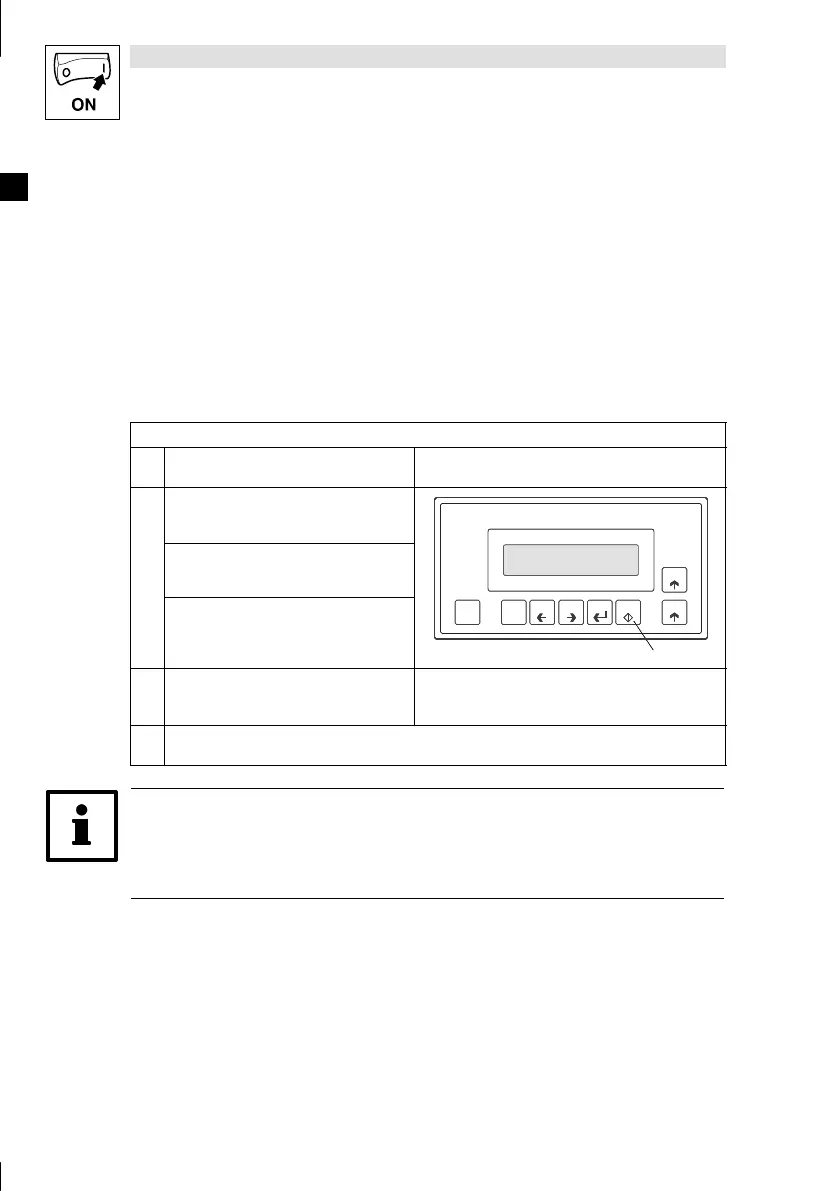
Hold do wn the Enter key 0 on the keypad.
0
shift
F1
Esc
F2 F3 F4 F5
Help
Info
H310_007
Switch on the supply voltage for the keypad.
0
shift
F1
Esc
F2 F3 F4 F5
Help
Info
H310_007
Release the Enter key 0 as soon as “H310
Service Page” is displayed.
0
shift
F1
Esc
F2 F3 F4 F5
Help
Info
H310_007
3. Load the required project from the HMI
Designer to the keypad.
^ “HMI Des i gner - Getting Started”
4. After the download, the keypad is ready for operation and can exchange data with other participants via
the sy s tem bus.
Tip!
• Example projects for the keypad can be found in the planning tool “HMI Designer” under File
W Open ... W Samples .
• The project remains saved after the suppl y voltage has been disconnec ted.



 To Next Page