Commissioning
L
41
EDBEPM-H310 DE/EN/FR 2.0
4.2.3 Disconnection from the PC
1. Switch off the PC.
2. Switch off the supply voltage for the keypad.
3. Remove the EPZ-H111 programming adapter from the keypad and the EPZ-H110 download cable fro m
the PC.
4. Switch on the supply voltage for the keypad.
The keypad is now ready for opera tion.
4.3 Status messages for the keypad
The status of the keypad can be queried any time. Information can be obtained about
• the name of the loaded driver
• the version of the loaded driver
• the address of the keypad
• the last error
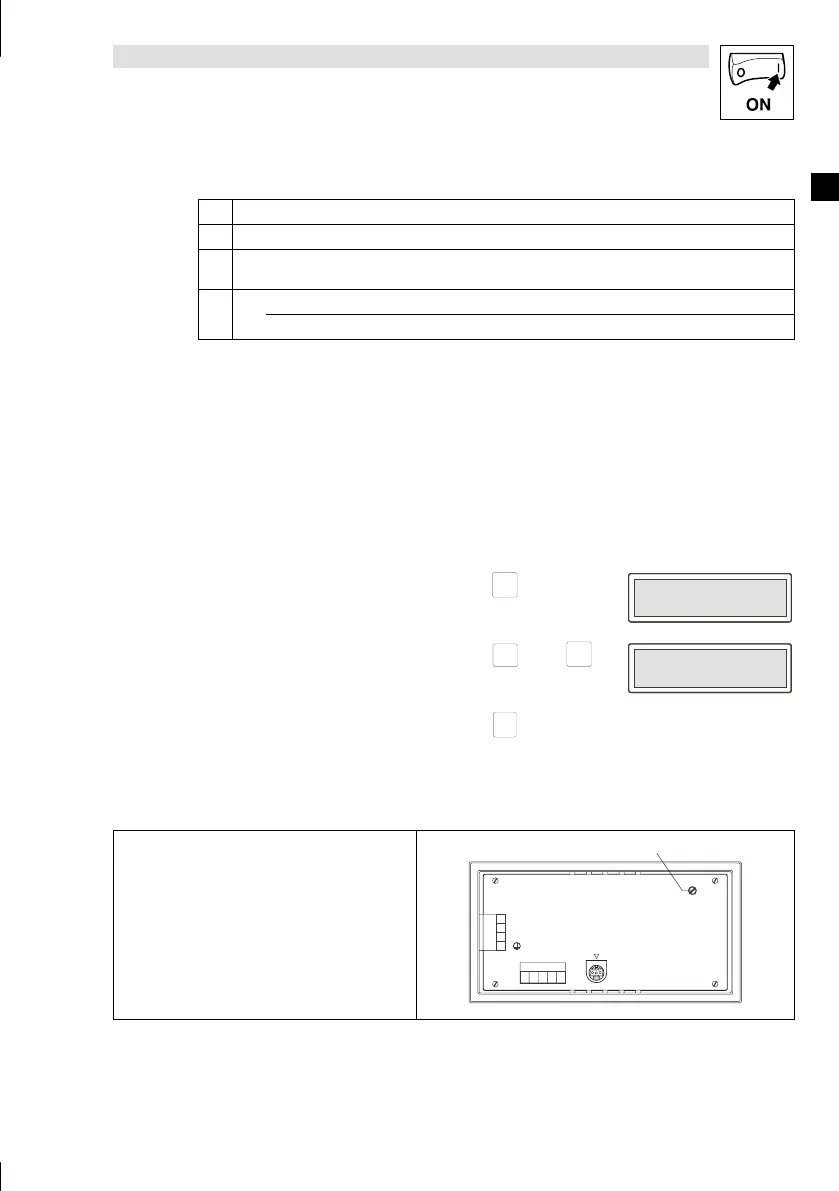
If you want to ... Press keys ... Example
A. query the status of the keypad
shift
2x
Driver: Can Lenze M
Ver. : 1.05
Driver: Can Lenze M
Ver. : 1.05
B. select the next status page
Help
á
or
Info
â
Addr. : NO ADDRESS
Error : RESET
Addr. : NO ADDRESS
Error : RESET
C. close the status message
F1
Esc
4.4 Contrast adjustment
Adjust the display contrast with the trimmer LCD adj. 0
at the back of the keypad.
LCD ADJ
+24 VDC
INPUT: 18 - 32 V 5W
FUSE 315 mA
0 VDC
N.C.
ASP8
N.C.
CAN+
Shield
CAN-
V-
1
123 45
2
3
4
0
H310_008



 To Next Page