1
4
7
2
5
8
0
3
6
9
Operation
L
44
EDBEPM-H310 DE/EN/FR 2.0
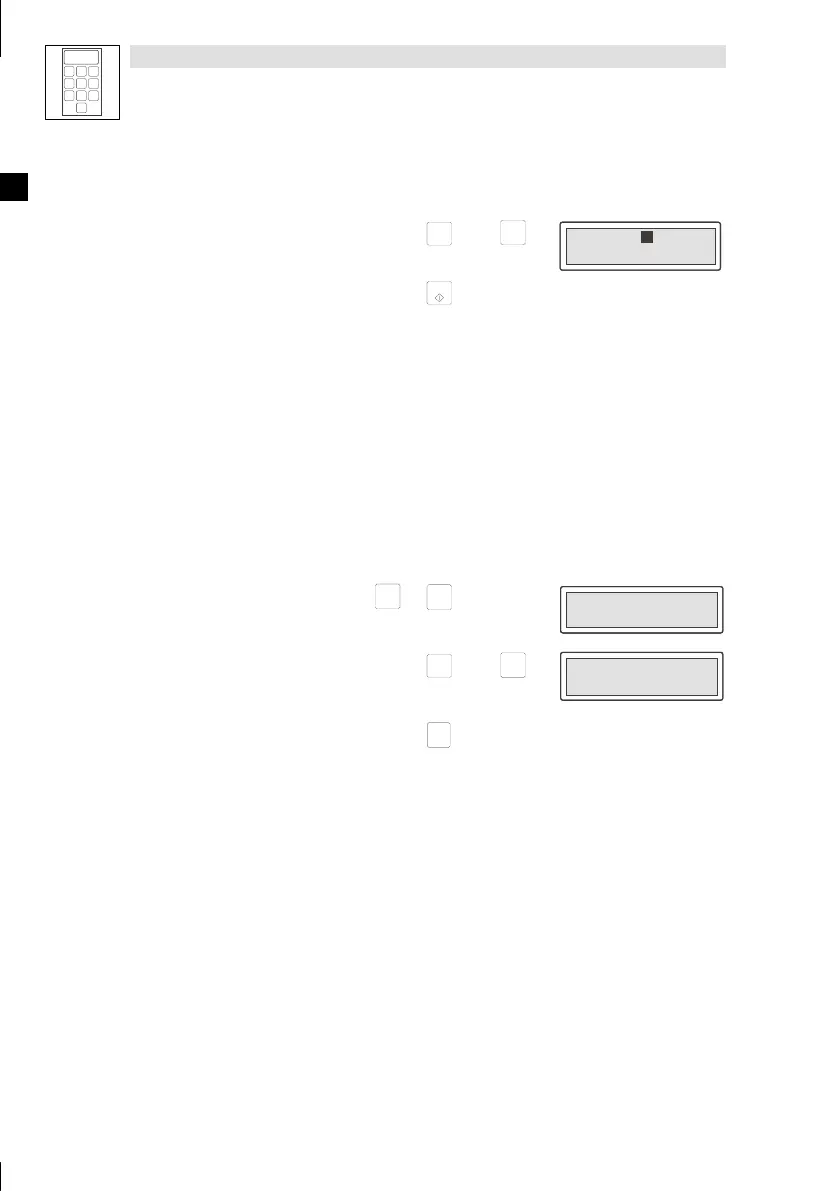
If you want to ... ExamplePress keys ...
H. change a dynamic text field.
1. Select the text.
Help
á
or
Info
â
Field 1 FFO
Field 2 -9876
Field 1 FFO
Field 2 -9876
2. Confirm the input.
– The cursor changes to the menu level.
F5
5.3 Calling up information messages
• Information messages
– are texts, which appear after a certain event (e.g. if an actual value exceeds a limit).
– c a n only be called as long as the triggering event is active.
– must have been programmed in the planning tool “HMI Designer”.
– can have a maximum of 2 lines of 20 characters.
• The keypad does not indicate whether an information message is available or not.
If you want to ... Press keys ... Example
A. call up an information message.
shift
+
Info
â
Pressure exceeds
safety limit
Pressure exceeds
safety limit
B.
select the previous or next information message.
Help
á
or
Info
â
Water level below
working treshold
Water level below
working treshold
C. close the information message.
F1
Esc



 To Next Page