HDMI video output interface
Video output to connect TV or monitor (BNC)
To connect audio signal input
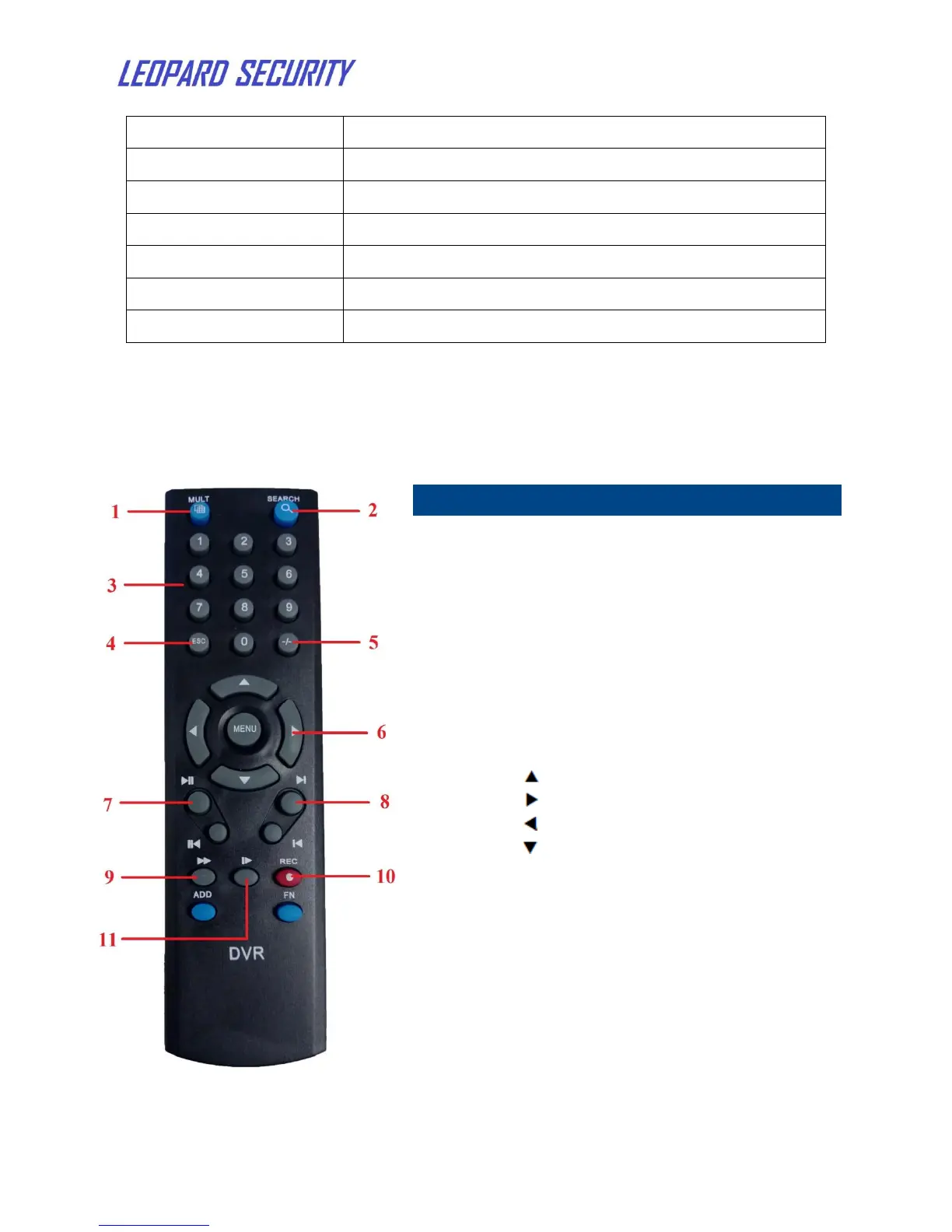
Search: Press to open Playback
interface
Number/Channel buttons: In menu
interface, press buttons 0~9 to enter
values; in live viewing interface, press
to view channels in full-screen.
ESC: Press to back to last step
Navigation/Menu:
: Move cursor up;
: Move cursor right;
: Move cursor left;
: Move cursor down;
Menu: In menu interface, press to
confirm selections; in playback and
preview interface, press to view system
information.
Press to play/pause video playback
Fast-forward when playback
Press to open Record Mode window


 To Next Page