double-click the channel to see the single channel and next
double-click to back
click the right key to see full screen view
Input time (h/m/s) in the time column and
then click play button. The system can operate accurate
playback according to the searching time.
When the system is in single-window full-screen playback
mode, you can drag your mouse in the screen to select a
section and then left click mouse to realize local zoom. You
can left click mouse again to exit.
Click the button to see the next record clip during MD
record playback in single channel.
Double-click the left key on timeline bar to see the record in
the hour
4.5 Backup
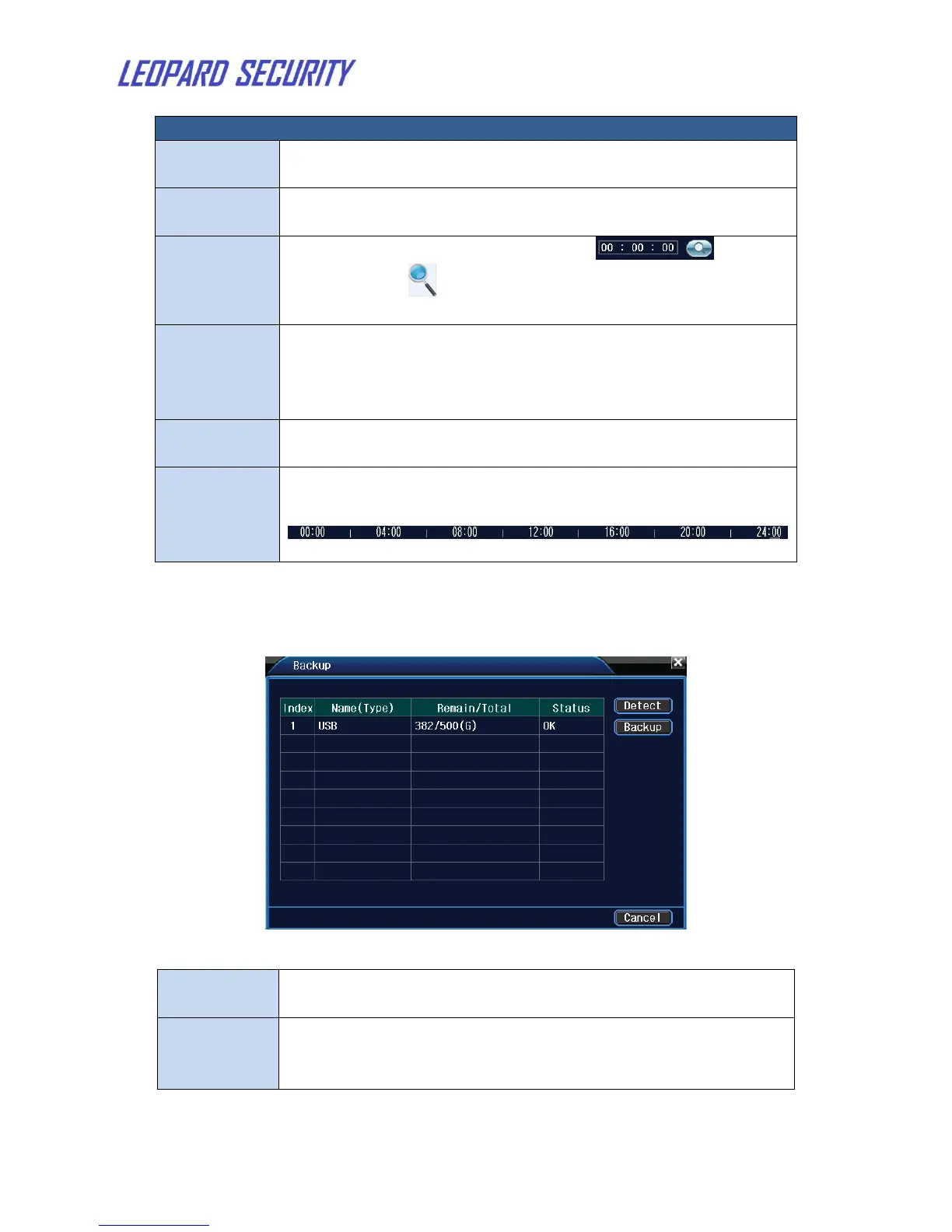
Figure 7: Detect the storage
Detect the storage connected with the NVR such as hard
disk or universal disk.
Click backup button and the dialog box is popped up. You
can choose the backup file according to the type, channel
and time.


 To Next Page