1) Cruise Between Points Settings
Cruise lines is connected by multiple preset points, setting procedure
is as follows:
Step 1: set your preset points .
Step 2: click button Patrol No., then write proper value into the
Preset Points blank and interval blank, then click button Add .
Step 3:click Save.
Remove Preset: click the preset point item in the information box,
then click Delete button.The preset point will be removed after that.
2) The Calls of Cruise between Points
Click right key in preview interface,select PTZ tourStart Cruise.
PTZ begins to work on the cruise line. Click Stop Cruise to stop
cruise.
You can also click the start/stop button in PTZ control interface to
start or stop the cruise.
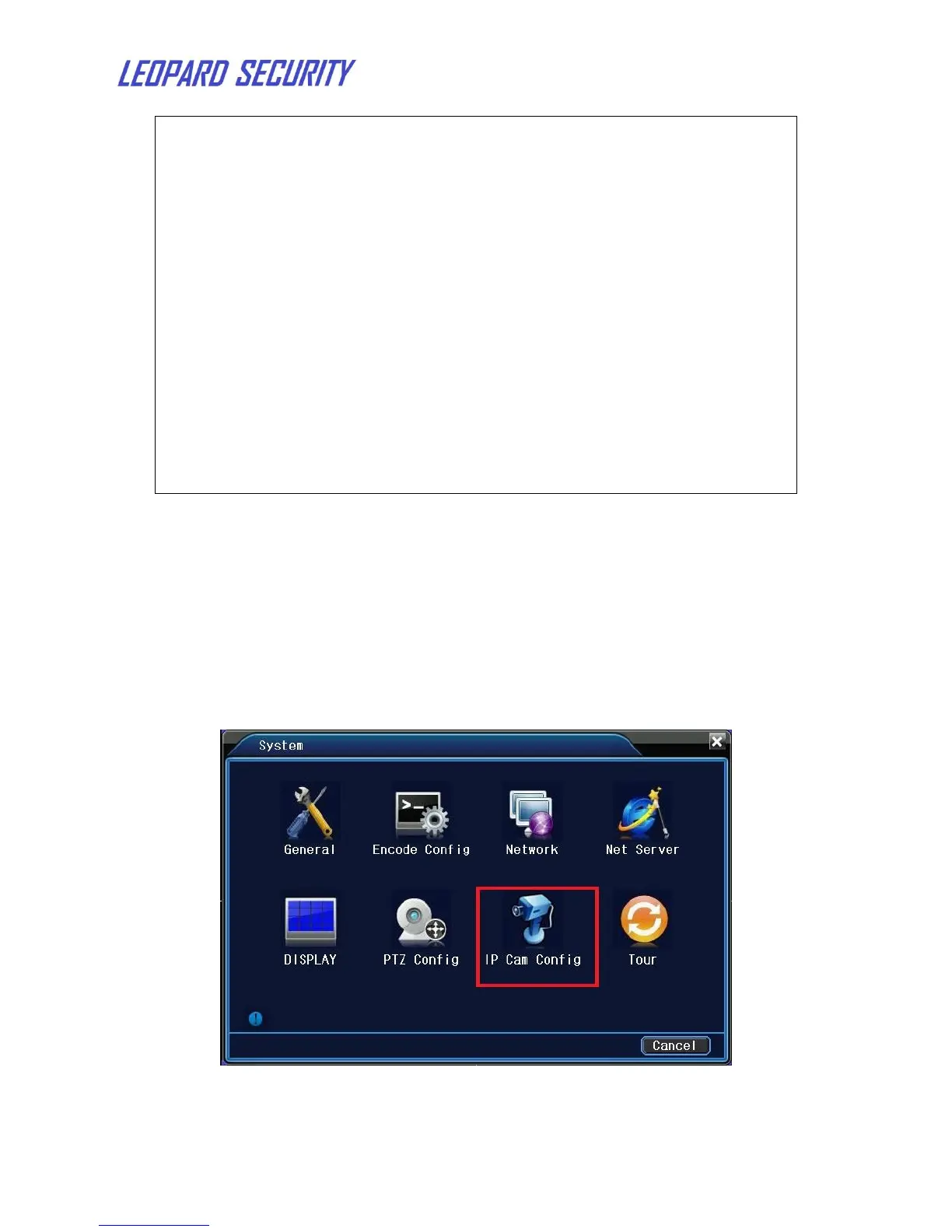
4.10 Add IPCam to NVR
To add IP cameras to NVR, please go to Main MenuSystemIP Cam Config.
Click Search and NVR will search the IP cameras in LAN automatically. Click
Add after the search. You can click "change" to modify the configuration of the ip
cam.


 To Next Page