4.4 Playback
There are two methods for you to play the video files in the hard disk.
In the desktop shortcut menu.
Main menuRecordPlayback
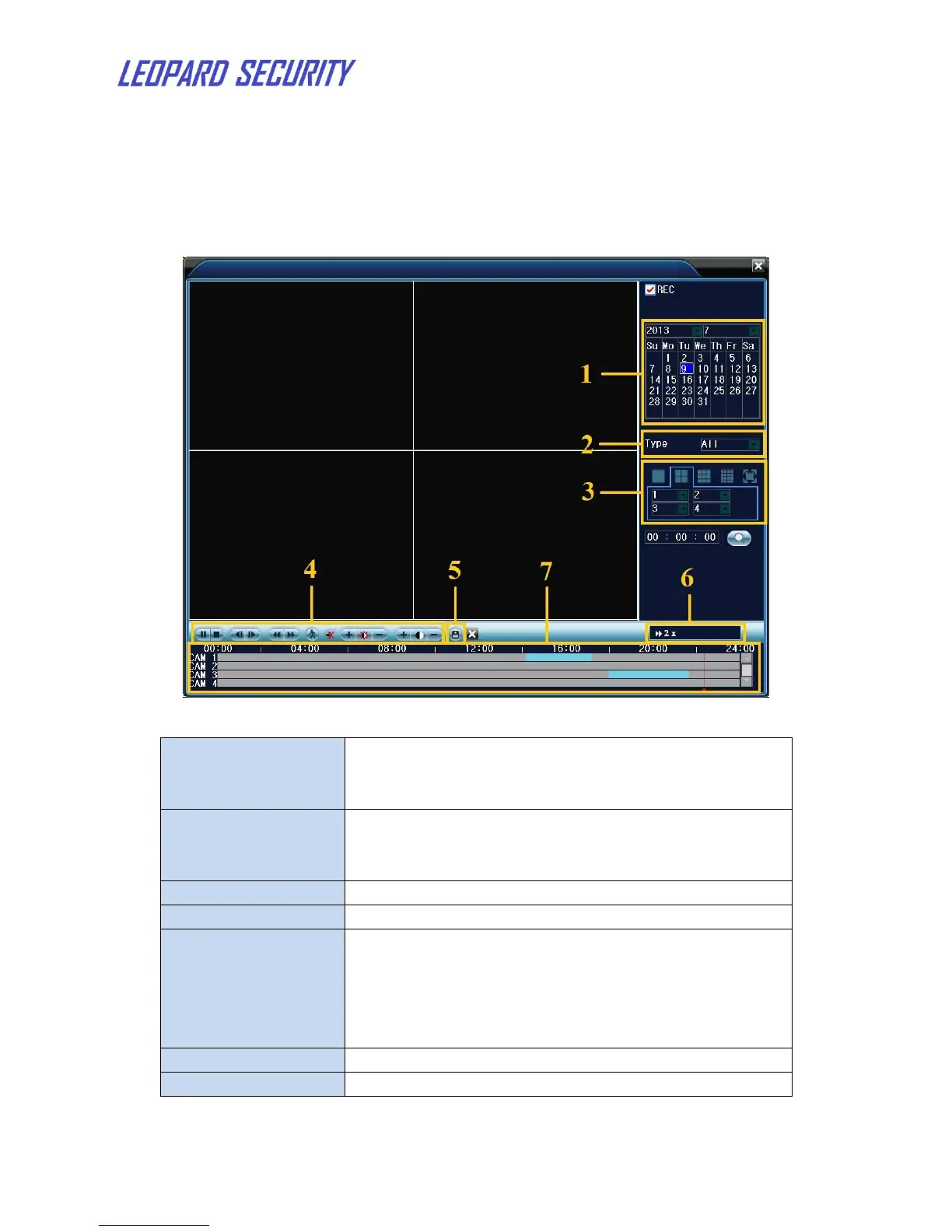
Figure 6: video playback
Choose the date and time. Date with white border
means the system date. Red background means this
day has record files.
Normal, motion detection, alarm or others. In the
video searched, blue means normal, green means
motion, red means alarm.
Choose the channels to display
Go to backup files. Click the button and operate as
followed.
Note: The storage must be installed before the file
backup. If the backup is terminated, the already
backup can playback individually.
Show the fast or slow playback speed.
Recorded video will be shown in timeline.


 To Next Page