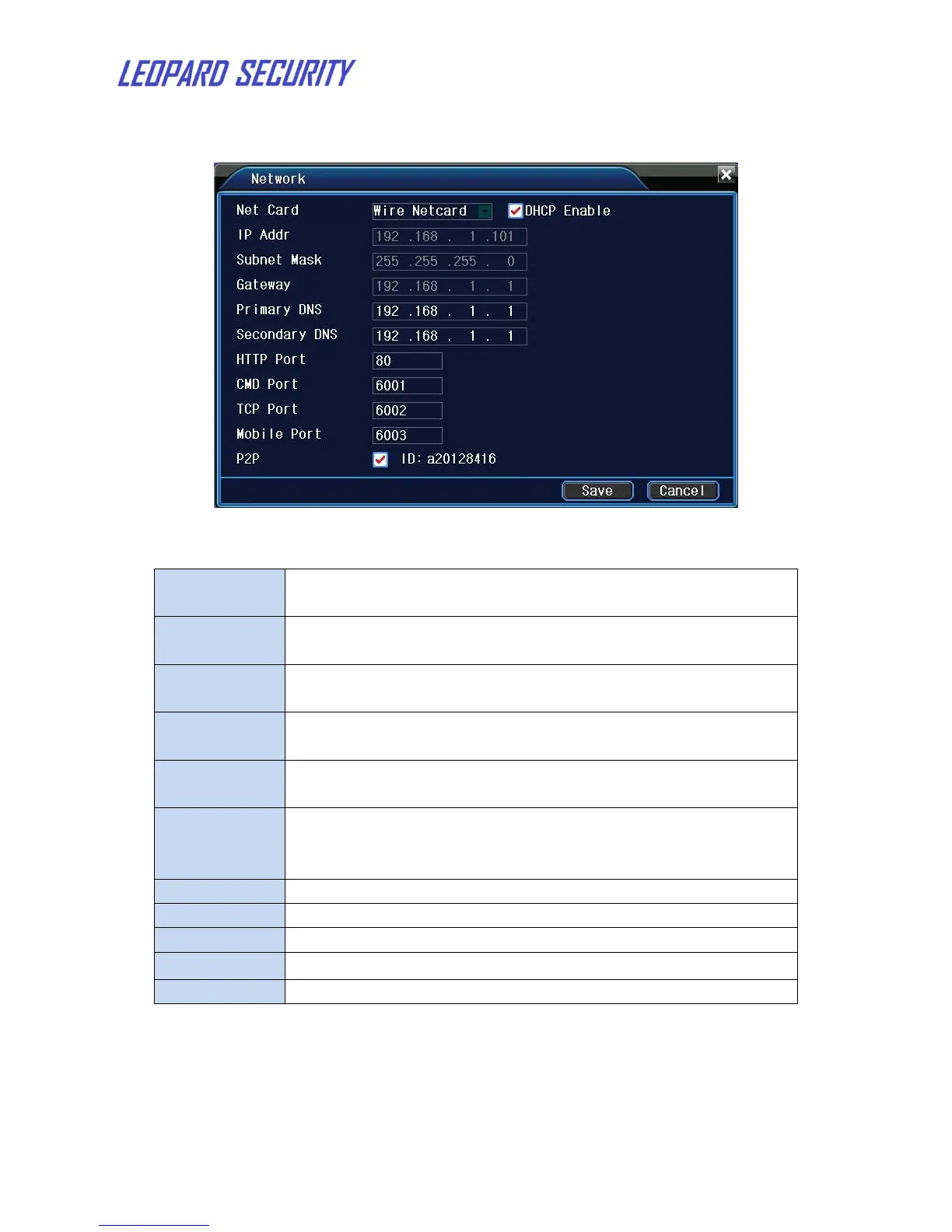
4.7 Network
Figure 9: Network
You can choose cable network card or wireless network
card
Obtain IP address automatically(not suggested)
Note: DHCP server is preinstalled.
Set the IP address. Make it in the same segment with other
network devices in LAN.
Set the subnet mask code. Refer to the subnet mask setting
of other network devices in LAN.
Set the default gateway. Refer to the gateway setting of
other network devices in LAN.
Domain Name Server. It translates the domain name into IP
address. The IP address is offered by network provider.
Refer to the DNS setting of other network devices in LAN.
Command port. Default: 6001.
Media port. Default: 6002.
Enable or disable p2p function.


 To Next Page