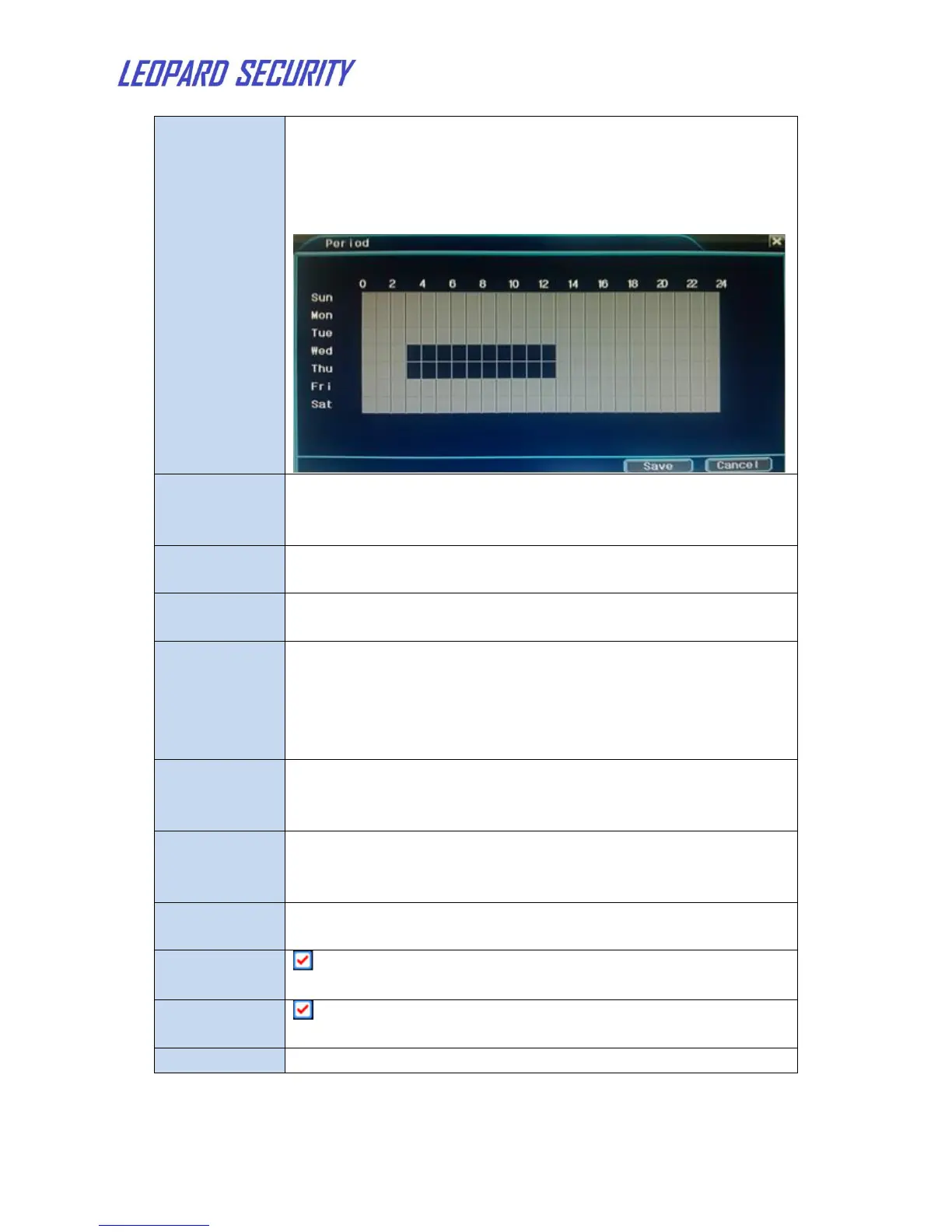
Trigger the motion detect signal in the set time section. You
can set according to week or set uniformly. Each day is
divided into four time sections.
■ means the set valid.
Trigger the motion detect signal in the set time section.
Click the left key of mouse or drag on the time blocks to
select period .Grey means the set valid.
Start the external equipment of corresponding linkage alarm
when the motion detection alarm is turned on.
Delay a few moments and stop when the alarm state is
turned off. The range is 10~300 seconds.
Choose the recording channel (multiple options supportive).
Trigger the video signal when the alarm is turned on.
Note: Set in the Record Mode and perform the linkage
recording. Start detecting video files in the corresponding
time section.
■ means that the selective channel is single window
alternate patrol preview. The interval is set in the Main
MenuSystemTour
Set the PTZ activation when the alarm is turned on.
Note: PTZ activation is set in the Shortcut menuPTZ
control. Set the patrol between spots, trail patrol and so on.
Pop the alarm information dialog box in the local host
computer screen.
means sending an email to user when alarm is turned on.
Note: Set in the Net Server and send email.
means upload the alarm images to your ftp when alarm is
turned on.
Device buzzers when NVR detects alarm.
Other alarm setting: Please refer to "Motion Detect".


 To Next Page